- All of Microsoft
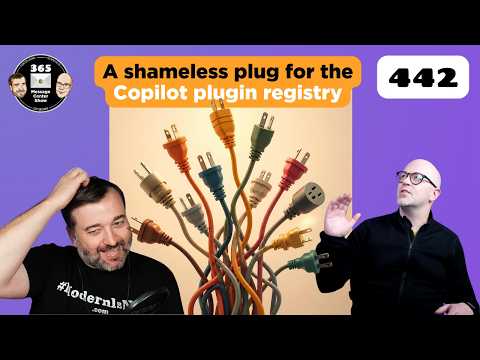
Copilot Plugins & PowerPoint Branding
Microsoft expert: Copilot plugin registry, PowerPoint brand pane update, SharePoint agent retirements, tenant controls
Key insights
- Plugin registry centralizes discovery, publishing, management, and governance for Copilot extensions across many Microsoft 365 surfaces like Home, Code, Word, Excel, PowerPoint, and SharePoint.
It standardizes how plugins appear and work across apps. - Skills, connectors, and agents define what plugins can do: skills run reusable workflows, connectors give approved access to external data and services, and agents perform specific actions for use cases.
Each plugin bundles one or more of these capabilities for Copilot to call when relevant. - MCP/API plugins and declarative agents let Copilot invoke servers or REST APIs as actions, enabling natural‑language prompts to read and change data when allowed.
This turns external APIs into actionable capabilities inside Copilot flows. - Management controls and centralized governance let admins enable, disable, and deploy plugins from the Sources & Skills panel or via tenant controls.
Microsoft also moves toward unified packaging and app‑store style distribution for enterprise rollout. - PowerPoint Brand pane changes include a temporary removal of the Brand pane and removal of Brand Guidelines and style from new Brand Kit creation; Microsoft also announced retirement of the SharePoint Page Agent (Frontier).
These updates affect how branding and some SharePoint agents are managed. - Benefits include real‑time access to external data, faster workflow automation, and reusability of capabilities across Copilot surfaces.
Enterprises gain stronger control and easier deployment for secure, consistent automation.
Overview: Episode 442 in focus
The newsroom reviewed Episode 442 of the 365 Message Center Show, which concentrates on new governance and extensibility features for Microsoft Copilot and recent PowerPoint branding changes. In the video, hosts outline a new central model for packaging capabilities as Copilot plugins that include skills, connectors, and agents, and explain how these can be discovered and managed across Microsoft 365 surfaces. Moreover, the episode highlights a newly introduced plugin registry that centralizes discovery, publication, and governance for Copilot experiences such as Home, Code, Word, Excel, PowerPoint, and SharePoint. Consequently, the show frames this update as a shift from fragmented add-ons toward a single, more governed ecosystem for Copilot extensions.
What the plugin registry means
The hosts describe the plugin registry as a single place for organizations to find and manage extensions, which should simplify deployment and oversight across apps. In addition, Microsoft appears to be standardizing how plugins present capabilities to Copilot, making it easier to reuse the same package on multiple surfaces instead of building separate integrations for each app. However, standardization also brings tradeoffs: while it reduces duplication and improves governance, it may constrain highly specialized app-level experiences that previously relied on bespoke integrations. Therefore, IT teams must weigh the benefits of unified management against the potential loss of app-specific flexibility.
How plugins work and where they apply
According to the episode, a plugin is a package described by a manifest that tells Copilot what skills, connectors, or actions it provides, and Copilot then decides when the plugin is relevant to a user’s prompt. Furthermore, the video explains that there are distinctions between declarative agent actions like MCP and API plugins and other plugin forms, which means some plugins act as direct actions while others expose data or workflows for Copilot to use. In addition, management features let admins find, enable, or disable plugins through panels such as Sources & Skills, and distribution can use Microsoft 365 packaging or marketplace-style deployment for broader rollouts. As a result, the model aims to balance developer expressiveness with admin control so that organizations can adopt extensions safely.
PowerPoint branding pane and related changes
The episode also addresses recent changes affecting PowerPoint, where Microsoft temporarily removed a branding pane and adjusted how brand kits are created in certain flows, including the removal of Brand Guidelines and Style from the new Brand Kit creation process. While the available details in the video are limited, the hosts connect these UI changes to the broader push for uniform extensibility and the need for caution when rolling out features that touch tenant-level settings. Moreover, Microsoft announced moves like the retirement of the SharePoint Page Agent and added observability to third-party agents via Connected Platforms, which shows a pattern of cleaning up legacy pieces while introducing centralized controls. Consequently, admins should expect short-term frictions during transitions and plan communications for users who rely on the older panes or workflows.
Governance, tradeoffs and challenges
The show emphasizes that centralized plugin governance improves security and auditability, because admins can control which plugins run in a tenant and monitor third-party agents, including through features such as Connected Platforms - Agent 365 observability. Nevertheless, this control introduces tradeoffs: tighter governance can slow innovation and create friction for teams that want fast, customized integrations, while looser controls can risk data exposure and compliance lapses. In addition, implementing a centralized registry requires migration planning, tooling updates, and training for developers and admins, which increases short-term overhead even if it reduces long-term complexity. Therefore, organizations must decide how to balance speed, security, and manageability based on their risk posture and operational needs.
Implications for IT teams and next steps
The episode suggests practical next steps for IT: inventory existing extensions, test key workflows with the new registry model, and update governance policies to reflect the centralized controls described by Microsoft. Moreover, teams should pilot the plugin packaging and deployment flows to understand how Cowork and related Copilot surfaces will use the same extensions, and they should prepare rollback or mitigation plans for changes like the temporary removal of the PowerPoint branding pane. Finally, ongoing monitoring and stakeholder communication will be critical, because transitions of this scale typically produce both technical hurdles and user questions that require clear guidance. Overall, Episode 442 from 365 Message Center Show frames these updates as a move toward unified power and control, while also reminding organizations to plan for the tradeoffs and challenges that accompany centralization.

Keywords
Copilot plugins, PowerPoint branding pane, Copilot PowerPoint integration, PowerPoint branding customization, Copilot plugins tutorial, PowerPoint add-ins branding, Microsoft Copilot for PowerPoint, PowerPoint branding pane walkthrough