- All of Microsoft
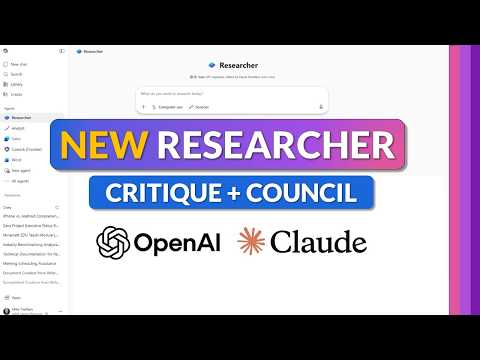
Microsoft 365 Copilot Researcher Guide
Principal Group Product Manager - Microsoft Education
Microsoft three sixty five Copilot Researcher: Critique and Council sharpen research, briefings, strategy and decisions
Key insights
- Researcher (Microsoft 365 Copilot) — This tutorial shows how Researcher gathers, analyzes, and synthesizes information from Microsoft 365 apps and the web to produce structured, cited reports.
It works inside Word, Teams, and the Copilot web interface so you can stay in your workflow. - Critique — Critique separates drafting and review by using one model to generate content and another to fact-check and refine the result.
This dual-step review reduces errors, strengthens sourcing, and is the default "auto" mode for higher-quality outputs. - Council — Council runs multiple models side-by-side and shows alternative perspectives and drafts for the same request.
Use it to compare versions, pick the strongest argument, or expose gaps in a single-model result. - How to run Researcher — Open Copilot, pick Agents > Researcher, enter a clear prompt, then choose Auto (Critique) or Council and let it build the report.
Review cited sources, accept edits, and export or paste results into your document or meeting notes. - Key benefits — Expect improved accuracy, faster synthesis, and built-in citations that make outputs easier to verify for stakeholders.
The system supports enterprise controls, respects permissions, and helps reduce rework on high‑stakes deliverables. - Practical tips — Give specific scope and objectives in prompts, ask clarifying questions when Researcher offers them, and use Council for complex decisions or competing viewpoints.
Always spot-check citations and edit the final text to match your voice and policy needs.
Introduction
In a recent YouTube walkthrough, Mike Tholfsen demonstrates the updated Researcher experience inside Microsoft 365 Copilot, highlighting two notable additions: Critique and Council. The video positions these features as steps toward more accurate, reliable research outputs by separating content generation from independent review. As a newsroom summary, this article outlines what the video shows, how the features work, and the tradeoffs organizations should weigh when adopting them.
Video overview and structure
Tholfsen’s walkthrough follows a clear timeline, opening with an introduction and then focusing on Critique at about one minute and four seconds, followed by a segment on Council at roughly four minutes and three seconds. He continues with demonstrations of how Researcher uses internal documents and prepares materials for meetings later in the video. This structure helps viewers see both conceptual explanations and practical demos in a short format.
Throughout the video, Tholfsen shows Researcher pulling data from web sources and Microsoft 365 content like emails, Teams conversations, and SharePoint files. He emphasizes that the tool respects permissions and compliance settings while assembling cited summaries and suggested next steps. He also notes that the remarks reflect his personal perspective rather than official corporate positions.
How Critique and Council operate
According to the video, Critique acts as a two-step workflow where one model generates a draft and another model independently reviews it before finalizing the output. This separation aims to catch errors, weak sourcing, or structural issues that a single-model approach might miss. Tholfsen explains that the reviewer model assesses evidence grounding and helps refine the final report’s clarity and citation quality.
Conversely, Council offers side-by-side outputs from multiple models so users can compare different perspectives on the same question. This multi-model comparison gives teams a way to evaluate alternative viewpoints and select the most appropriate version for their needs. In practice, Council can surface disagreements between models that prompt human reviewers to dig deeper or combine insights.
Practical use cases and tips from the demo
Tholfsen highlights several real-world scenarios where Researcher can save time, such as preparing executive briefings, drafting research summaries, planning strategy, and supporting decision-making. He walks viewers through sample prompts and shows how Researcher asks clarifying questions, integrates relevant documents, and produces structured findings with suggested next steps. His demos underline the value of clear prompts and iterative refinement to get the best results.
Moreover, he shares tips for improving outcomes: provide context up front, confirm the scope of the search, and use the model picker to choose between automatic critique and council comparisons. He also recommends reviewing citations carefully and editing the draft for tone or policy alignment before sharing. These practical touches help teams apply Researcher in busy workflows without assuming the AI’s output is final.
Tradeoffs and adoption challenges
While Critique and Council promise higher accuracy and more defensible outputs, they also introduce tradeoffs around speed, complexity, and cost. Running multiple models or adding a review phase can increase latency compared with single-model responses, and enterprises may see higher compute or licensing costs for multi-model configurations. Organizations must weigh these operational costs against the benefit of reduced rework and fewer factual errors.
There are also governance and privacy considerations: combining web results with internal files requires careful permission management and audit controls to avoid exposing sensitive information. In addition, multi-model disagreement can create ambiguity rather than clarity if teams lack a clear process for reconciling differences. Finally, while benchmarks cited in the demo suggest meaningful accuracy gains, real-world performance will vary by domain and prompt quality.
Conclusion and newsroom perspective
Mike Tholfsen’s video offers a concise, practical introduction to how the new Researcher features in Microsoft 365 Copilot aim to improve research workflows through independent review and model comparison. For organizations, these features can shorten research cycles and increase confidence in shared outputs, provided teams invest in prompt design, governance, and human review processes. As with any emerging tool, the benefits come with costs and operational challenges that organizations should test carefully before broad rollout.

Keywords
Microsoft 365 Copilot Researcher, Copilot Researcher tutorial, Microsoft 365 Copilot tutorial, Copilot critique and council, Copilot for researchers, Microsoft Copilot tips and tricks, Copilot research workflow, Copilot productivity tips