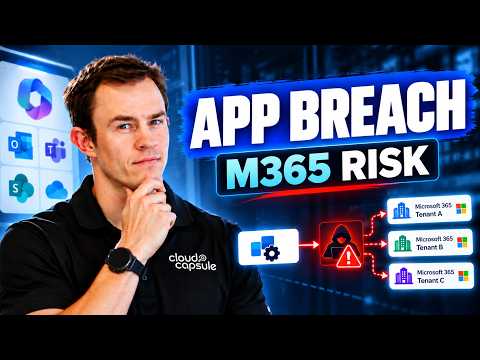
Microsoft Entra App Risks in the ConnectWise Breach
Nick Ross explains how compromised third-party app credentials can expose Microsoft 365 tenants and demonstrates investigation and response in a lab.
Key insights
- The video recreates a similar application-compromise scenario in a controlled Microsoft 365 lab.
- Service principals let applications authenticate to a tenant using their own identity.
- An attacker with valid app credentials may use permissions already granted to that application.
- Interactive MFA does not automatically protect noninteractive application authentication.
- The video covers Entra sign-in logs, audit logs, Microsoft Defender, and MSP cross-tenant exposure.
Nick Ross [MVP] of T-Minus365 published a 40-minute video explaining the ConnectWise Cloud Backup and SkyKick breach and demonstrating a similar attack chain in a controlled Microsoft 365 lab. The central takeaway for tenant administrators is that trusted application identities can create a route to privileged access that is separate from ordinary user sign-ins. Ross also covers ways to reduce application risk and investigate suspected compromise.
What's new
The video focuses on a supply-chain security problem: a third-party service may already have an application identity authorized in customer tenants. If credentials for that application are compromised, an attacker may be able to authenticate as the application and use permissions the customer previously granted. That path does not require an attacker to take over each customer’s user accounts.
Ross recreates a similar scenario with fictional applications in a lab. The description says the demonstration covers how application permissions and service principals can be abused, how that access could lead to Global Administrator privileges, and how to prevent, detect, and investigate the activity. It is a security walkthrough, not a claim that the fictional applications in the demonstration were involved in the real incident.
The attack-chain explanation also highlights persistence: access to one application identity can potentially be followed by changes to other application credentials or roles. The research notes describe cases involving elevated directory roles and added secrets or certificates. Those details explain why incident response must look beyond the first suspicious sign-in.
Why it matters
For Microsoft 365 administrators, the issue is that application access can be powerful but less visible than user access. A service principal is the identity an application uses in a tenant; its effective access depends on the permissions and roles granted to it. An application with more access than its task requires increases the potential impact if its credentials are stolen.
User-focused multifactor authentication remains relevant, but it does not automatically stop application-only authentication. Applications can authenticate noninteractively with credentials such as a client secret or certificate. As a result, an organization can require MFA for people and still need separate controls for application identities and their credentials.
For managed service providers, the video calls out MSP applications and GDAP as cross-tenant considerations. A compromised identity or service relationship can matter beyond one organization, depending on the access that has been granted. The practical question for administrators is therefore not only who can sign in, but which applications can act, what they can do, and in which tenants.
Security responders and consultants can use the walkthrough as a prompt to review application permissions and plan an investigation. For makers and application owners, the lesson is to treat app registrations and their credentials as security-sensitive assets, not as set-and-forget configuration. The description does not identify a required license, a tenant-wide rollout, or a new Microsoft feature; it presents security guidance and a lab scenario.
How it works
The video description outlines a chain involving trusted application credentials, service principals, and permissions. In plain terms, a service principal represents an application in a tenant, while application permissions define actions it can perform. If an attacker obtains a credential accepted for that identity, the attacker may be able to make requests as the application rather than as a person.
- Review authorized applications. Identify third-party applications and service principals with access to the tenant. Check whether the permissions they hold match their intended purpose.
- Protect app credentials. Review how application registrations are secured, along with their permissions and credentials. The video presents these as areas for reducing exposure.
- Investigate unusual activity. Use Microsoft Entra sign-in logs and audit logs to examine application activity and changes. Ross also includes Microsoft Defender in the investigation walkthrough.
- Consider connected organizations. For MSP environments, assess how applications and GDAP relationships affect cross-tenant exposure, rather than treating each tenant’s risk in isolation.
These are the areas the video says it covers, not a complete incident-response procedure reproduced from a transcript. The description does not provide a full set of commands, queries, or portal click paths. Administrators should use the video’s demonstration to understand the sequence, then validate investigation steps against their own environment and current Microsoft guidance.
Limitations and open questions
The demonstrated applications are fictional and the attack is recreated in a controlled lab. That makes the video useful for understanding a possible application-compromise pattern, but the demonstration should not be mistaken for a forensic record of every action in the real breach. The video description does not give a complete tenant-by-tenant account or a verified count of affected organizations.
The materials provided here also do not establish which specific applications or permissions are present in an individual reader’s tenant. They do not state that every tenant, region, or license is affected, and they do not give a universal remediation checklist with exact commands. Organizations should treat their own logs, app permissions, credentials, and service-provider relationships as the evidence for deciding whether they need to act.
For readers deciding whether to watch, the most relevant sections are the app-authentication explanation, the lab recreation, the investigation walkthrough, and the MSP-specific discussion. The available description names Entra sign-in logs, audit logs, and Microsoft Defender, but does not reproduce the video’s detailed investigation findings. The linked video is the primary source for those demonstrations.
Sources
Frequently asked questions
Can application-based access bypass user MFA?
The video explains that MFA for interactive user sign-ins does not automatically protect noninteractive application authentication. The description does not specify the exact controls in any particular tenant.
Does the video show the real ConnectWise application being compromised?
No. The description says the attack is recreated using fictional applications in a controlled lab.
Which logs and tools does the video cover?
It names Microsoft Entra sign-in logs, audit logs, and Microsoft Defender as investigation resources.