- All of Microsoft
- Microsoft 365
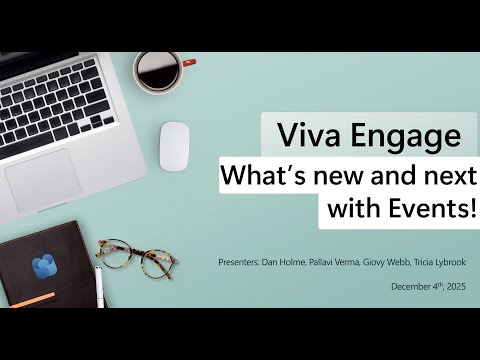
Viva Engage Events: Top New Features
Software Development Redmond, Washington
Microsoft expert guide Viva Engage events, Teams Town Hall, AMAs and broadcasts for communities, storylines and meetings
Key insights
- Viva Engage events summary based on a December 2025 YouTube recording.
Microsoft plans to ship the new features in the first half of 2026. I am summarizing the video, not the presenter. - Organizers can create meetings, broadcasts, and feed-only events directly from any Viva Engage community or storyline.
These formats cover small group sessions up to large-scale company broadcasts. - Deep Teams Town Hall integration adds higher production quality and interactive tools such as moderated Q&A, live reactions, questions, and voting.
This supports professional, large-audience leader and company-wide events. - Analytics and moderation updates let organizers export event posts for review and control who can move conversations between communities.
These features improve post-event analysis and conversation governance. - An improved admin center streamlines editing event details, managing membership approvals, and sending notifications.
Centralized admin controls save time and strengthen security for community events. - Copilot and multilingual support boost accessibility and provide AI assistance across languages.
Overall, the changes deliver seamless Microsoft 365 integration, professional production, better insights, and easier event management.
Overview of the Microsoft YouTube Presentation
Microsoft published a YouTube video, recorded in December 2025, that walks viewers through new event capabilities coming to Viva Engage. The company framed the update as a move to bring live experiences, community conversations, and leadership broadcasts into a single, integrated space. Viewers were shown demos and timelines, and Microsoft said the features will ship in the first half of 2026. Consequently, organizations now have time to assess how to adapt event strategies and governance before rollout.
The video featured product group speakers who explained the practical aims of the update and demonstrated how different event formats will work. Importantly, the presentation emphasized integration with existing Microsoft 365 tools. This alignment reduces the need to adopt separate platforms for town halls, AMAs, and broadcasts, while also aiming to improve engagement analytics and moderation. Therefore, the message was both about capability and operational simplification.
New Event Types and Production Quality
Microsoft introduced three main event formats: meetings, broadcasts, and feed-only events that can be created from any community or storyline inside Viva Engage. Moreover, the platform now leverages the production features of Teams Town Hall for large-scale broadcasts, which brings moderated Q&A, live reactions, and voting to the social workspace. As a result, organizations can run polished, interactive events without forcing participants to switch tools, which should increase attendance and focus.
However, the upgrade to higher production quality comes with tradeoffs. For instance, improved capabilities may require more planning, technical setup, and trained staff to operate at scale. Consequently, smaller teams might need support or simplified workflows to avoid slowing down event creation. Thus, while production value increases, organizations must weigh the investment in people and training against expected engagement gains.
Administration, Moderation, and Analytics
The video highlighted new administrative features that simplify event management, including editing event descriptions, better membership approvals, and centralized controls in an updated admin center. In addition, organizers will be able to export posts related to events for deeper analysis, which supports post-event reviews and reporting. These capabilities aim to give communicators stronger governance and clearer measures of success.
Still, greater control introduces operational complexity that administrators must manage. For example, granular moderation settings improve safety, but they can also create bottlenecks if approval workflows are too strict. Therefore, administrators must balance openness for community interaction with policies that protect brand reputation and data privacy. Planning clear roles and training will be essential to make moderation both efficient and effective.
AI, Multilingual Support, and Accessibility
The presenters also outlined how AI features, including Copilot, will support multilingual interactions and enhance accessibility during events. This capability can translate or summarize content and provide assistance that helps global teams participate more fully, which should raise inclusivity. Furthermore, these tools can speed post-event content curation and surface themes from large-scale conversations.
Nevertheless, integrating AI raises questions about accuracy, bias, and data handling. For instance, automated translations and summaries can misrepresent nuance, and organizations must audit outputs for quality. Additionally, teams must address data governance and privacy implications of AI-assisted processing to ensure compliance with internal and regional rules. Thus, while AI broadens reach, it also adds necessary checks and human oversight.
Tradeoffs, Challenges, and Adoption Considerations
Adopting the new Viva Engage event features will require organizations to balance several competing priorities, such as ease of use versus control and production quality versus operational cost. For example, richer event formats can boost engagement but may demand more technical resources and rehearsals. Consequently, communicators should pilot new formats in low-risk scenarios before scaling them across large employee populations.
Moreover, the biggest challenges will likely be change management and skills development. Teams must update governance policies, create moderator roles, and invest in training to operate advanced production and AI features. However, if companies plan deliberately and collect feedback during early deployments, they can reduce friction and improve outcomes. In short, the video frames the new features as powerful tools that succeed when technical improvements go hand in hand with organizational readiness.
Looking Forward
In closing, Microsoft’s YouTube presentation positions Viva Engage as a more complete platform for live and social employee experiences by early 2026. The integration with Teams Town Hall, enhanced admin tools, and AI-driven multilingual support aim to unify communication and scale engagement. Nevertheless, practical adoption will depend on how teams balance investment in production, training, and governance against the potential for improved connection and insights.
Overall, the video offers a clear roadmap and practical demos that help IT and communication leaders prepare. As organizations test the new features, their feedback will likely shape refinements prior to broader availability. Therefore, stakeholders should begin planning pilots now to take full advantage of the upcoming capabilities.
https://hubsite365cdn001img.azureedge.net/SiteAssets/TopicImages/marvin-meyer-SYTO3xs06fU-unsplash.jpgKeywords
Viva Engage events, Microsoft Viva events, Viva Engage events update, new features Viva Engage events, Viva Engage event management, Viva Engage calendar integration, Viva Engage live events, Viva Engage community events