Pro User
- All of Microsoft
Timespan
explore our new search
Microsoft Copilot
Feb 15, 2025 7:07 PM
Power Apps Copilot: Revolutionizing App Creation with Unmatched Ease!
by HubSite 365 about Pragmatic Works
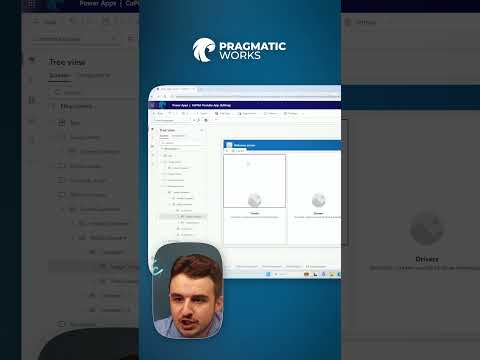
Copilot Power Apps Studio AI-powered Copilot
Key insights
- Copilot in Power Apps is an AI-powered assistant that simplifies app development by understanding natural language commands and offering real-time suggestions, making it accessible to users without coding expertise.
- The tool features AI-Powered App Generation, allowing users to describe the app they need in plain English, which Copilot then translates into a basic app with data tables and UI elements.
- Conversational Data Modeling lets users explain their data requirements verbally, and Copilot suggests optimal database structures, refining models dynamically based on additional input.
- Intelligent UI Suggestions provide pre-built components tailored to the app's purpose, aligning design with usability best practices.
- The integration with Power Automate allows Copilot to assist in setting up workflows for automation tasks like notifications and approvals, reducing complexity in connecting app functions.
- Real-Time Assistance for Edits offers contextual help and improvement suggestions as users build their apps, easing navigation for beginners in Power Apps Studio.
Introduction to Copilot in Power Apps
Microsoft has introduced an innovative AI-powered tool called Copilot in Power Apps, which is transforming the way applications are developed. This tool is particularly beneficial for individuals with limited coding experience, as it simplifies the app creation process. The video by "Pragmatic Works" highlights how Copilot can help users build apps from scratch, create and modify data tables, and customize app features with ease. Let's delve into the features and benefits of Copilot in Power Apps and explore why it is a game-changer for developers and business users.Understanding Copilot in Power Apps
Copilot in Power Apps is an AI assistant integrated directly into the Power Apps Studio. It allows users to build applications more efficiently by understanding natural language commands and providing real-time suggestions. Instead of manually setting up data tables, configuring UI components, and writing logic, developers can describe their requirements in plain English, and Copilot will generate the necessary components automatically. This approach not only reduces development time but also makes app-building accessible to a broader audience, including citizen developers with no formal coding background.Key Features of Copilot in Power Apps
- AI-Powered App Generation: Users can describe the type of app they need, and Copilot will automatically create a basic version, including data tables and UI elements. This feature is ideal for quickly prototyping applications without spending hours on setup.
- Conversational Data Modeling: There is no need to manually create database schemas. Users can explain their data needs, and Copilot will suggest the best structure. It can even refine data models dynamically based on additional input.
- Intelligent UI Suggestions: Copilot recommends pre-built UI components based on the app’s purpose. This helps align app design with best practices for usability and functionality.
- Built-in Power Automate Integration: For automation needs, Copilot can help set up Power Automate workflows, reducing the complexity of connecting different app functions. Users can automate notifications, approvals, or data processing tasks.
- Real-Time Assistance for Edits: As users build their apps, Copilot provides contextual help and suggests improvements. It can answer how-to questions, making it easier for beginners to navigate Power Apps Studio.
The Advantages of Using Copilot in Power Apps
The introduction of Copilot in Power Apps offers several advantages:- Faster Development with AI Assistance: Users no longer need to manually define every component. They can simply describe their app idea and let Copilot handle the initial setup.
- Reduces Learning Curve for New Users: Even those who are not developers can create powerful applications with AI guidance.
- Seamless Integration with Microsoft Ecosystem: Copilot works seamlessly with Dataverse, Power Automate, and Azure, streamlining app development.
- Improves Productivity for Pro Developers: Experienced developers can speed up repetitive tasks and focus on refining business logic instead of manual setup.
The Future of Low-Code Development with Copilot
With AI-powered tools like Copilot in Power Apps, Microsoft is pushing the boundaries of low-code/no-code development. This update makes app-building more accessible, efficient, and scalable for businesses of all sizes. The future of app development looks promising as more businesses adopt these tools to enhance productivity and innovation.Conclusion
In conclusion, Copilot in Power Apps is a revolutionary tool that simplifies the app development process, making it accessible to a wider audience. Whether you are a seasoned developer or a business user with no coding experience, Copilot offers a range of features to enhance your app-building experience. By leveraging AI technology, Microsoft is paving the way for a new era of low-code development. Now is the perfect time to explore Copilot in Power Apps and experience the next evolution in app development.

Keywords
Copilot Power Apps benefits AI integration app development productivity Microsoft tools automation features