Dynamics 365 headless CRM brings work to Copilot and Teams
Microsoft MVP | User Adoption, Dynamics 365 + Power Platform Expert at Reenhanced
Dynamics 365 is extending CRM skills and agent experiences into Copilot and Teams, reducing the need to switch to a separate CRM interface.
Key insights
- Microsoft announced 30 prebuilt Copilot skills across Dynamics 365 Sales, Customer Service, and Customer Insights.
- The approach aims to make CRM information and actions available in work experiences such as Copilot and Teams.
- Dynamics 365 remains the structured foundation for customer data and business processes in this approach.
- The transcript says the Sales Development Agent will consume credits; it does not give a credit rate.
- The speakers raise licensing, data readiness, agent governance, and human oversight as issues to assess.
Dynamics 365 headless CRM makes customer data and business actions available through work experiences such as Copilot and Teams, rather than requiring every task to start in a dedicated CRM interface. This matters to sales and service teams, as well as the administrators and consultants responsible for CRM data, processes, and agent governance. Heidi Neuhauser [MVP] discusses Microsoft’s announcement and its implications in a YouTube video.
What's new
“Headless CRM” is a shorthand used in the discussion, not a product name confirmed by Microsoft in the material. The underlying idea is to keep Dynamics 365 as the structured customer-data and business-process foundation while making CRM capabilities accessible from other experiences. Employees could work with customer information without treating the Dynamics 365 interface as the only entry point.
Microsoft’s announcement describes 30 prebuilt skills across Dynamics 365 Sales, Customer Service, and Customer Insights. Skills are capabilities that an AI experience can use for specific tasks. In the discussion, participants describe CRM skills being used through Copilot experiences, including Cowork, and talk about CRM in the flow of Teams.
The important distinction is that this direction does not mean CRM data or business applications no longer matter. The speakers emphasize that structured data remains necessary for agents to find and use information effectively. They also distinguish the agent’s ability to carry out parts of a process from the employee’s role in reviewing information, making decisions, and participating in the work.
Who it is for and what you need
Sales and service employees are the clearest users: they may get customer context or carry out CRM-related work from tools they already use. CRM administrators and consultants will also need to consider whether their data and processes can support the intended agent scenarios. The discussion does not specify a required user role, license bundle, or minimum Dynamics 365 configuration.
Licensing is an open planning issue, not a settled answer in the supplied material. The speakers suggest that using CRM through several experiences could involve Dynamics 365, Microsoft 365, Copilot, agent consumption, and administration or governance needs. That is their assessment of possible components, not a confirmed universal licensing requirement; verify the applicable terms for each product and scenario.
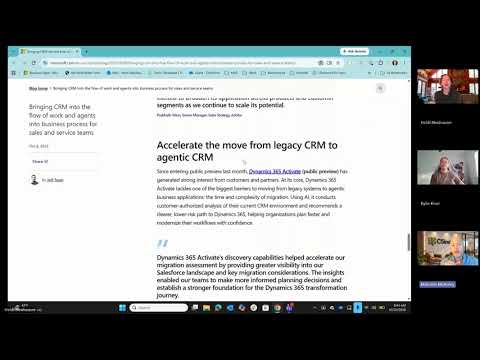
The material also does not establish general availability, tenant eligibility, or regional availability for the announced Copilot skills or the Teams experience. It identifies Dynamics 365 Activate as being in public preview and discusses it as a possible migration path from Salesforce. That preview mention is specific to Activate, not evidence that every headless CRM capability is in preview or available to every organization.
How it works
The broad mechanics are different from a step-by-step setup. Dynamics 365 holds structured customer records and business processes; skills and agents make selected CRM capabilities available in other work experiences. The source material does not give a configuration path, deployment checklist, or exact instructions for enabling the announced skills.
- Keep the Dynamics 365 data and processes that the organization uses as the CRM foundation. The discussion stresses the importance of having data structured well enough to support the intended scenarios.
- Identify the work employees want to do in another experience, such as accessing customer context in Copilot or collaborating around CRM information in Teams.
- Assess which announced skills or agent experiences apply to that task. Microsoft’s announcement covers Sales, Customer Service, and Customer Insights; the transcript does not map individual skills to specific setup steps.
- Decide how people will review agent output and supervise actions. The discussion highlights verification, human judgment, and the need to understand how an agent identified information or whether an experience has been customized.
- Review licensing, agent consumption, and governance before expanding use. The speakers specifically flag licensing complexity and say that the Sales Development Agent will begin consuming credits, but provide no rate or detailed terms.
For organizations already working with Dynamics CRM, the practical question is not simply whether to remove the familiar interface. It is whether employees can complete appropriate tasks in another experience without losing reliable data, process controls, or a way to verify the agent’s work.
Limitations and open questions
The supplied material leaves key implementation details unanswered. It does not explain how administrators enable or configure the 30 skills, which licenses are required for each scenario, how access is governed in each connected experience, or what the full deployment timeline is. The Teams integration is discussed, but the transcript says the speakers did not yet have enough context to determine how it differs from existing Teams integration.
The speakers also question how organizations will maintain data quality, preserve institutional knowledge, and train employees if agents take on more entry-level work. Those are concerns raised in the discussion, not documented product limitations. They matter because an agent can only be useful when the underlying information is dependable and people know when to check its output.
There are specific agent changes to verify separately. The transcript says the Sales Development Agent will consume credits and describes it as the replacement for Sales Close Agent, which the speakers say would disappear from environments still using it. It gives no precise effective date or credit amount, so administrators should confirm current product documentation before acting on those statements.
Sources
- Microsoft announcement on CRM in the flow of work and agents
- Heidi Neuhauser [MVP] discussion of headless CRM
Frequently asked questions
What does headless CRM mean in Dynamics 365?
It describes making CRM data and capabilities available through experiences such as Copilot and Teams, rather than relying only on the dedicated CRM interface. Dynamics 365 remains the structured data and business-process foundation in the described approach.
What are the 30 new Dynamics 365 Copilot skills?
Microsoft’s announcement describes 30 prebuilt skills across Dynamics 365 Sales, Customer Service, and Customer Insights. The supplied material does not provide a complete skill-by-skill list or configuration instructions.
What licenses are needed for headless CRM?
The material does not confirm a required license bundle. The speakers flag possible Dynamics 365, Microsoft 365, Copilot, agent-consumption, and governance costs, which organizations should verify for their specific scenario.
Is Dynamics 365 headless CRM generally available?
The supplied material does not establish general availability for the announced skills or Teams experience. It specifically identifies Dynamics 365 Activate as public preview, but that status should not be applied to every capability.