Pro User
- All of Microsoft
Timespan
explore our new search
Excel
Sep 8, 2026 6:05 PM
Excel: Free Self-Updating KPI Template
by HubSite 365 about Mynda Treacy (MyOnlineTrainingHub) [MVP]
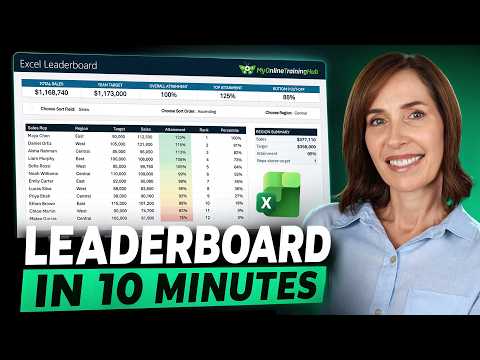
Microsoft Excel expert: build a self updating leaderboard template with SORT VSTACK XMATCH SWITCH and no macros
Key insights
- Self-updating leaderboard: Build a leaderboard that recalculates and re-sorts itself automatically when values change, with no macros and all calculations visible on the sheet.
- Excel Table and data connections: Keep source data in a proper table and use Power Query or refreshable connections so charts and PivotTables update when you refresh the workbook.
- Core formulas: calculate attainment as result ÷ target wrapped in IFERROR, convert attainment to position with RANK.EQ (order = 0 ranks largest first), and show relative position with PERCENTRANK; note equal values share ranks and the next rank is skipped.
- Summary stats: use SUM for totals and LARGE/SMALL to pull top performers or cutoffs (change the position argument to get 2nd, 3rd, etc.).
- Interactive sorting: create drop-downs for sort field and direction, convert the choice to a column with XMATCH, turn order into 1 or -1 with SWITCH, then reorder the table with SORT and prepend headers with VSTACK. Note: SORT needs Excel 2021 or Microsoft 365; VSTACK requires Excel 2024 or Microsoft 365 — without VSTACK, type headers manually.
- Readability and maintenance: apply a three-colour conditional format with fixed numeric thresholds for consistent meaning, use SUMIFS and COUNTIFS for region-level totals and counts, hide helper cells, and maintain only the data-entry table going forward.

Keywords
self-updating Excel dashboard, automated performance board Excel, free Excel dashboard template, real-time Excel dashboard, Excel KPI dashboard template, live updating Excel dashboard, dynamic performance tracker Excel, build Excel performance board tutorial