- All of Microsoft
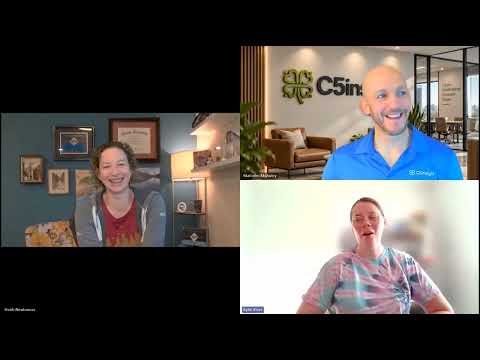
Copilot Demo: 7 Power Tips Revealed
Microsoft MVP | User Adoption, Dynamics 365 + Power Platform Expert at Reenhanced
Microsoft Copilot Demo shows app building in Copilot Cowork and Copilot Studio, and Summit Academy in person workshops
Key insights
- Copilot overview
Microsoft Copilot is an AI assistant built into Microsoft 365 apps that helps draft, summarize, analyze, and automate tasks without leaving familiar tools. - Researcher agent
New agent capabilities let Copilot reason over work content and support more context-aware tasks, moving the tool beyond simple chat into deeper assistance. - Shared screen summarization
Copilot can now summarize shared screen content in supported Teams meetings, helping convert visual meeting moments into clear notes and actions. - In-app helpers
In Outlook it condenses long email threads, in Word it speeds up drafting and rewriting, and in Teams it creates meeting recaps and action items. - Productivity gains
Users save time, get faster first drafts, and improve follow-up by turning conversations and documents into concise, actionable outputs. - Skilling and platform growth
Microsoft offers demo videos and learning resources while expanding Copilot agents, model choices, and tools like Copilot Studio to support wider adoption.
Overview
Heidi Neuhauser [MVP] recently published a YouTube video titled Power Tips: Copilot Demo that walks viewers through practical ways to use Microsoft’s AI assistant across everyday apps. The presentation focuses on hands-on demonstrations in Outlook, Word, and Teams, while also introducing the newer Researcher reasoning agent and features from Copilot Studio. In addition, the demo highlights the ability to summarize content that appears on a shared screen during meetings. Therefore, the video aims less at announcing a single product and more at building skills for more efficient work habits.
What the Demo Shows
Neuhauser emphasizes scenarios that many knowledge workers face, such as condensing long email threads, generating first drafts, and turning meeting discussion into clear recaps. The walkthrough demonstrates how Copilot can extract key points from email chains in Outlook, polish and rewrite text in Word, and produce meeting summaries in Teams. Notably, the demo covers the new capability to summarize what appears on a shared screen, which aims to capture the visual context of meetings. As a result, the examples show how context-aware assistance can make follow-ups faster and reduce manual note-taking.
Benefits for Daily Workflows
The video makes a persuasive case that integrated AI can save time by turning lengthy conversations into concise, actionable outputs. By demonstrating multi-app workflows, Neuhauser shows that users can stay inside their familiar Microsoft 365 environment rather than jumping between tools, which helps sustain focus. Moreover, the combination of draft-generation in Word and recap capabilities in Teams reduces friction when moving from ideation to execution. Consequently, teams may find meetings and email threads more productive and less time-consuming.
Tradeoffs and Practical Challenges
Despite the clear advantages, the demo also makes visible several tradeoffs that organizations must weigh when adopting AI features. For instance, automated summaries and drafts can speed work, yet they require human review to ensure accuracy and appropriate tone; overreliance risks introducing errors or misinterpretations. Similarly, visual summarization of shared screens can be powerful, but it depends on the quality and clarity of the shared content and may struggle with complex diagrams or low-resolution images. Therefore, teams need to balance efficiency gains with verification steps and training to maintain quality.
Technical and Policy Considerations
Neuhauser’s session touches on the broader ecosystem around Copilot, including tools for creating custom agents and the growing set of model choices available to enterprise customers. However, expanding capabilities raises questions about data governance, model selection, and privacy, especially when meeting content or sensitive documents are summarized automatically. In practice, IT teams must set sensible policies and access controls while educating users about when to apply AI assistance and when to avoid it. Thus, technical integration should go hand in hand with governance and user training.
Who Should Watch and Next Steps
The YouTube demo is particularly useful for administrators, team leads, and regular users who want concrete examples of how to embed AI into daily workflows. Because the focus is on skills rather than product marketing, the video serves as a practical training resource for teams exploring adoption. Viewers should, however, approach the features with an eye toward testing in their own environments and validating outputs before relying on them in critical processes. Finally, organizations that plan pilots will benefit from combining Neuhauser’s tips with formal governance and user feedback cycles.
Conclusion
Overall, Heidi Neuhauser’s Power Tips: Copilot Demo offers a clear, application-focused guide to using Microsoft’s AI assistant across common productivity scenarios. It highlights useful new capabilities like the Researcher agent and shared-screen summarization while also showing that human oversight remains essential. While the demo promises better efficiency and more polished outputs, teams must carefully manage tradeoffs around accuracy, privacy, and governance. In short, the video is a helpful starting point for organizations that want to test practical AI features and refine their workflows responsibly.

Keywords
Copilot demo, Copilot power tips, Microsoft Copilot tutorial, Copilot for Microsoft 365 demo, Copilot productivity tips, AI assistant Copilot walkthrough, Copilot features explained, Copilot demo video