- All of Microsoft
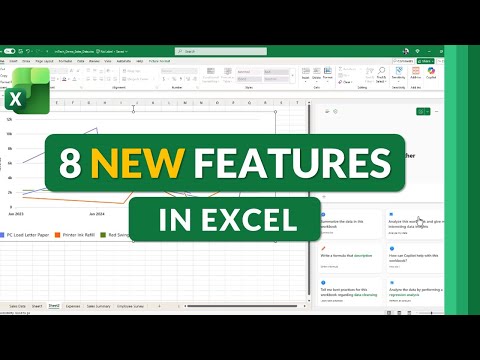
Microsoft Excel: 8 Fall 2025 Features
Principal Group Product Manager - Microsoft Education
Microsoft expert: Excel updates add Copilot Chat, PivotTable auto refresh, Focus Cell and REGEX for Microsoft cloud
Key insights
-
Copilot Chat & Copilot-powered Power Query
Use natural‑language prompts to ask Excel for analysis, formulas, or step‑by‑step Power Query transformations.
Copilot speeds routine tasks like summarizing data, creating formulas, and building data cleanup steps without manual coding. -
PivotTable Auto Refresh
PivotTables can update automatically from connected data sources so reports stay current without manual refreshes.
This reduces errors and saves time for dashboards and recurring reports. -
Focus Cell
The active row and column now highlight with customizable colors to improve navigation in large sheets.
Focus Cell helps you edit and read data more accurately and avoid selecting the wrong cells. -
REGEX Functions (REGEXREPLACE & REGEXEXTRACT)
New REGEX formulas let you extract, remove, or replace text patterns directly in formulas (for example, pull emails or strip numbers from text).
These functions make complex text cleaning and parsing fast and repeatable. -
Value Tokens
Value tokens provide a reliable way to insert and reuse structured values (like standardized items or data snippets) across sheets and formulas.
They improve consistency and reduce manual entry errors in models and templates. -
Pen & Draw Improvements plus usability tweaks
Excel adds new pen tools, better drawing controls, and a refreshed app icon to improve inking and visual edits.
Other small updates include easier multi‑sheet unhide and smoother editing of chart labels online to speed everyday work.
Overview: What the Video Covers
Mike Tholfsen's YouTube video outlines eight notable updates in Microsoft 365 Excel for Fall 2025, aimed at Microsoft 365 subscribers. He highlights features that range from AI-driven tools to improved text processing and visual aids, and he notes that some items are rolling out first to M365 Insiders. Consequently, his summary serves as a practical walk-through for users who want to assess new capabilities and plan adoption. Importantly, he clarifies that the video reflects his personal view and not official company positions.
AI and Natural Language: Copilot and Power Query
First, the video emphasizes the arrival of Copilot chat inside Excel, which lets users use natural language to analyze data, build formulas, and generate summaries. Moreover, Copilot-driven Power Query simplifies complex transformations by translating plain-language instructions into data steps, which reduces the need for manual query scripting. While this lowers the barrier for non-experts, the presenter also warns that users must validate results because AI suggestions can sometimes be incomplete or overconfident.
Advanced Data Tools: Python, REGEX, and Image Analysis
Next, Tholfsen covers embedded Python support that enables image analysis and advanced computations directly in spreadsheets, expanding Excel’s analytics reach. In addition, the new REGEX functions such as REGEXREPLACE and REGEXEXTRACT offer more powerful text parsing and cleaning, which helps with data wrangling tasks that previously required external tools. However, these capabilities introduce tradeoffs: they increase the platform’s power but also raise the learning curve and potential for performance impact on large files.
Usability Enhancements: Focus Cell and Visual Tools
The video also showcases several front-end improvements intended to reduce errors and speed navigation, including Focus Cell, which highlights the active row and column to prevent mis-entries in wide tables. Furthermore, updates to drawing and pen tools plus a refreshed Excel icon are aimed at making the interface more modern and consistent across platforms. Although these changes improve day-to-day ergonomics, Tholfsen points out that visual customizations must remain subtle to avoid distracting users who work with dense data.
Collaboration and Accessibility Features
Tholfsen highlights collaboration-oriented updates like personalized view sharing, which lets each collaborator keep their own view without disrupting others, thereby improving multi-person workflows. Additionally, the Accessibility Assistant now checks color contrast and image alt text to help create more inclusive spreadsheets, which supports compliance and better access for people with disabilities. Still, balancing personalization and shared consistency can be tricky because teams must agree on conventions to avoid confusion over differing views or formats.
PivotTable Refresh and Value Tokens
The presenter demonstrates the new automatic refresh option for PivotTable data, which keeps reports up to date without manual refresh steps and thus speeds routine reporting. He also explains Value tokens, a new way to reference numeric and formatted values cleanly in formulas and workflows, which reduces error-prone string parsing. Yet administrators should weigh the benefit of automation against potential performance impacts and the need for governance around auto-refresh schedules.
Tradeoffs and Practical Challenges
Throughout the video, Tholfsen discusses tradeoffs such as ease of use versus accuracy when relying on AI recommendations versus manual checks. Moreover, organizations will need to consider privacy and security implications, especially when Excel invokes cloud-based AI or runs embedded Python that may access sensitive data. Therefore, IT teams must balance rapid feature adoption with testing, governance, and user training to avoid unexpected compliance or performance issues.
Rollout, Availability, and Adoption Tips
Finally, Tholfsen explains that while many features are reaching general availability, a number still appear first for M365 Insiders, so early adopters can validate functionality sooner. He encourages users to join the Insider program if they want hands-on access, and he suggests starting with a few targeted use cases—such as automating repetitive PivotTable refreshes or testing REGEX on sample data—before wider deployment. By taking a staged approach, teams can measure benefits and mitigate risks while building internal skills.
Conclusion: What Users Should Expect
In sum, the video frames Fall 2025 as a substantive release that blends AI, improved text tools, and user-focused refinements to make Excel both smarter and more accessible. Consequently, users and administrators must weigh immediate productivity gains against the need for careful validation, training, and governance to get the most value. Overall, Tholfsen’s clear walkthrough offers practical next steps for organizations that plan to adopt these features while remaining mindful of potential challenges.

Keywords
Excel Fall 2025 features, Microsoft Excel new features 2025, Excel AI features Fall 2025, Excel dynamic arrays update 2025, Excel LAMBDA enhancements 2025, Excel Power Query updates 2025, Excel collaboration features 2025, Excel charts and visuals update 2025