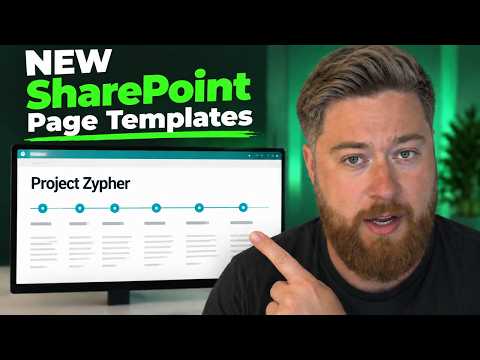
SharePoint Templates: Faster Intranets
Speed MS SharePoint intranet design with page and section templates for branded sites, onboarding, project pages, themes
Key insights
- SharePoint section templates and page templates give ready-made layouts so you can build intranet pages faster and edit content instead of starting from a blank page.
- Use a section template by opening the page toolbox, picking a preset block, filling the placeholders, then adjusting layout, background, or collapse settings as needed.
- Create a page template by saving a complete page (sections, web parts, placeholder text) and reuse it as the starting point for new pages or news posts.
- Main benefits include speed and consistency: faster setup, fewer design choices for authors, and a uniform look across teams without custom code.
- Control branding and visuals by changing section layouts, background colors, and site themes, or start from polished examples in the SharePoint Look Book.
- Apply templates on communication sites for news, onboarding, and project pages to support a clear content strategy and faster publishing cycles.
Dougie Wood [MVP] recently published a YouTube video titled Speed Up Intranet Design with SharePoint Section and Page Templates, and newsroom editors may find the content timely for teams building internal sites. The video walks through practical steps to use built-in SharePoint templates so authors can create pages faster and maintain a consistent look without advanced coding. Consequently, organizations that struggle with uneven intranet pages or slow publishing workflows can benefit from the approach Dougie demonstrates. This article summarizes the key points, tradeoffs, and practical challenges highlighted in the video, with an eye toward real-world intranet planning.
What the video demonstrates
Dougie opens by showing how to apply section templates and page templates from the SharePoint toolbox to speed up layout work and reduce starting-from-scratch effort. He demonstrates inserting a preformatted section, replacing placeholder content, and adjusting properties such as background shading and column layout to match brand needs. Then he shows saving a page as a template so other authors can begin new pages from a consistent structure rather than a blank canvas. As a result, teams can focus more on messaging and less on formatting.
How templates work in practice
The video explains that section templates are reusable content blocks, like hero areas or multi-column text with images, while page templates capture a full page layout including web parts and placeholders. Dougie displays the process: open the page editor, choose a template from the toolbox, edit content, and adjust the section order if needed. He also highlights that templates preserve layout choices so authors can replace content without accidentally changing the master structure. Thus, routine updates become faster and more predictable.
Benefits and tradeoffs
Using templates delivers speed and consistent branding, which reduces design guesswork for non-expert authors and improves the overall intranet experience. However, Dougie also notes tradeoffs: heavy reliance on templates can lead to rigid pages that feel repetitive unless templates are periodically refreshed or diversified. Moreover, while templates save time upfront, they require governance so that content quality and branding rules remain current across teams. Therefore, a balance is needed between standardized templates and flexibility for local or project-specific needs.
Challenges and implementation tips
Dougie points out several challenges that organizations should expect, such as managing template updates and training authors to use templates correctly. For example, changing a template after many pages are built can lead to inconsistent page behavior if authors have edited template sections directly, so version control and clear guidance matter. He suggests creating a small set of approved templates, documenting how and when to use them, and assigning an owner for template maintenance. In this way, teams can avoid fragmentation while still enabling fast publishing.
Integration with intranet strategy
The video places templates within a wider intranet planning model: they work best for communication sites, news posts, and standard project pages where uniform structure helps readers find information quickly. Dougie encourages pairing templates with a clear content strategy so that templates support communication goals rather than dictate them. Additionally, he recommends using the SharePoint Look Book or similar resources to inspire initial designs, then adapting those ideas to organizational needs. Consequently, templates become a tool that supports governance, speed, and reader experience when aligned with broader objectives.
Practical next steps and final thoughts
For teams ready to adopt templates, Dougie’s tutorial suggests starting small: create a few versatile templates, train a core group of authors, and monitor usage to refine layouts over time. He emphasizes iterative improvement, recommending periodic reviews to add new templates or retire those that no longer fit user needs. While templates reduce manual work and promote consistency, they require ongoing care, clear ownership, and sensible limits to keep intranet content fresh and relevant. Overall, Dougie’s walkthrough provides a pragmatic path for organizations seeking faster, cleaner intranet publishing without heavy development effort.

Keywords
SharePoint intranet templates, SharePoint page templates, SharePoint section templates, speed up intranet design, modern SharePoint design, SharePoint site templates, intranet design best practices, SharePoint page layouts