- All of Microsoft
- Windows
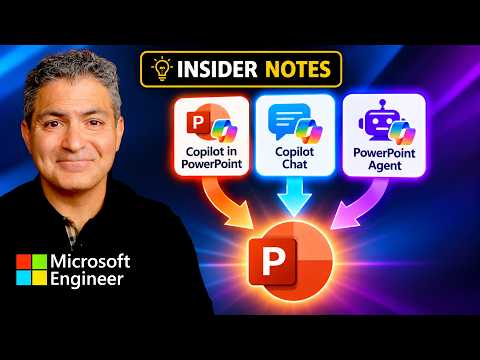
Insider Notes: Which Approach Wins?
Principal Technical Specialist @ Microsoft | Engineer | YouTuber
Microsoft Copilot for PowerPoint compared across Chat, agents and app with Auto Opus GPT to find the best slide workflow
Key insights
- Copilot PowerPoint
This follow-up video tests which Copilot path (Chat, Agent, or the PowerPoint app) and which model mode (Auto, Opus, GPT) gives the best slide creation results.
It compares practical outcomes rather than just theory. - Out-of-Box Experience (OOBE)
Microsoft now expects an internet connection and sign-in during OOBE in Insider previews.
This change makes the first-run flow more consistent for most users. - OOBE\BYPASSNRO
Common bypass methods like OOBE\BYPASSNRO and Shift+F10 tricks now often fail or loop back to the Microsoft account step.
They are no longer a reliable way to create local-only accounts in current Insider builds. - Insider channels
Microsoft is reorganizing channels (for example, Dev → Experimental) and remapping Canary branches to clearer categories.
Pick the channel that matches how much instability you can tolerate when testing. - Microsoft account
For the most reliable and predictable install, use the standard online setup with a Microsoft account.
If you need low friction testing, use the documented Insider channel rather than relying on workarounds. - Documentation Hub
Build-specific release notes and guidance are moving into the Windows Insider Program Documentation Hub.
This centralization improves clarity and makes it easier to track changes and known issues.
Quick summary of the video
Shervin Shaffie of Collaboration Simplified published a practical comparison of Microsoft Copilot workflows for building presentations. In the video he tests three distinct entry points: the Chat interface, a dedicated Agent, and the integrated PowerPoint app, while switching between model modes labeled Auto, Opus, and GPT. Consequently, viewers can see real examples of how each route handles slide structure, visuals, and speaker notes. As a result, the video serves as a hands-on guide rather than a theoretical overview.
How the author sets up the comparison
First, Shaffie frames the test with consistent inputs so the outputs remain comparable across tools. He uses the same brief and content constraints while toggling between Auto, Opus, and GPT, which helps isolate how each model and interface influences results. Then, he walks through the user experience step by step, recording how much manual cleanup each method requires. Therefore, the viewer gains insight into both the end product and the workflow effort.
Next, the video highlights differences in prompt handling and context retention across the three modes. For example, Chat tends to offer iterative, back-and-forth refinement, while the Agent can automate multi-step tasks and the PowerPoint app emphasizes direct integration with templates and media. Moreover, Shaffie notes when a model shifts tone or alters slide balance during conversion. Consequently, these observations clarify where designers must step in to maintain brand voice and layout consistency.
Design quality and creative tradeoffs
In the video, Shaffie finds that some approaches produce stronger visual layouts out of the box, whereas others provide more textual accuracy. Specifically, the PowerPoint app often aligns better with templates and native formatting, while Opus and GPT can introduce variations in phrasing and slide hierarchy. However, this increased creativity sometimes comes at the cost of layout consistency and alignment, so teams may need extra editing. Thus, the tradeoff is clear: speed and inventiveness versus precise, brand-safe output.
Furthermore, Shaffie explores image and media handling differences, noting that certain model modes recommend visuals more closely tied to the slide narrative. Meanwhile, templates and theme colors remain more stable in the app-native path, which helps users who must follow strict style guides. Nevertheless, when teams prioritize fresh ideas over strict adherence, choosing a more creative model may be preferable. Therefore, decision-makers must weigh design freedom against review time and compliance needs.
Speed, iteration, and practical challenges
Shaffie demonstrates that the fastest method does not always yield the best long-term result. For instance, Chat lets users iterate quickly with repeated prompts, but it can introduce inconsistent terminology across slides that requires a single pass of editing. Conversely, the Agent can automate repetitive tasks and save time for bulk projects, yet it may miss nuanced brief details without careful configuration. Consequently, teams must balance initial speed with the effort needed to harmonize tone and structure afterward.
Another challenge the video emphasizes is the risk of inaccurate or misleading content when models infer unstated facts. Shaffie recommends validating data, citations, and claims, because automated generation sometimes hallucinates plausible-sounding but incorrect statements. Therefore, safeguards such as human review, source checks, and validation steps remain essential. In short, AI speeds creation but does not replace final human verification.
Governance, privacy, and enterprise fit
Shaffie also raises enterprise concerns around governance and data handling, reminding viewers that organizational policies must guide which path they choose. For example, the app-integrated workflow may keep content inside sanctioned environments, which supports compliance, while other flows might expose prompts or drafts to broader services. Consequently, administrators should test configurations in a controlled environment, perform a security review, and confirm tenant-specific behavior before rolling features out widely. Thus, governance and privacy needs will steer many teams toward the most controlled option available.
Moreover, the video makes clear that tenant configuration and licensing will affect available features and the fidelity of outputs. In practice, what works in one environment may not behave identically in another, so Shaffie warns against assuming reproducibility without testing. Therefore, pilot runs and staged adoption help reveal hidden issues such as template mismatches or model variability. Ultimately, pragmatic rollout plans reduce surprises and build confidence among stakeholders.
Final verdict and practical recommendations
Overall, Shaffie’s comparison shows there is no single best route; rather, the right choice depends on priorities such as speed, design fidelity, or governance. If teams need tight branding and predictable formatting, the PowerPoint app path often delivers the most consistent results, whereas the Agent and Chat routes can accelerate ideation and bulk production. However, every approach requires human review to catch errors and enforce style rules. Therefore, Shervin recommends combining tools: use AI to draft and prototype, then apply human editing and policy controls for final delivery.
In conclusion, the video offers a practical, hands-on guide for teams deciding how to add Copilot into their presentation workflow. By showing clear tradeoffs and real outputs, Shaffie helps viewers match tool choice to project needs while underscoring the role of testing and governance. Consequently, organizations can adopt a measured approach that gains efficiency without sacrificing accuracy or brand standards. Finally, users should treat these methods as complementary rather than mutually exclusive, and plan adoption accordingly.

Keywords
insider notes best approach, which method gives best result, best results comparison guide, insider tips for best outcome, method comparison insider review, best way to achieve results, insider guide which way works, proven techniques for best results