- All of Microsoft
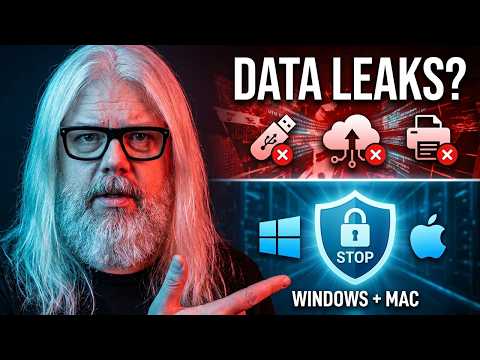
SC-401: Prevent Windows & Mac Data Leaks
Microsoft MVP | Author | Speaker | YouTuber
Stop data leaks on Windows and Mac with Microsoft Purview Endpoint DLP and Defender for Endpoint, insider risk monitoring
Key insights
- Endpoint DLP in Microsoft Purview prevents sensitive data from leaving devices by enforcing policies at the source.
It protects files and web uploads on both Windows and Mac to reduce accidental or malicious leaks. - Device requirements: devices must run Windows 10/11 or supported Mac versions and be onboarded to Defender for Endpoint.
Browser extensions may be needed to block data on web uploads and cloud services. - DLP policies live in the Purview compliance portal.
Create policies that use sensitive info types like Exact Data Match and Document Fingerprinting to detect and classify data, then choose allow, block, or notify actions. - Monitoring and alerts use tools like Activity Explorer and DLP alerts to show where sensitive data is used and who accessed it.
Use these reports to investigate incidents and tune policies. - Advanced enforcement offers actions such as block with override and custom notifications so users can justify legitimate transfers while keeping control.
Policies enforce rules directly on endpoints for immediate protection. - Integration and exam tips: pair Endpoint DLP with Adaptive Protection and Insider Risk tools for stronger workflows.
For SC-401 focus on prerequisites, policy creation, enforcement paths, and real-world use cases when studying.
Overview
In a recent YouTube presentation, Peter Rising [MVP] walks viewers through how Microsoft Purview's endpoint-focused features help prevent data leaks on both Windows and Mac devices. The video is part of the SC-401 exam prep series and emphasizes practical configuration steps, monitoring tools, and exam-relevant tips. Importantly, the presentation frames endpoint data loss prevention as a set of policies enforced at the device level rather than only in cloud services, which matters for hybrid work realities. Overall, the segment aims to give administrators a clear path to reduce accidental or intentional data exfiltration.
Key Features Covered in the Video
The presenter highlights Endpoint DLP capabilities that extend Microsoft’s data protection to user devices, including classification, policy enforcement, and activity monitoring. He demonstrates policy types such as block-with-override, custom notifications, and integrations that surface alerts when suspicious activity occurs. Additionally, the video shows tools like Activity Explorer for incident review and describes how alerts tie into broader compliance and response workflows. These demonstrations make the platform’s core functions tangible for IT staff preparing for the SC-401 certification.
Configuration and Prerequisites
Rising outlines practical requirements before administrators can enforce endpoint policies, including the need for device enrollment, presence of endpoint protection components, and sometimes browser extensions for web-based controls. He stresses that features work best when combined with platforms such as Defender for Endpoint, which supplies telemetry and enforcement signals, and when devices meet modern OS versions. Consequently, organizations must plan for rollouts that include agent deployment, extension installation, and user communications to reduce friction. While the steps are straightforward, they require coordination across security, endpoint, and helpdesk teams.
Tradeoffs and Operational Challenges
Although endpoint DLP offers broad protection, the video also makes clear there are tradeoffs to consider. For example, enforcing strict block actions improves security but can disrupt productivity and generate helpdesk requests, whereas lighter enforcement reduces interruptions but raises residual risk. Moreover, cross-platform parity remains a practical challenge; Mac support has matured but occasionally lags behind Windows in feature coverage, and browser-dependent controls can vary by browser capabilities. Finally, administrators must balance sensitivity of detection rules to limit false positives while still catching meaningful incidents.
Monitoring, Investigation, and Response
The tutorial emphasizes how monitoring tools and alerts let teams triage incidents and adjust policies, showing live examples of how Activity Explorer surfaces risky transfers and user actions. Rising demonstrates inspecting alerts and using contextual data to determine whether to block, allow with justification, or launch a deeper investigation, which underscores the importance of observable telemetry. He also connects Endpoint DLP to adaptive workflows for insider risk, illustrating how alerts can feed into broader investigation processes. Thus, the solution supports both automated prevention and human-led incident response.
Recommendations for IT Teams and SC-401 Candidates
For administrators and exam candidates, the video doubles as a practical lab and a study guide, offering configuration tips and real-world scenarios that mirror SC-401 objectives. Rising advises testing policies in pilot groups and iterating based on user feedback and telemetry, which helps reduce disruptive side effects while tuning detection. In addition, the presenter suggests documenting policy rationales and response playbooks, because consistent operations and clear justification matter in both compliance and exams. Ultimately, the guidance blends hands-on setup with strategic planning to ensure sustainable protection.
- 00:00 Introduction
- 00:12 What is Endpoint DLP?
- 00:42 Prereqs
- 01:11 Real World Use Cases
- 01:39 Demo
- 20:30 Exam Tip Sheet
- 21:08 Outro
Conclusion
In sum, the presentation by Peter Rising [MVP] offers a focused, practical overview of how Microsoft Purview's endpoint tools can stop many common data leak scenarios across Windows and Mac devices. The video balances configuration walkthroughs with discussion of operational impacts, which helps teams weigh security gains against usability and deployment complexity. While no single tool eliminates all risk, the approach showcased here strengthens control at the device level and improves visibility for compliance and incident response. Consequently, IT teams preparing for SC-401 or implementing Endpoint DLP will find the session directly applicable to real deployments and exam study.

Keywords
SC-401 data leak prevention, data leak prevention Windows Mac, stop data leaks tool, prevent data exfiltration, DLP software for Windows and Mac, endpoint data protection tool, data leak protection solution, cross-platform DLP