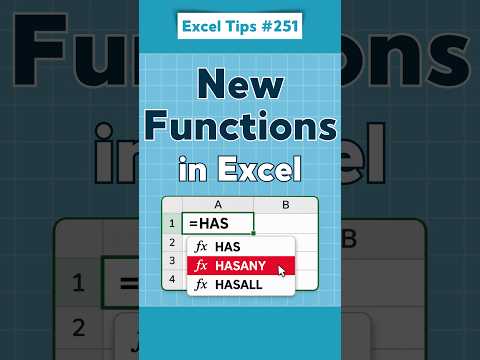
Excel functions: use FLATTEN, XLOOKUP and LET
Excel users can reshape nested arrays with FLATTEN, look up values with XLOOKUP and make complex formulas clearer with LET.
Key insights
- XLOOKUP searches a range and returns a corresponding value; exact matching is the default.
- LET assigns names to values or calculations within a formula.
- FLATTEN can reshape nested arrays into a rectangular spilled array.
- The available material does not confirm these are the three functions in the Short.
Excel functions such as FLATTEN, XLOOKUP and LET can reshape array results, retrieve matching values and make formulas easier to read. They are relevant to spreadsheet users building lookups, reports or formulas that work with nested data. Alan Murray (Computergaga) is the named source of a Short titled “Excel Tips #251: 3 New Excel Functions You Need to Know!”, but its supplied transcript is empty, so the three functions below are drawn from the background notes rather than verified as the Short’s examples.
What it does
XLOOKUP searches one range and returns the corresponding value from another. Its search and return ranges are separate, and exact matching is the default; an optional argument can supply a result when no match is found. Unlike VLOOKUP, it can search in either direction, according to the research notes.
LET gives names to values or intermediate calculations inside a formula. That can make a long expression easier to follow and lets a calculation be reused within the same formula. FLATTEN takes nested array data and returns it as a rectangular spilled array, with optional arguments to control padding and the number of levels removed.
Who it is for and what you need
These functions are aimed at people who create or maintain Excel formulas: for example, analysts building reports or users replacing manual data preparation with formulas. The supplied material does not specify required licenses, plans, platforms, or a minimum Excel version for each function.
Compatibility may vary by Excel version, update channel, platform and organizational deployment settings, according to the research notes. Check that the Excel version used by people opening a workbook supports its functions before relying on them. The materials do not provide a definitive compatibility table.
How it works
- For a lookup, provide the value to find, the search range and the return range. For example: =XLOOKUP(E2,A2:A100,B2:B100,"Not found").
- For a complex formula, use LET to name a value or calculation and then refer to that name later in the formula. The names apply within that formula.
- For nested array data, use FLATTEN with an array. Its optional pad_value can replace missing positions; the notes say the default is #N/A when nested arrays have unequal sizes.
FLATTEN’s syntax in the notes is =FLATTEN(array, [pad_value], [levels]). For example, an empty string can be supplied as the pad value to return blanks for missing positions. The formula returns a spilled result rather than requiring manual placement of each output.
Limitations and open questions
The source content includes no usable transcript or demonstration details. The research notes explicitly say the functions are a selection of relevant developments, not a confirmed reconstruction of the Short, so this article does not attribute the specific examples to Murray.
No official Microsoft documentation URL was supplied in the allowed sources. Function availability by version and platform, and the exact circumstances in which FLATTEN is supported, remain unverified here. Confirm compatibility before sharing a workbook that depends on these functions.
Sources
Frequently asked questions
What does XLOOKUP do in Excel?
It searches a range or array and returns a corresponding value. The notes say it uses exact matching by default and can return a chosen result when there is no match.
How does LET work in Excel?
LET assigns names to values or calculations inside a formula, so you can refer to them within that formula. The supplied material does not specify version compatibility.
Is FLATTEN available in every Excel version?
The material does not establish availability across Excel versions or platforms. It advises checking compatibility before distributing a workbook that uses newer functions.