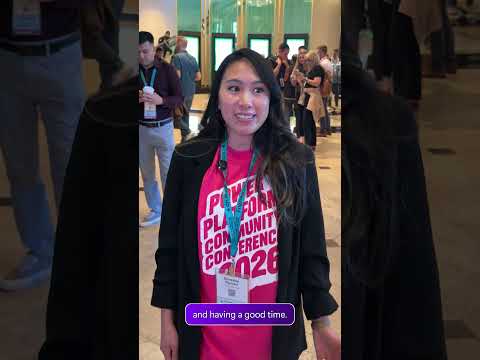
Power Platform: 2026 community conference themes
Software Development Redmond, Washington
The 2026 Power Platform conference focused on connecting apps, workflows, business data and AI agents for makers and organizations.
Key insights
- The conference emphasized extending existing Power Apps, flows and business data with AI and agents.
- Microsoft highlighted building Power Apps through the Microsoft Copilot app using natural-language descriptions.
- Copilot Managed Runtime was introduced as a controlled environment for AI-generated applications.
- Work IQ MCP Server and Dataverse Ask API were among the announced capabilities.
- The conference recap described the Business Apps plugin for Cowork as public preview.
The 2026 Power Platform Community Conference centered on connecting existing apps, workflows and business data with AI-assisted development and agents. The themes matter to Power Platform makers, developers, administrators and consultants deciding how AI could fit into their current solutions. Microsoft’s conference recap is the source for the announcements and themes summarized here.
What’s new
The conference message was that organizations can build on existing Power Apps, Power Automate flows, Dataverse data and SharePoint sites rather than starting their AI work from scratch. The recap described these solutions as potential building blocks for agents and more conversational applications. That framing makes reuse and governance central considerations, alongside the speed of AI-assisted creation.
Among the announcements, users can describe an application in natural language through the Microsoft Copilot app, with Copilot generating an app and its underlying code and data structures. The recap also introduced Copilot Managed Runtime as a Microsoft-hosted environment for AI-generated applications, with administrator-defined policies. It described agents in Copilot Studio as gaining identities that can include a mailbox and OneDrive account.
Who it is for and what you need
The event addressed makers, developers, administrators, consultants and business users working with Power Platform. The available material does not specify required licenses, prerequisites, eligible regions or tenant configuration for the individual capabilities, so organizations should not treat the conference recap as confirmation that a feature is enabled in their environment.
The recap says the Business Apps plugin for Cowork was announced for public preview. It describes other capabilities as announcements or rollout activity, but does not provide a complete feature-by-feature availability schedule. In particular, it says agent identities were rolling out broadly during the conference period without specifying tenant eligibility or completion dates.
How it works
The capabilities described follow a broad pattern: use natural-language input to help create an app, connect it to business data or existing processes, and apply controls appropriate to the organization. Copilot Managed Runtime is intended to provide a governed place to run AI-generated apps. The recap identifies identity, data usage, security, compliance, lifecycle management and monitoring as governance concerns.
For agents, Work IQ capabilities are intended to add business context, while the Dataverse Ask API lets users query business data in natural language using defined semantic models. The recap says the API is available through the Web API and Dataverse connector, but does not provide setup steps or configuration paths. It also notes that answer quality depends on data, semantic definitions, security and governance.
Limitations and open questions
This is a conference-level summary, not implementation guidance. It does not establish licensing, rollout status for every announcement, supported regions or exact admin settings. Organizations should verify those details before planning deployment, particularly for preview capabilities.
The material also does not explain how to migrate an existing app or flow, configure the runtime, or assign an agent identity. The practical takeaway is to assess which existing solutions and data could support an agent, then confirm availability and controls through current product documentation.
Sources
- Microsoft
- Microsoft Power Platform Community Conference recap Short
- Microsoft’s original conference recap
Frequently asked questions
What was the main Power Platform conference theme in 2026?
The recap emphasized connecting existing apps, workflows and business data with AI-assisted development and agents.
Can Copilot create a Power App from a natural-language description?
The recap says users can describe an app in the Microsoft Copilot app, where Copilot generates an app with underlying code and data structures. It does not provide licensing or setup requirements.
Is the Business Apps plugin for Cowork generally available?
The recap describes it as announced for public preview. It does not specify eligibility, licensing or regional availability.
What licenses or prerequisites are needed for the announced capabilities?
The available material does not specify required licenses or prerequisites for the individual features.