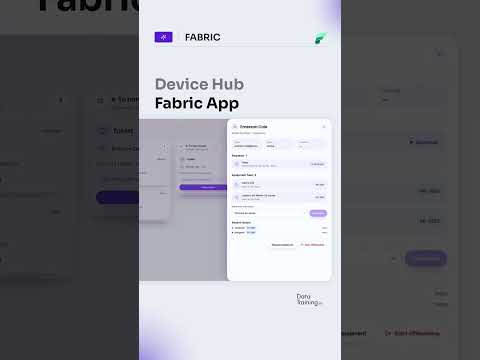
Microsoft Fabric Device Hub for IT asset tracking
Device Hub brings equipment records, requests, returns and warranty deadlines into one app for IT teams using Microsoft Fabric.
Key insights
- Each device record includes an asset tag, status and holder.
- Equipment requests move from approval to handover on one board.
- A departing employee's devices are due back on their last day.
- Devices are not marked as returned until checked in or written off as missing.
- The app highlights warranties ending within 90 days and logs who changed records and when.
Device Hub is a Microsoft Fabric app for tracking IT equipment, requests, device returns and warranty deadlines in one place. It is aimed at IT teams that need to manage who holds each device and follow equipment through its lifecycle. How to Power BI describes the app and its workflow in a short post.
What it does
Device Hub brings several equipment-management tasks into a single app rather than relying on a spreadsheet that can fall out of date as employees join or leave. Each device has an asset tag, a status and a holder, giving IT a way to connect an item to its current record and user. The post says the app’s data is stored in a SQL database in the organization’s own Fabric workspace.
The described workflow covers requests, handover, employee departures and warranty tracking. Equipment requests move from approval to handover on one board. When an employee leaves, the devices assigned to that person are listed as due back on their last day.
The return process includes an explicit status check: a departing employee is marked as left only after each device is checked in or recorded as missing. Device Hub also highlights warranties due to end within 90 days. Changes are logged with the identity of the person who made each change and when it happened.
Who it is for and what you need
The described use case is internal IT asset management: keeping track of equipment holders, processing requests and following up on returns. The material does not specify a particular organization size, user role beyond IT, or required Microsoft Fabric capacity or license. It also does not state whether the app is a Microsoft product, a sample, a template or a separately built solution.
The post says the app uses a SQL database in the customer’s own Fabric workspace and that IT staff sign in with their Microsoft account. It does not give setup instructions, workspace prerequisites, a deployment method or details about permissions. Those points matter for teams deciding whether the described workflow can be put into their own Microsoft Fabric environment.
No rollout stage, preview status, region or license eligibility is stated. The material does not identify a Microsoft announcement or documentation page confirming availability, so it should not be read as evidence that Device Hub is a standard Fabric feature available to every tenant.
How it works
The description gives a high-level account of the app’s process rather than a screen-by-screen setup guide. It identifies the records and lifecycle steps IT staff can manage, but does not provide menu names or configuration paths. Based on the described workflow, the process is:
- Keep a device record with its asset tag, status and current holder.
- Move an equipment request through approval and handover using the board.
- When an employee leaves, review the list of devices assigned to them, which are due back on their last day.
- Check each item back in or record it as missing before marking the employee as left.
- Use the warranty highlight to identify devices with warranties ending within 90 days, and review the change log for who updated records and when.
These mechanics make the app’s value primarily operational: it connects assignments and handovers with follow-up on returns, missing equipment and warranty dates. The description does not explain whether reminders are sent automatically, whether the board is configurable, or how the app handles procurement, device discovery or integration with endpoint-management systems.
Limitations and open questions
The available description is not a technical implementation guide. It does not show how to create the SQL database, deploy the app, configure sign-in, assign access or import existing spreadsheet records. It also does not say whether the app supports multiple equipment types, bulk updates or automated connections to other IT systems.
Teams should verify the app’s ownership, distribution method, licensing and security model before planning a deployment. The description says data sits in the team’s own Fabric workspace, but does not explain database configuration, data retention, permissions or audit-log controls. It also does not compare Device Hub with a spreadsheet or another asset-management product beyond pointing to the general problem of spreadsheet records becoming outdated.
The concrete workflow described—asset tags and holders, request approval and handover, departure returns, warranty alerts and change history—can help IT teams assess whether the app addresses their tracking needs. Further implementation and availability details are not provided in the material.
Sources
Frequently asked questions
What does Microsoft Fabric Device Hub track?
The described app tracks each device’s asset tag, status and holder, along with requests, returns, warranty dates and changes to records.
What do I need to use Device Hub?
The description says the data is in a SQL database in the organization’s own Fabric workspace and IT signs in with a Microsoft account. Specific Fabric licenses, capacity and setup requirements are not stated.
Does Device Hub automatically manage employee device returns?
The described workflow lists devices held by departing employees as due back on their last day. The material does not say whether reminders or return processing are automated.
Is Device Hub a standard Microsoft Fabric feature?
The material describes Device Hub as a Fabric app, but does not establish whether Microsoft provides it as a standard feature or explain how organizations obtain it.