Power BI: five ways to edit measures
Technical Lead - Business Intelligence • Microsoft Certified PL-300 • Data Analyst • Power BI Youtube
Power BI authors can edit measures in the formula bar, DAX Query View, the service, model properties, or external tools.
Key insights
- Use the formula bar for a quick edit to one measure.
- DAX Query View lets you test measure changes before applying them to the semantic model.
- The Power BI service can create measures in a semantic model, subject to permissions and model capabilities.
- Measure maintenance can include renaming, formatting, descriptions, display folders, and home-table changes.
- Tabular Editor supports advanced measure management, including bulk editing and scripting.
Power BI offers five ways to edit measures, from changing a DAX formula in the formula bar to testing and managing measures with other modeling tools. The options are useful to report authors and BI teams, depending on whether the task is a quick adjustment, model maintenance, or broader development work. Injae Park demonstrates measure-editing approaches in a YouTube Short.
What it does
A measure is a DAX calculation evaluated in the context of a report visual or query. Its result can change with filters, such as a selected product, region, or year. That dynamic behavior makes measures useful for calculations such as sales totals, margins, and year-over-year growth.
The five approaches cover different parts of measure work. The formula bar is suited to a single, direct formula change, while DAX Query View can help test changes before applying them. The Power BI service supports online semantic-model editing, and model properties and external tools offer additional ways to organize or manage measures.
Who it is for and what you need
Occasional report authors can use the formula bar for straightforward edits. Authors working on more complex calculations can use DAX Query View to check a result before changing the model. Teams that maintain semantic models may also benefit from online editing, where available to users with the required permissions.
External modeling tools such as Tabular Editor are aimed more at professional developers and enterprise BI teams. They can help when a model has many measures or when work involves bulk changes, scripting, metadata management, or consistent formatting.
How it works
- For a quick formula change: select the measure in the Data or Fields pane, edit its expression in the formula bar, then confirm the change.
- To test first: open DAX Query View, select or create a measure expression, run a DAX query, review the result, and apply the change to the model when ready.
- To edit online: in the Power BI service, select a table in the Data pane and choose New measure. Online model editing depends on permissions and model capabilities.
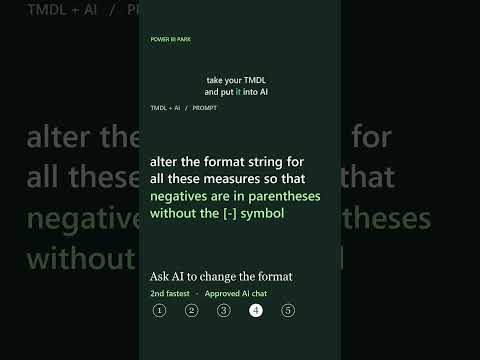
- To maintain organization: update properties such as the measure name, home table, display folder, format string, or description. For broader management, use an external modeling tool such as Tabular Editor.
Limitations and alternatives
The available editing route depends on the task. A quick formula change does not require the same workflow as testing a complex calculation or applying changes across many measures. Online editing also depends on permissions and the semantic model’s capabilities.
Before changing a measure, check whether other measures depend on it. A change to a base calculation can affect dependent calculations and report visuals. For a simple edit, the formula bar is a direct option; for a change that needs validation, DAX Query View provides a way to test before applying it.
Sources
Frequently asked questions
How do I edit a measure in Power BI?
Select the measure in the Data or Fields pane, edit its DAX expression in the formula bar, and confirm the change. DAX Query View is another option when you want to test a calculation before applying it.
Can I test a Power BI measure before changing the model?
Yes. DAX Query View lets you test a measure with a DAX query, review the result, and then apply the change to the semantic model.
Can I edit measures in the Power BI service?
The Power BI service supports editing semantic models, including creating DAX measures. Availability of online editing depends on permissions and model capabilities.
What measure properties can I edit in Power BI?
You can maintain properties such as a measure’s name, home table, display folder, format string, and description.