- All of Microsoft
Power BI & Fabric: Dataflow Versions
Founder | CEO @ RADACAD | Coach | Power BI Consultant | Author | Speaker | Regional Director | MVP
Microsoft guide to Power BI and Fabric Dataflow versions, internal and external, standard and analytical, licensing tips
Key insights
- Dataflow versions: Microsoft supports three main Dataflow types — Dataflow Gen1 (legacy), Dataflow Gen2 (built on Microsoft Fabric), and Gen2 CI/CD.
Each has subtypes like internal vs external and standard vs analytical for different deployment and use cases. - Core purpose: Dataflows let teams ingest, transform, and prepare data using Power Query as a reusable layer for reports and analytics.
They centralize transformations so multiple reports can share the same clean data set. - Key feature differences: Gen2 shortens authoring with step-by-step flows, adds AutoSave and background publishing, improves monitoring, and supports more destinations than Gen1.
Gen1 remains in maintenance mode and does not receive new feature investments. - Licensing and cost: Gen2 runs on Microsoft Fabric and can require Fabric capacity or a trial, and it offers pay-per-use compute measured by Capacity Units (CUs).
Gen1 typically uses Power BI Premium capacity models and may have different cost profiles. - Performance and integrations: Gen2 delivers higher throughput with features like Fast Copy and parallel execution, and it integrates natively with Fabric items such as Lakehouse, Warehouse, pipelines, and notebooks.
These integrations make Gen2 better for large-scale or enterprise analytics workloads. - Recommendation and migration: For new projects choose Dataflow Gen2; Gen1 is legacy.
Use copy-paste migration and validate compatibility, pick internal/external or standard/analytical subtypes based on sharing, governance, and performance needs.
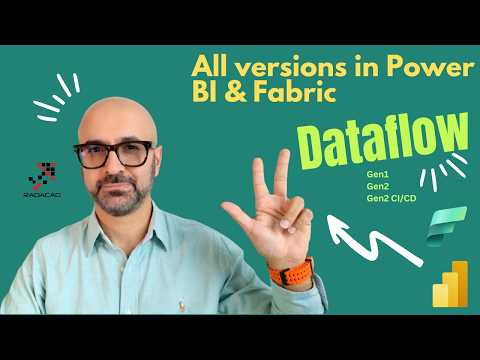
In a recent YouTube video, Reza Rad (RADACAD) [MVP] walks viewers through the evolving landscape of data preparation in Microsoft's analytics stack. He focuses on the three main flavors of dataflows currently in use: Dataflow Gen1, Dataflow Gen2, and Gen2 CI/CD, while also touching on subtypes such as internal versus external dataflows and standard versus analytical flows. This article summarizes his explanations and highlights the practical implications for teams planning new projects in Power BI and Microsoft Fabric. Consequently, readers can expect clear guidance on capabilities, limits, and migration choices.
Overview of Dataflow Options
Rad begins by situating Dataflow Gen1 as the original Power BI dataflow option, now considered legacy with minimal new feature investment. Meanwhile, Dataflow Gen2 emerges inside Microsoft Fabric as the modern runtime designed for higher performance, broader destinations, and better integration with Fabric services. He also notes Gen2 CI/CD as a version targeted at enterprise deployment workflows, enabling automation and repeatable delivery patterns. Therefore, organizations must weigh immediate needs against future platform direction when choosing which version to adopt.
He explains that dataflows provide a reusable layer for data ingestion and transformation using the familiar Power Query authoring experience, which eases adoption for existing Power BI authors. Moreover, Gen2 decouples execution from classic Premium capacity by introducing pay-per-use compute through Capacity Units, offering both flexibility and potentially lower cost for intermittent workloads. At the same time, Gen1 still supports capabilities like DirectQuery in specific scenarios, so teams should not assume a single version fits every use case. Thus, understanding each option’s role helps plan resource and license strategies.
Core Differences Between Gen1 and Gen2
Rad contrasts key features across versions, pointing out that Gen2 shortens the authoring flow, adds autosave and background publishing, and expands destination choices to assets like Lakehouse, Warehouse, and Azure SQL Database. He also highlights improved monitoring and refresh history in Gen2 through Fabric’s Monitoring Hub, plus high-scale compute features such as parallel execution and Fast Copy for rapid ingestion. However, DirectQuery support via the Dataflows connector remains associated with Gen1 in some scenarios, which complicates a straight switch for live-query solutions. Consequently, teams must balance the need for live connectivity against Gen2’s broader performance and integration gains.
Furthermore, Rad notes that Gen2 brings modern partitioned compute (in preview), enhanced product integrations like notebooks and pipelines, and productivity aids such as Copilot-assisted authoring and M-code explanations. These features significantly speed development and troubleshooting, yet they may require Fabric-specific capacity or trials to test thoroughly. Conversely, Gen1’s long presence means a mature set of established patterns and known limitations, which some teams may prefer for stability. Therefore, organizations should conduct careful feature gap analysis before migrating existing workloads.
Tradeoffs and Implementation Challenges
Rad emphasizes that migration to Gen2 involves tradeoffs between performance, cost, and functionality. While Gen2 can reduce refresh times and offer elastic compute that may lower costs for variable workloads, it also introduces new operational models and dependencies on Fabric components that teams must learn. Additionally, some features and behaviors do not map one-to-one, creating migration work for transforms, connectors, or permissions. As a result, IT and analytics teams should budget time for testing, retraining, and possibly reauthoring complex queries.
Governance and collaboration present further challenges, particularly in hybrid scenarios where some teams remain on Gen1 while others adopt Gen2. Rad points out nuances such as schema support for Lakehouse tables and permission models that differ across destinations. These differences can complicate lineage, access control, and CI/CD automation, especially for organizations that need consistent deployment pipelines. Therefore, a staged migration approach with clear governance rules usually reduces risk and supports steady progress toward Fabric alignment.
Recommendations for Teams and Next Steps
Rad recommends using Dataflow Gen2 for new projects whenever possible, citing its scalability, integration, and authoring improvements that match modern enterprise needs. He suggests keeping Gen1 for legacy workloads that depend on specific features like certain DirectQuery behaviors until teams can plan a careful migration. Moreover, he advises testing Gen2 in a controlled environment to validate performance, cost, and feature parity before full rollouts. Consequently, teams should prepare a migration matrix that lists feature mappings and priority workloads.
For organizations that value automation, Rad highlights the role of Gen2 CI/CD in enabling repeatable deployments and stronger operational control, but he also warns that implementing CI/CD requires additional engineering effort and governance. He encourages collaboration between data engineers, BI authors, and IT operations to define capacity and routing policies and to set up monitoring. Ultimately, a pragmatic plan that stages adoption, verifies critical scenarios, and documents tradeoffs will help teams realize Gen2’s benefits while minimizing disruption.
In summary, Reza Rad’s video offers a practical, balanced view of the three main dataflow options in the Microsoft ecosystem and the choices teams must make. By weighing performance, cost, and functional gaps, organizations can choose the right path and plan an orderly migration. Meanwhile, testing and governance remain essential to manage tradeoffs and to capture the value of Fabric’s modern architecture.

Keywords
Power BI dataflow versions, Microsoft Fabric dataflow differences, Dataflow Gen1 vs Gen2, Dataflow in Power BI vs Fabric, Power Query dataflows Fabric, Dataflow performance Power BI Fabric, Dataflow governance and security Fabric, Migrating Power BI dataflows to Fabric