Video Overview and Context
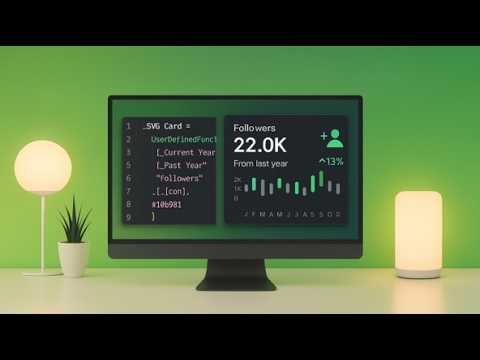
In a recent YouTube tutorial, author Injae Park walks viewers through the new User Defined Functions capability introduced in the Power BI September 2025 update. The video frames the feature as a practical change that will affect how reports and models are built, and it follows a step-by-step conversion of a long measure into a reusable function. As a result, the tutorial highlights both the immediate productivity gains and the longer-term impact on model maintainability. Overall, the presentation balances practical demonstration with clearly stated limitations, helping viewers see where this preview feature currently fits into typical workflows.
What the Tutorial Demonstrates
First, Park shows how he transforms a 38-row measure into a single, user-friendly function using the new FUNCTION keyword in DAX. Then, he tests the function across different contexts, including measures and calculated columns, which demonstrates how a single definition improves reuse. Moreover, he highlights the new visual placement of functions in the model explorer and points out how optional scalar, table, and reference parameters help clarify intent and avoid errors. Consequently, viewers gain a concrete picture of how modularization reduces repetition in real-world reports.
Step-by-Step Use and Practical Details
Next, the video walks through enabling the preview by navigating to File > Options and Settings > Options and then turning on the DAX user-defined functions preview feature. After restarting Power BI Desktop, Park demonstrates how to declare parameters, add type hints, and save functions into the model, while also showing how to call a function from other DAX expressions. He also creates a format string and builds delta calculations to illustrate how even complex logic becomes more readable when encapsulated. Therefore, the tutorial serves as a hands-on reference for authors who want to experiment with UDFs immediately.
Tradeoffs and Development Challenges
While the introduction of UDFs promises modular code and easier maintenance, Park candidly covers tradeoffs such as added model complexity and governance needs. For example, although strong type checking reduces runtime errors, it can also require extra upfront planning and additional work to update legacy measures to fit new signatures. Additionally, there is a potential performance tradeoff: wrapping logic in functions can improve readability but may obscure optimization opportunities unless authors are careful to test and profile queries. Thus, teams must weigh the benefit of cleaner DAX against the overhead of refactoring and ongoing performance validation.
Governance, Debugging, and Collaboration
Furthermore, the video highlights debugging improvements but also points out new collaboration requirements when functions become shared model assets. Park shows that functions are visible in a dedicated node in the model explorer and that Microsoft Copilot can assist in authoring and troubleshooting, which helps reduce errors and speed development. However, the centralization of logic means organizations need clear naming conventions and version control practices to avoid accidental breaks across reports. Therefore, effective governance and documentation will be as important as the technical changes themselves.
Implications and Next Steps for Report Authors
Finally, Park frames the feature as a preview step toward more modular and maintainable analytics, while encouraging cautious adoption in production models. He suggests starting with non-critical datasets or pilot projects to test how functions interact with complex filters, time intelligence, and large tables, and he emphasizes the importance of measuring performance after refactoring. Moreover, Park encourages learning to combine functions and traditional DAX constructs, since mixing approaches can balance clarity and performance in many scenarios. As a result, the recommendation is to adopt User Defined Functions gradually, validate their impact, and develop team practices that support reuse and traceability.
Conclusion
In summary, Injae Park's walkthrough provides a clear and practical introduction to the new DAX User Defined Functions in the Power BI September 2025 preview. The video demonstrates a direct workflow from a verbose measure to a reusable function and discusses tradeoffs such as model governance and potential performance implications. Consequently, report developers gain both a how-to guide and a framework for deciding when to refactor existing logic. Ultimately, Park’s tutorial equips viewers to experiment responsibly with this feature and to plan for the governance and testing that broader adoption will require.