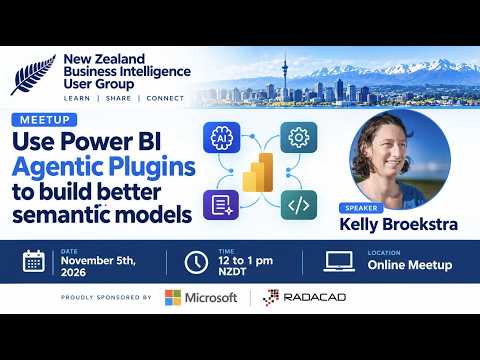
Power BI agentic plugins for semantic models
Founder | CEO @ RADACAD | Coach | Power BI Consultant | Author | Speaker | Regional Director | MVP
Power BI agentic plugins pair AI skills and MCP tools to help developers work on semantic models, DAX, and reports.
Key insights
- The session covers AI-assisted semantic-model management, DAX queries, and report building.
- MCP servers provide a way for an AI agent to work with a semantic model.
- AI Skills support semantic-model design and development.
- The session description says no prior MCP server or AI Skills knowledge is required to follow along.
Power BI agentic plugins use AI skills and MCP tools to support work on semantic models, DAX queries, and reports. The approach is aimed at Power BI and Fabric developers, semantic-model designers, analysts, and BI consultants. Reza Rad (RADACAD) [MVP] published a user-group recording featuring Kelly Broekstra on getting started with these capabilities.
What it does
The session description presents Power BI Agentic Plugins as a way for developers to use AI to manage semantic models, write DAX queries, and build reports. It also describes two parts of the workflow: an MCP server and AI Skills. An MCP server is the connection point discussed for enabling an AI agent to work with a semantic model; AI Skills support modeling and development tasks.
This matters because semantic models are the structures Power BI reports use to organize and interpret data. The material focuses on using AI as an assistant during model design and development, rather than describing a new end-user report feature or a switch to turn on in the Power BI service. The session is framed as an introduction, including for people who have not worked with MCP servers or AI Skills before.
Who it is for and what you need
The stated audience includes Power BI developers, Fabric developers, semantic-model designers, data analysts, and BI consultants. Anyone interested in AI agents for semantic modeling and DAX is also included. The session description says viewers do not need prior experience with MCP servers or AI Skills to follow it.
The supplied material does not specify a required Power BI license, Fabric capacity, client version, operating system, or tenant setting. It also does not establish whether the described tools are generally available, in preview, or available to every tenant. Those details should be checked against current Microsoft documentation before planning a deployment.
No specific administrator role, permission set, or security configuration is provided in the session description. It also does not identify which AI agent or MCP server implementation is required for each task. Treat the content as an overview of the approach, not as a complete environment setup guide.
How it works
The basic idea is to connect an AI agent to Power BI development work through an MCP server, then use AI Skills to guide the agent’s support for modeling and development. In practical terms, the server and skills have different roles: the server is used to enable interaction with the semantic model, while the skills provide task-specific support. The source describes the topics covered but does not provide a complete sequence of configuration commands or menu paths.
- Identify the Power BI semantic-model task you want help with, such as model design, development, or a DAX query.
- Set up and use an MCP server so an AI agent can work with the semantic model. The session description says this is covered, but does not specify the exact server setup steps.
- Use AI Skills to support semantic-model design and development. The supplied description does not name a particular skill, installation location, or supported agent.
- Review the agent’s work as part of your normal development process. The source material does not specify validation steps, approval controls, or deployment procedures.
This is a useful distinction for teams evaluating agent-assisted development: connecting an agent to model-related tools is not the same as instructing it how to approach a task. The MCP server is the connection mechanism described; AI Skills supply supporting guidance. The available material does not document which model changes an agent can make autonomously or which require explicit confirmation.
To explore the broader product area, see our Power BI coverage. The recording is useful as a starting point, but teams should verify the tools and setup against their own environment before using them on production models.
Limitations and open questions
The description is broad and does not name the MCP server, AI agent, or individual skills used in the session. It also does not provide setup commands, precise connection instructions, a list of supported model operations, or licensing requirements. Consequently, readers cannot use the description alone to reproduce a specific installation or confirm compatibility with their tenant.
The material says the session explores building better semantic models with AI assistance, but it does not report a benchmark or test result that measures quality, development time, or accuracy. It also does not explain how proposed changes are reviewed, how model access is controlled, or how to recover from an unwanted edit. Those are important questions for developers to settle before connecting agent tools to business-critical content.
There is no official Microsoft source in the provided source list to confirm current availability, preview status, licensing, or supported configurations. For now, the clearest supported takeaway is conceptual: MCP servers provide a way for agents to work with semantic models, while AI Skills support the development tasks. Specific implementation details remain unverified here.
Sources
Frequently asked questions
What do Power BI agentic plugins do?
The session description says they let Power BI and Fabric developers use AI to manage semantic models, write DAX queries, and build reports.
What is the role of an MCP server in Power BI agentic work?
The session describes setting up and using an MCP server so an AI agent can work with a semantic model. It does not provide exact setup instructions.
Do I need prior experience with MCP servers or AI Skills?
The session description says no prior knowledge is required to follow along. It does not list technical prerequisites for setting up a particular environment.
What license or Power BI version do I need?
The supplied material does not specify licensing, version requirements, or availability status. Check current Microsoft documentation for those details.