- All of Microsoft
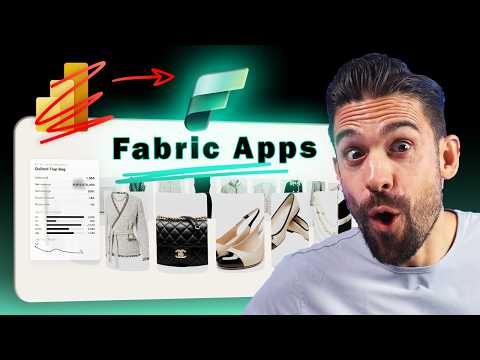
Power BI: From Reports to Fabric Apps
Microsoft expert guide to moving Power BI reports to Microsoft Fabric apps with Copilot and design best practices
Key insights
- Fabric Apps let teams build full web applications inside Microsoft Fabric instead of just static dashboards.
They shift from drag-and-drop reports to code-first, browser-hosted apps that run like web pages. - Visualization as code uses TypeScript and libraries like Vega or D3 to create custom visuals and interactions.
Developers use the Rayfin SDK to define models, UI, and behavior in code for precise control. - Built-in backend features include authentication, session handling, hosting, and automatically generated GraphQL APIs.
These services reduce boilerplate so teams can focus on app logic and user experience. - OneLake integration gives apps direct access to Fabric data and managed storage.
Apps can read and write to Fabric databases without custom infrastructure setup. - Write-back enables users to update data from the app interface with version tracking and controls.
This makes Fabric Apps useful for planning, workflows, and interactive tools that need real-time edits. - Choose Fabric Apps for rapid prototyping, deep customization, and internal tools that need action triggers and writable data.
Keep using Power BI reports for fast, no-code dashboards; use Fabric Apps when you need full app behavior and custom visuals.
The YouTube video by How to Power BI announces a major shift from traditional report design toward full-fledged, code-first applications inside Microsoft Fabric. The presenter frames Fabric Apps as more than an updated reporting tool, explaining they enable developers to build authenticated web applications with built-in backends and direct access to Fabric data. Consequently, the video argues that organizations should reconsider when to use classic Power BI reports versus when to invest in app development. Overall, the coverage aims to show how the new platform combines visualization, APIs, and write-back capabilities into a single workspace item.
Key message of the video
The core point is clear: Fabric Apps offer a programmable alternative to static report pages and can host interactive experiences that behave like web applications. The presenter highlights that these apps run in a browser, include session and authentication services, and expose GraphQL endpoints for data access. As a result, developers can ship richer interactions—such as input tables, action buttons, and custom visuals—without assembling separate infrastructure. The video positions this change as a response to modern demands for agility and extensibility in data tools.
The host also stresses that Fabric Apps do not necessarily replace every use of Power BI reports. Instead, they serve teams that need deeper customization, write-back, or custom visual libraries like Vega and D3.js. The message underscores that each tool has a role: reports for low-code dashboards and apps for full-stack, programmable experiences. Therefore, the video frames the announcement as an expansion of choices rather than a hard deprecation of existing workflows.
How Fabric Apps differ from traditional reports
The video emphasizes a shift from drag-and-drop design toward a code-driven model that uses the Rayfin SDK and TypeScript to define data models, APIs, and business logic. In contrast to the limited interactivity of many visuals, Fabric Apps enable "visualization as code," letting teams use advanced libraries and craft custom interactions that connect to backend processes. This approach brings immediate access to OneLake data and built-in hosting, which reduces setup time for databases and authentication. As a result, developers can prototype and publish a working app more quickly than when stitching together separate services.
However, the video makes clear that this flexibility comes with a different skill set. Fabric Apps assume familiarity with TypeScript and web development practices, whereas many Power BI report authors rely on low-code tools and visual editors. The presenter notes that organizations should assess whether they have the right developer resources before migrating complex reports to apps. Thus, the platform broadens capability while also shifting who builds and maintains those experiences.
Practical advantages showcased
One advantage presented is rapid prototyping, where developers can get a live URL and functional app quickly thanks to preconfigured backend services. Another benefit is integrated backend support, including session management, token handling, and auto-generated GraphQL APIs that simplify data access and monitoring. The video highlights write-back capabilities as particularly valuable for planning and operational workflows, allowing apps to update databases directly and track versions automatically. These features, combined, make Fabric Apps suitable for internal tools, AI-driven agents, and interactive operational interfaces.
Moreover, the ability to embed custom visuals and wire actions to other systems enables scenarios that were awkward or impossible inside classic reports. For example, triggering downstream workflows or collecting user input directly into a database becomes a first-class capability. The presenter suggests these scenarios can deliver measurable productivity gains when properly implemented. Therefore, Fabric Apps can transform how teams use data for operations and decision-making.
Tradeoffs and challenges to consider
The video does not shy away from the tradeoffs: teams gain powerful features but also inherit complexity around development, testing, and governance. Fabric Apps require software engineering practices, including version control, deployment pipelines, and secure identity management, which may be new for BI teams. Additionally, there are governance and compliance concerns when apps provide write-back and broader data access, so organizations must enforce policies and audit trails. Consequently, the decision to adopt Fabric Apps depends on a careful balance between capability and operational maturity.
Another challenge is the migration path and coexistence with existing Power BI content. The presenter advises evaluating which reports truly need app-level capabilities and which are best left as reports for business users. Training and upskilling also factor into the equation, since migrating to a code-first approach can lengthen timelines if teams lack experience. In short, Fabric Apps offer a leap forward but demand planning around skills, security, and lifecycle management.
Implications for teams and next steps
The video concludes by urging organizations to pilot Fabric Apps for internal tools and workflows that need write-back or custom visuals, while continuing to use Power BI reports for broadly consumed dashboards. It recommends starting small with prototypes to validate value and to surface the governance and integration work required. As teams build experience, they can expand adoption and refine standards that align developers and analysts. Thus, the advice centers on staged adoption rather than wholesale replacement.
In summary, the How to Power BI video presents Fabric Apps as a strategic option for teams that need programmable, interactive web experiences directly tied to Fabric data. While the benefits of flexibility, built-in backend services, and write-back are clear, the video also balances enthusiasm with caution about skills and governance. For editorial readers, the takeaway is straightforward: evaluate Fabric Apps where they solve real limitations of reports, plan for the people and process changes, and pilot before broad rollout.

Keywords
Power BI to Microsoft Fabric, Migrate Power BI reports to Fabric, Microsoft Fabric apps, Fabric analytics migration, Replace Power BI with Fabric, Fabric apps tutorial, Power BI retirement migration, Fabric vs Power BI