- All of Microsoft
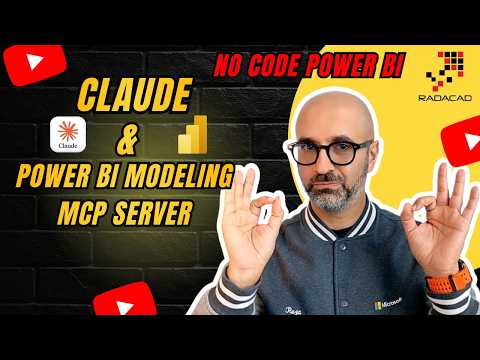
Power BI: No-Code Modeling with Claude
Founder | CEO @ RADACAD | Coach | Power BI Consultant | Author | Speaker | Regional Director | MVP
Microsoft expert: no-code Power BI modeling with Claude AI and MCP Server, live demo, Fabric and Copilot
Key insights
- Power BI Modeling MCP Server links AI assistants to Power BI semantic models so you can change models by talking to the agent instead of clicking through menus.
It uses the Model Context Protocol (MCP) to let tools like Claude inspect and modify tables, measures, relationships, and metadata. - Setup is simple: install the local MCP server or use the remote endpoint, connect an MCP-capable client, point it to your model, and ask the assistant to inspect or update objects.
This creates a conversational, no GUI workflow that works with Power BI Desktop and Fabric models. - Main capabilities include reading model structure, generating or updating DAX measures, making bulk updates and refactors, exporting model metadata, and running batch transaction edits to keep changes consistent.
- Benefits: it speeds up repetitive tasks, enforces naming and modelling standards, and makes model work accessible to beginners while helping experienced developers move faster on large or repeatable changes.
- Practical uses: create measures quickly, refactor many objects at once, audit model structure, automate translations and security rules, and prototype changes before applying them in production.
- Considerations: plan for security and access controls, keep human review of AI-made changes, track versions for rollback, and confirm model type support and local vs remote server requirements before production use.
Video Summary
Reza Rad (RADACAD) [MVP] recently published a YouTube video that demonstrates a striking shift in Power BI Desktop. In the clip, he shows how to build a complete Power BI model without writing any code and without opening Power BI Desktop. Instead, he uses the Power BI Modeling MCP Server together with the AI assistant Claude to perform model inspection, measure creation, and bulk updates. Consequently, the demo frames a new, conversational approach to semantic modeling that could change how teams work.
Moreover, Rad walks viewers through setup steps and runs a live demo that highlights practical workflows. He explains how the local MCP server connects an AI client to semantic models and how batch operations can execute model changes. The presentation aims to show that routine modeling tasks can move from manual clicks to natural language prompts. As a result, the video targets both business users and experienced BI developers interested in speeding up their workflows.
How the MCP Server and Claude Work Together
The video focuses on the Model Context Protocol (MCP) and the Microsoft-built connector known as the Power BI Modeling MCP Server. First, the server exposes model metadata and operations so an MCP-capable client like Claude can query and modify the model. Then, the AI agent reads tables, columns, measures, and relationships, and proposes or applies changes through the server. In this way, the assistant acts as a conversational interface to the semantic model rather than a passive helper.
In addition, Rad shows how the MCP server can be run locally or used remotely to reach Fabric-hosted models. He demonstrates configuring an AI client to point to the local executable and then issuing commands in plain English. The server translates those commands into supported modeling operations and applies them to the model. Therefore, the workflow reduces the need to manually navigate model objects and write repetitive DAX by hand.
Capabilities Shown in the Demo
Rad illustrates several features that the setup supports, such as generating DAX measures, refactoring names, and exporting metadata formats like TMDL. Furthermore, the AI can perform bulk changes and follow naming conventions across large models, which Rad highlights as a time-saver for complex projects. He also shows how the assistant can surface model structure for review and suggest optimizations that would otherwise require manual inspection. Thus, the demo emphasizes automation of routine and error-prone tasks.
Importantly, the demo includes error handling and transaction-style batch updates so teams can make multiple changes with rollback safety. Rad makes clear that the server supports reading and writing model definitions and that the AI-driven process can integrate with existing development workflows. Consequently, the approach can be useful for both prototyping and production model maintenance. This combination of capabilities points to broader use cases for collaborative model management.
Benefits and Tradeoffs
On the one hand, the major benefit is productivity: the video shows that AI can speed up measure creation and large-scale refactoring. For instance, teams can apply consistent naming and standardize calculations with fewer manual steps, which improves maintainability. Moreover, the conversational interface lowers the barrier for nontechnical users who need to adjust models without deep DAX expertise. Therefore, organizations can broaden who contributes to model development.
On the other hand, Rad notes tradeoffs that warrant caution, especially around governance and accuracy. Because the AI applies changes automatically, teams must maintain review processes and validate outputs to avoid unintended model behavior. In addition, relying heavily on AI for modeling can obscure how measures are built, which may reduce learning opportunities for junior analysts. Consequently, balancing automation with human oversight becomes a central concern.
Finally, there is a performance and compatibility tradeoff to consider: not every modeling task suits a no-code approach, and large-scale transformations still require careful planning. While the MCP server supports many operations, complex custom logic or specialized optimization may still need manual intervention. Thus, teams must weigh efficiency gains against the need for precise control in critical models. Overall, the video suggests a hybrid path where AI accelerates routine work while experts handle complex design.
Challenges and Future Directions
Rad highlights several challenges that organizations will face when adopting this workflow, including security, version control, and auditability. For example, teams must ensure that AI clients and the MCP server operate within secure boundaries and that change history is tracked. Furthermore, integrating AI-driven modeling into CI/CD pipelines requires new tools and practices to maintain model integrity. Therefore, organizations should develop governance policies before wide adoption.
Looking ahead, the video implies that AI assistants will become more integrated into BI toolchains, blending with editors like VS Code and cloud services. As a result, the role of the developer may shift toward supervising AI actions and refining prompts rather than writing every formula manually. Nevertheless, Rad’s demo serves as a practical preview rather than a finished solution, and he encourages viewers to test the approach while retaining careful review. In conclusion, the YouTube video presents a compelling and actionable look at how no-code Power BI modeling might evolve, while underscoring the need for clear controls and human expertise.

Keywords
No Code Power BI, Claude AI Power BI integration, Power BI modeling without code, MCP Server Power BI setup, AI-assisted Power BI modeling, Claude for Power BI modeling, No-code data modeling Power BI, Power BI automation with Claude