- All of Microsoft
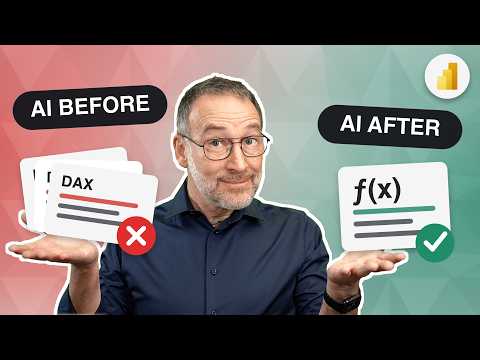
Power BI: AI DAX Removes Duplicate Code
AI DAX refactoring in Power BI: remove duplicated code, centralize logic with user-defined functions and tips
Key insights
- Copilot in DAX query view: Use natural-language prompts to generate or explain DAX queries directly in the DAX query view.
Copilot speeds drafting and helps you learn and correct DAX syntax quickly. - DAX UDFs: DAX User-Defined Functions let you package reusable calculations into named functions so you can call the same logic from many measures.
They are generally available and make it easy to centralize repeated expressions in Power BI models. - Reuse: Centralize shared logic in UDFs to avoid copying identical expressions across measures.
This reduces errors, simplifies updates, and improves calculation consistency across reports. - Faster authoring: Combine Copilot and UDFs by asking Copilot to draft or explain a measure, then move repeated parts into a UDF.
This workflow shortens development time and reduces repetitive manual edits. - Explainability: Use Copilot’s inline explanations to understand complex queries and spot logic issues before creating UDFs.
Clear explanations help you test and document functions more effectively. - Recommended workflow: Draft with Copilot, review and optimize using standard DAX functions, then refactor duplicates into small, tested DAX UDFs and document them.
Keep functions focused, run tests, and use version control for changes to maintain model quality.
SQLBI released a recent YouTube video that explores how to use artificial intelligence to refactor DAX code and reduce duplicated logic in Power BI models. The video demonstrates practical steps for centralizing repeated expressions by combining AI drafting with newer language features, and it references an accompanying article and downloadable resources for follow-up. Moreover, the presenter frames the topic around two Microsoft features that together change how developers can write and manage DAX. Consequently, this story summarizes the video’s main points, evaluates tradeoffs, and highlights challenges that teams should consider before adopting the approach.
What SQLBI demonstrates in the video
First, SQLBI shows how AI can assist in drafting and explaining DAX queries so analysts move faster from concept to code. The video walks through using natural language prompts to generate queries and then refining those queries into reusable pieces, while also explaining each step for clarity. In addition, the presenter applies the newly available DAX UDFs to package shared logic so multiple measures can call a single centralized function. Therefore, the demonstration makes a clear case for combining AI help with explicit reuse patterns to reduce duplication.
Microsoft’s dual AI path for DAX
According to the video, Microsoft now supports two complementary paths for AI-assisted DAX work: Copilot in the DAX query view and the general availability of DAX UDFs. While Copilot helps you describe what you want in plain language and generates or explains queries interactively, DAX UDFs let you store repeated logic in a single place so you can call it from multiple measures. Moreover, the video notes that DAX UDFs became enabled by default in Power BI Desktop with the June 2026 release, which widens the practical adoption of reusable functions. However, SQLBI also points out that the tools serve different purposes: one drafts and explains, while the other structures and enforces reuse.
Benefits and tradeoffs of the approach
On the plus side, centralizing logic with DAX UDFs reduces duplicated code, which makes models easier to maintain and improves consistency across reports. Furthermore, using Copilot to draft queries speeds up authoring and can surface explanations that help less experienced users understand complex expressions. Nevertheless, the video cautions that reuse introduces its own tradeoffs: centralized functions can hide context or make debugging harder if authors over-abstract logic into generic UDFs. Consequently, teams must balance the advantages of reuse with the need to keep functions readable, well-documented, and performant.
Practical guidance for Power BI developers
SQLBI recommends a simple pattern: use Copilot to draft or explain a candidate expression and then move repeated logic into a DAX UDF when it appears in multiple places. Additionally, the presenter emphasizes validating AI outputs, because generated code still needs human review for correctness, edge cases, and performance implications. For teams, the suggested workflow includes documenting UDFs, running performance checks, and using version control for model artifacts to track changes over time. Therefore, the recommended practice combines automation with disciplined development habits to avoid introducing subtle bugs.
Challenges, governance, and maintenance
Despite the promise, the video flags several challenges around governance, testing, and operational monitoring when teams adopt AI-assisted refactoring. For example, versioning of UDFs, tracking which reports rely on a specific function, and testing function behavior under different data conditions all require new processes. Moreover, the presenter warns that performance can suffer if a UDF is overused in contexts where a tailored expression would be cheaper to compute, so profiling remains essential. Finally, the video encourages organizations to treat AI as a productivity aid rather than as a substitute for careful design and review.
Key takeaways and next steps
In summary, SQLBI’s YouTube video makes a pragmatic case for combining AI drafting tools with the structural benefits of DAX UDFs to reduce duplicated logic in Power BI models. However, the approach requires tradeoffs in maintainability versus abstraction, and it demands governance to manage versions, tests, and performance. Consequently, analysts should experiment with small refactors first, validate results, and adopt documentation and monitoring practices as they scale the pattern across teams. Thus, the video offers a useful roadmap that balances the speed of AI with the discipline of software engineering.
Keywords
DAX AI functions, Remove duplicated DAX code, AI-generated DAX, Power BI DAX optimization, DAX refactoring techniques, Automate DAX function creation, Reduce DAX code duplication, Best practices for DAX functions