- All of Microsoft
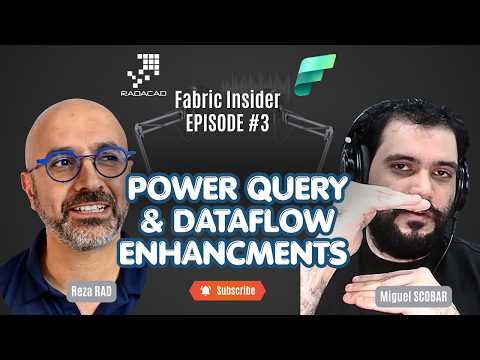
Power Query: Dataflows & Performance
Founder | CEO @ RADACAD | Coach | Power BI Consultant | Author | Speaker | Regional Director | MVP
Power Query in Microsoft Fabric deep dive Miguel Escobar on dataflows, performance, M code and Power BI roadmap
Key insights
- Power Query is the data-transformation engine used across Microsoft products, and it runs the visual steps as M language code.
It prepares, cleans, and reshapes data before loading it into reports or models inside Microsoft Fabric. - Power Query appears in three main interfaces: Web, Desktop, and Excel, and Microsoft is working toward a unified editor to give a consistent experience across tools.
This unification simplifies authoring and reduces friction when moving queries between environments. - Recent performance enhancements improve refresh times and resource use; new performance functions give clearer diagnostics and help tune queries.
Understanding evaluation and step ordering helps you reduce memory use and speed up refreshes. - Query folding remains a key optimization: when transformations translate to source-native operations, the source does work and performance improves.
Design queries to maximize folding where your data source supports it. - Choose the right tool for transformation: use Dataflows for managed, repeatable ETL at scale, SQL when the database can do heavy lifting, and Python for specialized processing or ML tasks.
Each option balances cost, performance, and flexibility. - The episode covers operational topics like CU consumption for dataflows and the new My Queries feature that improves reuse and governance.
Look for roadmap updates and Copilot-driven capabilities that aim to simplify authoring and give smarter recommendations.
Overview of the Episode
Reza Rad (RADACAD) [MVP] hosts a detailed YouTube conversation with Miguel Escobar, Principal Program Manager on Microsoft’s Data Integration team, that explores Power Query inside Microsoft Fabric. The episode aims to serve both beginners and experienced users by covering fundamentals, performance improvements, and the roadmap for the technology. Consequently, viewers gain a broad sense of how Power Query fits into the larger Fabric ecosystem and what to expect next from the product teams.
Moreover, the discussion emphasizes practical implications rather than only theory, so readers can weigh options for real projects. Reza guides the episode with clear questions while Miguel explains technical choices and tradeoffs, making the subject approachable. Therefore, this summary highlights the core topics and the tradeoffs that matter to practitioners.
Power Query’s Role in Microsoft Fabric
Power Query acts as the transformation layer that prepares raw data for analysis across tools such as Power BI, Excel, and Fabric’s Data Factory. Miguel explains that the same engine and underlying M language power these experiences, which supports consistency while enabling different user interfaces. As a result, organizations can reuse transformation logic across environments, improving maintainability and reducing redundant work.
However, unifying UIs and preserving existing workflows creates tradeoffs. On one hand, a unified editor simplifies training and governance; on the other hand, the team must balance new capabilities with backward compatibility for established desktop and Excel users. Thus, the roadmap focuses on careful evolution rather than abrupt changes to avoid disrupting production workloads.
Performance Improvements and Tradeoffs
A major portion of the episode deals with performance enhancements and the new performance functions introduced in recent updates. Miguel explains that changes aim to reduce refresh times and memory usage, and to make evaluation behavior more predictable, which benefits large-scale dataflows. Yet, optimization often involves tradeoffs between compute cost and execution speed, so teams must choose configurations that align with budget and SLA expectations.
Another critical point is query folding, which the speakers emphasize as a primary lever for improving performance. When transformations fold back to the source, systems avoid moving large volumes of data, and refreshes complete faster. Nevertheless, folding depends on data source capabilities, so designers sometimes must rewrite queries or accept heavier compute when folding is not possible.
Dataflows, SQL, Python — Choosing the Right Tool
The episode compares Dataflows, SQL, and Python as options for data transformation, outlining scenarios where each is preferable. Miguel notes that Dataflows excel for managed, reusable ETL logic that integrates with Fabric, while SQL works best when the source supports complex set-based operations efficiently. In contrast, Python fits cases requiring bespoke algorithms, machine learning, or processing outside the relational model.
Importantly, cost and governance influence these choices: serverless or managed services may simplify operations, but they can also increase consumption costs. Thus, teams must weigh operational simplicity, performance, and cost when selecting which approach to use for specific pipelines. Balancing those factors often requires trial runs and monitoring to find the most sustainable solution.
New Features and Developer Experience
The episode introduces features like My Queries and new performance functions that aim to improve developer productivity and debugging. My Queries helps users organize reusable transformations and promotes sharing across projects, which reduces duplicated work. Meanwhile, performance functions provide visibility into execution behavior, so engineers can pinpoint bottlenecks and optimize accordingly.
However, improving developer experience introduces challenges related to education and governance. Organizations must train authors in best practices for folding, parameterization, and modular design to realize the full benefits. In addition, providing guardrails around shared artifacts such as My Queries is necessary to prevent sprawl and ensure version control.
Roadmap, Challenges, and Practical Advice
Looking ahead, the team discusses a unified editor and potential integrations with AI-driven assistance like Copilot, which could speed up common tasks and suggest optimizations. Although such innovations promise productivity gains, they also raise questions about correctness, reproducibility, and how suggested changes interact with folding and performance. Therefore, teams should adopt incremental changes and validate AI-driven recommendations before applying them to production pipelines.
Finally, the conversation underscores that practical adoption involves ongoing tradeoffs between ease of use, performance, and cost. For readers planning migrations or new implementations, the practical advice is to prioritize predictable evaluation behavior, monitor consumption carefully, and design for reusability. By doing so, organizations can harness Power Query within Microsoft Fabric while managing the technical and financial risks that come with scale.

Keywords
Power Query tutorial, Microsoft Fabric Power Query, Dataflows best practices, Power Query performance tips, Miguel Escobar Power Query, Fabric Insider podcast, Power BI dataflows optimization, Future of Power Query