- All of Microsoft
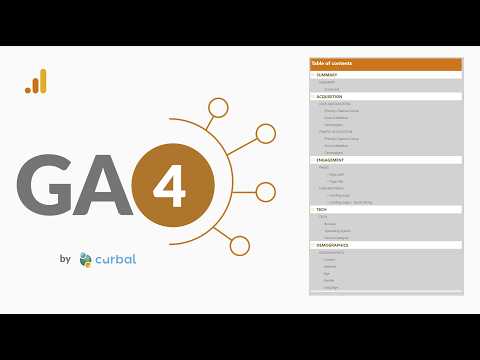
Power BI: GA4 Template App Returns
MS expert: Power BI Google Analytics four template app restored on Marketplace, install guide, windsor.ai API and pbix
Key insights
- GA4 and Power BI template apps are available again.
Partner templates and connectors now let you import Google Analytics 4 data into Power BI even though there was no formal Microsoft announcement. - Prebuilt dashboards cover acquisition, pages, landing pages, and technology metrics.
These ready-made reports let you analyze traffic and key metrics without starting from scratch. - Third-party connectors move GA4 data into Power BI via vendor APIs.
Most templates require you to authorize the connector or provide an API key to fetch your data. - Microsoft connector (Implementation 2.0) supports GA4 through the Google Analytics Data API.
If you use the built-in connector, select Implementation 2.0 (Beta) to work with GA4 scenarios. - Install, connect, refresh describes the typical setup flow.
Install the template from the marketplace, connect it to your GA4 account via the vendor connector, then refresh to populate your reports. - Practical takeaway
Choose connector-based templates to save time, check vendor documentation for authorization and refresh limits, and get a step-by-step guide if you need help setting up your GA4 to Power BI workflow.
Quick summary of the video
In a recent YouTube video, the analytics educator Curbal reports that the Google Analytics 4 template app for Power BI is functioning again and available through marketplace listings. The presenter notes that this renewed availability is driven largely by third‑party connector workflows rather than the older built‑in connector approach. Importantly, Microsoft’s official documentation does not record a formal announcement, but current listings and partner templates show active support from vendors. As a result, analysts who rely on integrated dashboards can once again bridge GA4 data into Power BI environments more easily.
The video highlights several partner solutions that now provide GA4 connectivity, including vendors such as Windsor.ai, Supermetrics, and Catchr, and it emphasizes that these templates commonly avoid the default Microsoft connector. Furthermore, Curbal demonstrates how prebuilt dashboards can surface acquisition, pages, landing pages, and technology metrics quickly. Consequently, teams that need rapid insights may find these templates a practical starting point. At the same time, the video reminds viewers to verify the data mappings after installation.
What’s new and why it matters
The core change described is a shift toward connector‑based workflows that pull GA4 data into a template app deployed in Power BI. This approach contrasts with previous reliance on Microsoft’s native Google Analytics connector and uses vendor APIs to translate GA4 metrics into Power BI models. Therefore, users gain access to ready‑made visualizations without building reports from scratch, which can save time and reduce initial setup errors. Moreover, these templates often include several predefined report tabs that cover common analytics needs.
Notably, Microsoft’s Power Query framework now supports GA4 scenarios through an updated path sometimes called Implementation 2.0, which aligns with the Google Analytics Data API. Consequently, organizations have multiple integration paths: use a partner connector that handles ingestion, or configure the updated Microsoft connector where supported. Each path has implications for refresh frequency, query complexity, and maintenance. Thus, the renewed availability matters because it restores options for teams that had to rebuild analytics workflows after GA4’s rollout.
How the template workflow works
Curbal walks viewers through the typical setup: install the template app from the marketplace, authenticate to the chosen connector, and refresh the dataset so the dashboards populate with the organization’s data. Once connected, the template maps key GA4 metrics into report visuals for acquisition, landing pages, and other common views. Then data refreshes let the visuals update with recent traffic patterns, enabling iterative analysis. In short, the template app simplifies initial authoring by providing an end‑to‑end report skeleton.
However, the video also highlights that connectors differ in how they fetch and transform data, so users should review query definitions and refresh schedules after installation. If you opt for Microsoft’s updated connector, select the GA4-support path (often labeled as an updated implementation) and confirm permissions. By contrast, vendor connectors may require an API key or account linking and can offer additional prebuilt mappings. Therefore, the setup step is straightforward but requires validation to ensure metrics match expectations.
Trade‑offs and technical challenges
While templates speed deployment, they trade some control for convenience because prebuilt models embed assumptions about metric definitions and dimensions. Consequently, analysts who need highly customized calculations or unusual segmentation may find templates limiting and must extend or remodel the dataset. Furthermore, third‑party connectors introduce considerations around cost, service reliability, and vendor trust; organizations need to weigh subscription fees and support levels against the time saved by the template.
There are also practical technical constraints such as API limits, sampling differences, and refresh cadence, which can affect data completeness and freshness in Power BI reports. Additionally, data governance and privacy obligations may require that teams verify how connectors handle personally identifiable information and where data is processed. Thus, balancing rapid deployment with rigorous validation and governance is critical to avoid misleading dashboards or compliance gaps.
Practical implications and recommended next steps
For marketing and analytics teams, the renewed template availability offers a faster route to operational dashboards, and Curbal’s video demonstrates how to regain that capability without building everything from scratch. At the same time, teams should run side‑by‑side comparisons between template outputs and raw GA4 reports to confirm accuracy before making decisions based on the dashboards. This validation step helps catch mapping mismatches and ensures the template aligns with internal metric definitions.
Finally, organizations should choose an integration path based on priorities: prioritize speed and convenience if you want immediate insights, or choose a more controlled approach when custom metrics and strict governance matter most. If teams plan to adopt a partner connector, they should review vendor documentation, refresh limits, and contractual terms before deploying broadly. Overall, Curbal’s video signals that GA4‑to‑Power BI workflows are viable again, but success depends on careful trade‑off evaluation, testing, and ongoing maintenance.

Keywords
google analytics 4 power bi template app, ga4 power bi connector, power bi ga4 integration, google analytics 4 template app working again, ga4 template app power bi fix, power bi google analytics 4 update, ga4 to power bi data import, power bi google analytics connector issue resolved