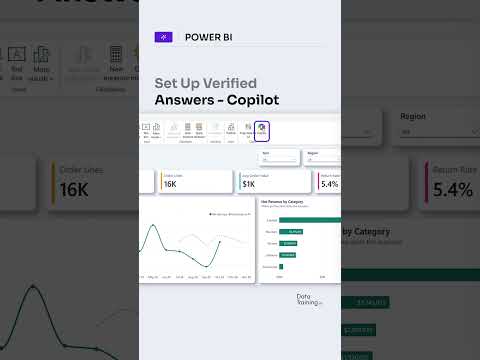
Power BI Copilot: set up verified answers
Power BI report authors can connect common questions to a selected visual so Copilot can return a reviewed answer.
Key insights
- Verified answers associate trigger phrases with a selected Power BI visual.
- Authors can add custom phrases or choose Copilot-generated suggestions.
- Optional filters can let users view the answer by a segment or period.
- The setup is described for Power BI Desktop and the Power BI service.
Power BI Copilot verified answers let report authors connect common natural-language questions to a selected visual, giving users a reviewed response for those questions. This is relevant to authors who maintain semantic models and want consistent answers to recurring business questions. How to Power BI is listed as the source of a YouTube Short about setting up verified answers, but the supplied transcript contains no spoken or demonstrated steps.
What it does
A verified answer links one or more trigger phrases to a Power BI visual. When a user asks a matching or semantically similar question, Copilot can return that visual instead of composing a different answer from the model. Authors can also configure optional filters for the answer.
This can help with questions where a consistent, reviewed visual matters, such as a recurring request about a business metric. It does not establish that every Copilot question will use a verified answer; the behavior depends on whether the question matches a configured phrase.
Who it is for and what you need
The setup is intended for report or semantic-model authors. The supplied research notes describe access in Power BI Desktop and the Power BI service, but do not specify licensing requirements, tenant settings, rollout status, or regional availability.
For the service workflow, the notes say the report must be in a Copilot-enabled workspace, the author needs permission to edit the semantic model, and the report must be open in edit mode. The notes do not provide enough information to verify those requirements against an official Microsoft source.
How it works
- Select the visual that should serve as the answer and open its three-dot menu.
- Choose Set up a verified answer, then add trigger phrases. The notes describe both custom phrases and Copilot-generated suggestions.
- Optionally configure filters, then select Apply to save the configuration to the semantic model.
In Power BI Desktop, the research notes place related AI-preparation tools under Prep data for AI on the Home ribbon. They also describe testing phrases in the Copilot pane, including with the Answer data question skill in Desktop.
Limitations and open questions
The supplied material does not establish current licensing, availability, or rollout details. It also does not include an official Microsoft documentation link, so those details should be checked before planning a deployment.
The research notes flag one surface-specific limitation: they say verified answers are not returned in the Power BI service report-viewing experience when Fabric IQ is enabled. Test the configuration in the Copilot surface your users rely on; the short transcript supplied here does not independently confirm the workflow or limitation.
Sources
Frequently asked questions
How do I set up a verified answer in Power BI?
Select a visual, open its three-dot menu, choose Set up a verified answer, add trigger phrases, optionally configure filters, and select Apply.
Can Power BI verified answers use filters?
Yes. The supplied research notes describe optional filters that can let users view an answer by a segment or period.
What permissions are needed for verified answers in the Power BI service?
The notes say the author needs permission to edit the semantic model, and the report must be in a Copilot-enabled workspace and open in edit mode. Licensing details are not stated.
Do verified answers work when Fabric IQ is enabled?
The supplied research notes say verified answers are not returned in the Power BI service report-viewing experience when Fabric IQ is enabled. This detail is not verified by an official Microsoft source in the materials provided.