- All of Microsoft
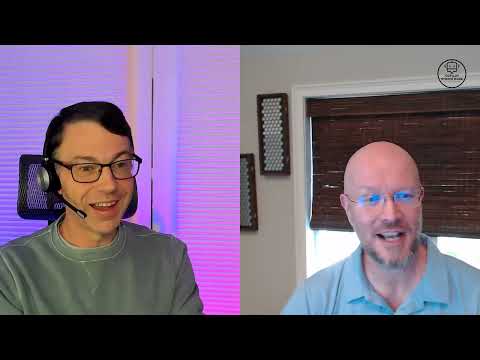
Copilot Studio: Andy Matkin on Dudecast
Copilot Studio deep dive with Andy Matkin on Nuance Mix, Copilot engineering and MCP insights for Microsoft Copilot
Key insights
- Copilot Studio: A development environment for building extensible Copilot agents that extend Microsoft 365; it supports multiple knowledge sources, custom actions, and richer agent behavior.
- Multi-Agent Orchestration: Lets you create layered or cooperative agents that split complex tasks into sub-agents, improving accuracy and problem solving in workflows.
- Full Extensibility: Goes beyond the inline Copilot builder by allowing custom connectors, tailored logic, and advanced agent configuration for enterprise needs.
- Extended Connectivity: Integrates diverse data locations and Azure AI services so agents access broader context and deliver more useful, organization-specific answers.
- Low-Code Accessibility: Designed for developers and business users, the platform supports low-code tooling and receives regular updates to add features and integrations.
- Practical Guidance: The Dudecast episode with Andy Matkin mixes technical depth and hands-on tips, offering best practices and walkthroughs for building effective Copilot agents.
Episode summary
The latest Copilot Studio Dudecast episode, hosted by Dewain Robinson, features a detailed conversation with engineer Andy Matkin. In the video, Matkin describes his experience as the former lead architect of Nuance Mix and his current role on the Copilot Studio engineering team, explaining how the platform supports advanced conversational AI. He emphasizes practical use cases and technical design choices that shape how agents interact inside productivity apps. Overall, the episode aims to show both the present capabilities and the direction Microsoft is taking with AI-powered assistants.
Importantly, the discussion frames Copilot Studio as a distinct environment from the inline builder inside Microsoft 365, offering greater extensibility and control. Matkin explains that this separation lets teams create richer agents by combining multiple knowledge sources, actions, and orchestration patterns. Consequently, organizations can design assistants that move beyond simple chat and perform organized, multi-step tasks. The episode stays informal but delivers technical depth for developers and decision makers alike.
Core capabilities highlighted
Matkin outlines several capabilities that define Copilot Studio, beginning with support for multi-agent orchestration where agents can run hierarchically or cooperatively. He notes that this approach breaks complex problems into smaller tasks, allowing specialized sub-agents to handle parts of a workflow and then return results to a coordinator agent. In addition, the platform connects to many knowledge locations, which improves contextual accuracy when agents draw on diverse organizational data. As a result, agents can offer more relevant responses inside apps such as email, documents, and Teams.
Another key point is the platform’s extensibility: developers can craft custom actions, bring in plug-ins, and tune agent behavior to match specific enterprise needs. Matkin also stresses the value of a low-code angle, which lowers the barrier for business users while preserving deeper controls for engineers. Therefore, organizations can mix quick-build solutions with robust, production-ready pipelines. This mix supports both rapid prototyping and scalable deployments over time.
Tradeoffs and technical challenges
Despite these strengths, Matkin candidly discusses tradeoffs that teams must weigh when adopting the platform. For example, adding many external data sources can improve context but increases complexity around governance, latency, and data security. Consequently, teams must balance the desire for wide-ranging knowledge against the overhead of securing, indexing, and maintaining those connections. This balance often requires cross-team coordination between IT, security, and application owners.
Another challenge lies in orchestrating multiple agents: while splitting work across sub-agents can boost accuracy and specialization, it can also create coordination overhead and harder-to-debug flows. Matkin points out that monitoring, logging, and clear failure handling become essential as agent interactions grow more complex. Thus, organizations face a tradeoff between modularity and operational simplicity, and they must invest in tooling and practices to manage that complexity effectively. In short, orchestration brings power but also demands mature engineering and governance.
Implications for developers and enterprises
The episode offers concrete guidance for teams planning to build with Copilot Studio. Matkin recommends starting with clear intents and small, testable agent components so teams can measure outcomes and refine behavior quickly. Furthermore, he highlights integrating with broader Azure AI services to leverage enterprise-grade models and tooling, which helps scale from prototypes to production. By taking this staged approach, organizations can reduce risk and learn faster while expanding agent capabilities over time.
From an enterprise perspective, the low-code options enable business users to contribute to agent design, while developers maintain control over sensitive logic and integrations. This mix can accelerate adoption by combining subject matter expertise with engineering safeguards. However, companies must still set firm policies for data access, model use, and change control to prevent drift and ensure trust. Therefore, governance and education remain central to any successful rollout.
Next steps and takeaways
For viewers and readers interested in hands-on learning, Dewain Robinson supplements the conversation with walkthrough videos that demonstrate agent creation and configuration. These practical demos help translate Matkin’s concepts into steps that teams can follow to prototype their own assistants. Meanwhile, Microsoft’s regular updates to the platform suggest an ongoing evolution, which means teams should plan for incremental improvements rather than one-time builds.
In conclusion, the Dudecast episode balances optimism about new capabilities with a measured look at real-world constraints. By exploring both the benefits of extensibility and the operational tradeoffs of orchestration, the conversation gives a rounded view for technical and non-technical audiences. Ultimately, organizations that pair careful governance with staged adoption and strong monitoring will best capture the value of Copilot Studio while managing the risks.

Keywords
Copilot Studio Dudecast, Dudecast EP1, Andy Matkin Copilot interview, Microsoft Copilot Studio tutorial, Copilot Studio demo, AI Copilot interview, Copilot Studio tips, Dudecast interview Andy Matkin