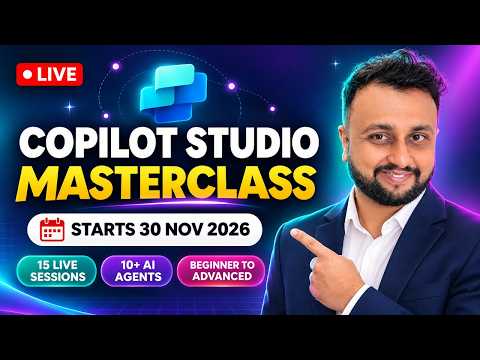
Copilot Studio training covers agents, RAG and governance
Microsoft MVP (Business Application & Data Platform) | Microsoft Certified Trainer (MCT) | Microsoft SharePoint & Power Platform Practice Lead | Power BI Specialist | Blogger | YouTuber | Trainer
A three-week Copilot Studio course is scheduled to cover agent building, knowledge sources, automation and enterprise topics for makers and practitioners.
Key insights
- The cohort is scheduled for 30 November to 18 December 2026, with 15 weekday sessions.
- Classes are planned for Monday through Friday, 4:00–6:30 PM IST, with recordings and two Sunday Q&A sessions.
- The curriculum includes SharePoint, Dataverse and Azure SQL as knowledge sources, plus custom RAG.
- Later sessions cover connectors, human-in-the-loop workflows, MCP, computer use agents and governance.
- The program is paid and includes live hands-on sessions, class recordings, materials, quizzes and homework.
Microsoft Copilot Studio agent building is the focus of a scheduled three-week course that spans fundamentals, knowledge sources, automation and enterprise deployment topics. The program is aimed at makers and practitioners who want structured, hands-on coverage from introductory concepts through advanced agent scenarios. Dhruvin Shah [MVP] demonstrates the course format and outlines its planned curriculum in a YouTube video.
What's new
This is a training program rather than a Copilot Studio product update. Its stated schedule runs from 30 November through 18 December 2026, with 15 live sessions on weekdays and more than 40 hours of curriculum advertised. The course is divided into four phases: Foundation, Knowledge and Autonomy, Automation and Integration, and Enterprise and Career.
The planned content moves from getting started with Copilot Studio to designing agents that draw on business knowledge and take actions. The curriculum includes both the standard harness and the Microsoft Copilot harness, knowledge sources, generative AI, autonomous agents, skills and memory. It also includes custom connectors, approval workflows, MCP servers, computer use agents, hooks, multilingual agents and multi-agent architecture.
For practitioners evaluating training, the breadth matters because the course is not limited to building a basic conversational agent. It also allocates sessions to licensing, evaluation, analytics, telemetry, governance and deployment. Those topics address how agents are assessed and managed as well as how they are created.
Who it is for and what you need
The course is presented as a beginner-to-advanced program for people learning to build with Copilot Studio. Its examples and topics are relevant to makers, consultants and other practitioners working on agents that use organizational knowledge or connect to workflows. The course announcement does not set out a required prior qualification.
The program is paid. It is scheduled to run online as weekday live training, with each class planned for 4:00–6:30 PM India Standard Time. People in other time zones need to convert that schedule to their local time.
Participants who miss a weekday class are offered a recording to watch later. Two additional Q&A sessions are scheduled for Sundays, 6 and 13 December, at 9:30 PM IST; weekday sessions also include time for questions. The stated materials include class notes, quizzes and homework alongside live hands-on sessions and recordings.
Microsoft’s Copilot Studio documentation is a useful product reference alongside any course. The training curriculum names Copilot Studio licensing as a topic, but it does not specify a required Microsoft license or participant account prerequisite in its schedule.
How it works
The course is organized as 15 sessions across three weeks. The first phase establishes the fundamentals; the later phases build toward knowledge-connected agents, automation and enterprise considerations. The schedule describes more than 10 agents built around different use cases, although individual build details are not specified for each session.
- Start with the foundation. The first phase introduces AI and Copilot Studio, explores the tool, compares the standard and Microsoft Copilot harnesses, and begins work with knowledge sources and generative AI.
- Connect knowledge and explore autonomy. The next phase includes agents using SharePoint, Dataverse and Azure SQL as knowledge sources, along with custom retrieval-augmented generation (RAG). RAG is an approach for grounding an AI response in information retrieved from selected sources.
- Add actions and workflow patterns. The third phase covers authentication, publishing and autonomous agents, followed by custom connectors and AI workflows. The planned examples include a human-in-the-loop step and approvals, where people participate in or authorize part of a process.
- Address enterprise operation. Advanced topics include MCP servers, computer use agents, hooks, multilingual agents and multi-agent architecture. The final phase covers evaluation, analytics, telemetry, governance, deployment and career guidance.
Dhruvin Shah describes each weekday class as interactive, with questions during the sessions. Recordings provide a way to revisit classes, while the two weekend Q&A meetings offer a separate forum for additional questions. The course also includes interview preparation and certification guidance in its closing session.
Limitations and alternatives
The course is a scheduled cohort, not a self-paced product feature or a change to Copilot Studio. Its weekday hours may be inconvenient for participants outside time zones that align well with afternoon IST, although recordings and the planned Sunday Q&A sessions offer alternatives for catching up or asking questions.
The curriculum description names many advanced areas, but it does not give a detailed session-by-session lesson plan for every topic. People considering the program should distinguish a topic being included in the curriculum from a specific feature being available in their own environment. For product capabilities and current guidance, consult Microsoft’s Copilot Studio documentation.
The announcement also does not provide the course fee or a detailed list of technical prerequisites. Because the program is paid, those evaluating it will need to check the current enrollment details directly. Free Copilot Studio content is another option for people who prefer to explore the subject without joining a paid cohort.
Sources
Frequently asked questions
When is the Copilot Studio Masterclass scheduled?
The cohort is scheduled to run from 30 November through 18 December 2026, with weekday classes.
What topics does the Copilot Studio course cover?
The planned curriculum covers agent fundamentals, SharePoint, Dataverse and Azure SQL knowledge sources, custom RAG, workflows, connectors, MCP, governance and deployment.
Are recordings available for missed Copilot Studio classes?
Yes. The program says each class will be recorded, and two additional Sunday Q&A sessions are planned.
What time are the Copilot Studio training sessions?
Weekday classes are scheduled for Monday through Friday, 4:00–6:30 PM IST. The additional Sunday Q&A sessions are planned for 9:30 PM IST.