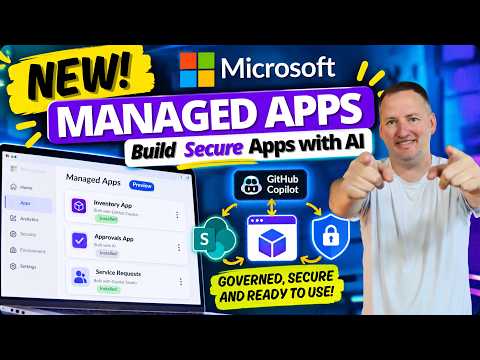
Power Apps Managed Apps in preview
SharePoint & PowerApps MVP - SharePoint, O365, Flow, Power Apps consulting & Training
Shane Young shows Microsoft Managed Apps in preview and how they can keep AI-built apps inside enterprise governance.
Key insights
- Shane Young shows a full Managed App build from scratch.
- The demo uses GitHub Copilot, SharePoint, and Microsoft managed app infrastructure.
- The video says Managed Apps are still in preview.
- It covers licensing, credits, sharing, security, DLP, and governance.
- Microsoft-managed apps can be built with Copilot Studio and other AI tools, then published into a managed environment.
Shane Young [MVP] recently published a video on Microsoft Managed Apps, showing a full build from scratch and explaining why he sees the feature as important for AI-built applications. The main takeaway is simple: Microsoft is trying to give AI-assisted apps a governed runtime instead of leaving them as unmanaged prototypes. In the demo, Shane walks through building with GitHub Copilot, SharePoint, and the new Microsoft managed app infrastructure.
What's new
The video introduces Microsoft Managed Apps and frames them as a way to bring Power Platform governance to apps built with AI tools. Shane says the feature is still in preview, but he also calls it impressive and worth a full walkthrough. The build he shows uses SharePoint as the data source and starts from a prompt, then moves through testing, fixes, and improvements.
One point that stands out is that the app-building path is not limited to one AI tool. The description says you can build with GitHub Copilot, Copilot Studio, Coworker, Claude, OpenAI, or other tools and still publish into a managed Microsoft environment. That widens the appeal beyond a single development model and makes the feature relevant to makers and developers who are already experimenting with different AI assistants.
Why it matters
This matters most for admins, makers, and consultants who are trying to decide what to do with AI-generated apps once they exist. The problem the video highlights is familiar: AI can produce apps quickly, but unmanaged apps can create governance, security, and compliance issues. A managed app model gives organizations a place to apply control over sharing, security, permissions, licensing, and DLP.
For daily work, the practical change is that an app can be built quickly and still be treated as part of an enterprise environment instead of a one-off prototype. The source material says this is a better answer than simply throwing vibe-coded apps onto the internet. It also suggests that the value is not just speed, but keeping the app inside organizational controls while it is used and shared.
The material also links the idea to broader Power Platform governance. That makes it relevant to teams already using Power Apps and related Microsoft tools, especially where IT needs oversight but business users still want to build fast.
How it works
Shane’s walkthrough shows the app being created in stages. He begins by installing what is needed to get started, then plans the app and builds the prompt. From there, he uses GitHub Copilot to build the Managed App, using SharePoint as the data source. After the first version is created, he tests it, fixes issues, and improves the result.
The video description also lists the topics Shane covers as part of the full process:
- What Managed Apps are and why they matter
- How they bring Power Platform governance to AI-built apps
- Installing everything needed to get started
- Building the app with GitHub Copilot
- Using SharePoint as the data source
- Creating the app from one prompt
- Testing, fixing, and improving the app
- Licensing, credits, sharing, security, and DLP
According to the source material, the output is not just an app file or a local prototype. It is published into a managed Microsoft environment. That is the core mechanic: AI helps build the app, while Microsoft’s managed app infrastructure provides the governed place to run and share it.
Limitations and open questions
The source material is clear that Managed Apps are still in preview, so readers should not assume the feature is finished or broadly rolled out. The material does not state which tenants, regions, or license types can use it, and it does not give setup requirements beyond saying Shane installs what is needed to get started. It also does not spell out the exact policy model behind the managed environment.
There are also some open questions about scope. The description says the app can be built with different AI tools and published into a managed Microsoft environment, but it does not fully explain how each tool integrates or whether all tools are supported equally. The video also mentions licensing, credits, sharing, security, and DLP, but the source excerpt does not provide the detailed rules or limits for any of those areas.
Sources
Frequently asked questions
What did Shane Young show in the video?
He showed the full process of building a Managed App from scratch using GitHub Copilot, SharePoint, and Microsoft’s new managed app infrastructure.
Is Microsoft Managed Apps generally available?
The source material says the feature is still in preview. It does not say when it will be broadly available.
Which tools can be used to build into a managed environment?
The description says GitHub Copilot, Copilot Studio, Coworker, Claude, OpenAI, and other tools can be used, then the app can still be published into a managed Microsoft environment.
What governance topics does the video cover?
The video description mentions licensing, credits, sharing, security, and DLP, but it does not give the detailed rules for each one.