- All of Microsoft
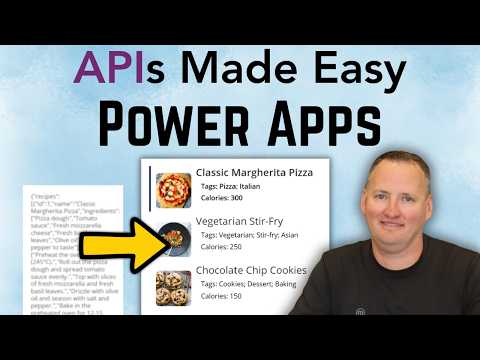
Power Apps: Call Any API with ParseJSON
SharePoint & PowerApps MVP - SharePoint, O365, Flow, Power Apps consulting & Training
Expert guide: call any API from Power Apps with Power Automate, parse JSON via ParseJSON and Power FX for collections
Key insights
- APIs: The video shows how to call any REST API from a Power Apps canvas app using a Power Automate flow.
The walkthrough focuses on a real example that returns raw JSON and brings it back into the app. - Power Automate and HTTP action: Use a flow triggered by Power Apps that runs an HTTP action to fetch API data.
Save the flow response into a variable and return that JSON to the canvas app. - JSON and ParseJSON: The presenter explains JSON structure and demonstrates using ParseJSON in Power FX to read types and properties.
ParseJSON converts raw responses into values your formulas can use directly. - Power FX and Collections: After parsing, shape the data with Power FX and store it in clean collections for galleries or controls.
This makes external data behave like native app data and simplifies UI logic. - Parameters: The video shows how to pass inputs from Power Apps to the flow and then to the API for more dynamic calls.
That pattern supports search, filters, and other interactive scenarios in real apps. - Practical tips: Keep heavy logic server-side with custom connectors or Azure Functions and secure endpoints with Entra ID where needed.
This approach boosts reuse, performance, and keeps canvas formulas simple.
Shane Young [MVP] publishes a clear, practical YouTube tutorial titled "APIs Made Easy in Power Apps (Use Any API + ParseJSON)" that aims to demystify calling web services from canvas apps. In the video, he shows how to call any API from Power Apps, collect raw JSON responses via a flow, and then convert that data into usable collections inside an app. Moreover, he frames the walkthrough around real-world steps rather than abstract theory, which helps makers quickly adopt the technique. As a result, viewers can follow a repeatable pattern for integrating external data into their apps.
The presentation targets makers and citizen developers who may not have deep coding experience but need to integrate external systems. Shane keeps the pace practical by demonstrating a working example with a dummy API, then using a Power Automate flow with an HTTP action to fetch data. He also explains how to pass parameters from the app to the flow and how to return the response to the canvas app. Consequently, the workflow feels accessible to people who have not worked with JSON before.
Overview of the demonstration
Initially, Shane sets up a simple gallery-driven canvas app to show how external data can populate standard controls, which makes the scenario relatable for many common use cases. Then he creates a flow that uses the HTTP action to call a test endpoint and returns the raw JSON payload to the app. Throughout the steps, he pauses to explain the structure of the response so viewers can see why parsing matters. Therefore, the demonstration stays grounded in concrete examples rather than abstract commands.
He uses a sample service often referred to as DummyJSON to illustrate the flow end-to-end, which means viewers can replicate the example without access to proprietary APIs. Following the fetch, Shane saves the returned text in a variable inside the canvas app, highlighting how the data flows between the app and the automation. This visual trace helps clarify where conversion and parsing are required. As a result, developers can copy the pattern into their own projects quickly.
Step-by-step workflow and tools
The middle of the video explains how to move from raw string responses to structured in-app data, and Shane demonstrates using the ParseJSON function in Power FX to map properties. First, he stores the raw response in a variable, then shows how ParseJSON reveals the JSON schema and types that the app can consume. Next, he converts untyped values into typed collections suitable for galleries and other controls. Consequently, the app can treat external results much like any other data source.
He also covers how to add parameters to the flow so the same call can respond to user input, which makes the approach dynamic for real-world forms and filters. Shane touches on using query strings and request bodies, and he demonstrates how the flow reads these inputs to shape the outgoing HTTP request. In addition, he returns to the app to show how input controls drive the API query, completing the interaction loop. Therefore, the demonstration highlights both data retrieval and user-driven behavior.
How ParseJSON and Power FX shape data
Shane explains that ParseJSON converts plain text into a value that Power FX can inspect and navigate by property names, which reduces guesswork when dealing with nested responses. He walks through common data types and shows how to handle arrays so the app can populate collections and galleries cleanly. Moreover, he uses simple expressions to map complex structures into flat collections that app controls prefer. Thus, the technique bridges the gap between raw API responses and app-ready data.
He also demonstrates practical formulas for extracting and reshaping fields, and he emphasizes techniques to avoid brittle parsing when a schema changes slightly. For example, Shane shows how to access optional properties safely and how to normalize types before adding records to a collection. Consequently, apps become more resilient to small backend changes without requiring immediate edits in every formula. This approach favors maintainability while keeping logic mostly in the app layer.
Tradeoffs and challenges to consider
Despite the benefits, Shane notes tradeoffs between client-side parsing and server-side validation, and the video encourages careful design choices based on scale and control. Handling large payloads entirely in the canvas app can affect performance, so for heavier transformations it often makes sense to do more work in the flow or API. Furthermore, authentication and governance introduce complexity because production APIs usually require secure tokens or Entra ID integration rather than open endpoints. As a result, teams must weigh convenience against security and maintainability.
Error handling also requires attention: flows and apps need clear paths for failures, retry logic, and graceful fallbacks so users do not see raw errors. In addition, changes in API schemas can break parsing logic, which increases the need for monitoring and versioning strategies. Therefore, while the low-code route speeds development, it also demands operational practices to keep apps reliable over time.
Implications for developers and teams
In conclusion, Shane Young [MVP] delivers a compact, hands-on guide that helps makers call any API from Power Apps, use a flow to get raw JSON, and then shape that data with ParseJSON and Power FX. The video balances practical steps with notes on common pitfalls, which supports both quick wins and thoughtful architectural choices. Consequently, developers can adopt the technique for prototypes and evolve it toward more robust, secure patterns for production deployments.
Teams moving forward should consider when to offload logic to server-side endpoints, how to secure endpoints properly, and how to design parsing formulas that handle change gracefully. Overall, the tutorial offers a realistic path to make APIs accessible inside canvas apps while encouraging prudent decisions around performance, security, and maintainability. Therefore, viewers gain a repeatable workflow they can adapt for many integration scenarios.

Keywords
Power Apps API integration, Power Apps ParseJSON tutorial, Use any API in Power Apps, Power Apps REST API example, Power Apps custom connector guide, ParseJSON Power Fx examples, Call external APIs from Power Apps, Power Apps API authentication OAuth