- All of Microsoft
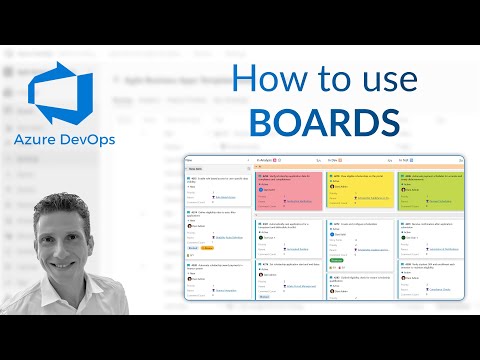
Azure DevOps Boards: Streamline Sprints
Optimize Azure DevOps Boards: tweak columns, style cards with colours and tags, add swimlanes to streamline projects
Key insights
- Azure DevOps Boards: A visual tool for planning and tracking software work that supports Agile methods like Scrum and Kanban.
Teams use it to create and assign work items such as user stories, bugs, tasks, and epics to keep work visible and organized. - Board Columns: Customize columns to match your workflow stages and use drag-and-drop to move items quickly between states.
Adjust column rules and limits to highlight bottlenecks and keep sprint flow steady. - Cards and Styles: Configure which fields appear on cards and add colors or tags to surface priority, owners, or risks at a glance.
Consistent card styling helps teams scan the board faster and make decisions with less context switching. - Swimlanes: Use swimlanes to separate work by team, priority, or flow so parallel efforts stay clear and manageable.
Combine swimlanes with work item states to track progress from backlog to done across lanes. - GitHub and AI Integration: Link work items to commits and pull requests for full traceability, and use AI suggestions to improve prioritization and sprint planning.
Dashboards and analytics surface trends and help teams act on data-driven insights. - Typical workflow: Start by creating a project, set up one or more boards, define and assign work items, then monitor progress with dashboards and extensions.
Marketplace extensions add automation, custom widgets, and reporting to tailor Boards to your team’s needs.
Overview of the Video
In a clear tutorial-style presentation, Dani Kahil walks viewers through practical use of Azure DevOps Boards. The video focuses on hands-on operations such as adjusting board columns, configuring card fields, applying colors and tags, and adding swimlanes. Consequently, the demonstration aims to help teams streamline their project tracking and visual management. Overall, the pace suits viewers who already have basic familiarity with DevOps concepts.
First, the presenter introduces the main board concepts and shows how to move items via drag-and-drop. Then, he highlights how board views map to work item states so teams can track progress visually. As a result, watchers get a direct look at how the board mirrors Agile workflows like Scrum or Kanban. This setup frames the rest of the tips that follow.
Additionally, the video briefly situates Boards within the evolving 2025 feature set for Azure DevOps, noting improvements like AI recommendations and deeper integrations. However, the focus remains hands-on rather than on broader roadmap speculation. Thus, the tutorial balances practical steps with context about modern capabilities. That makes it useful for teams deciding how to adopt or refine Boards in their process.
Key Features Demonstrated
The tutorial highlights four core actions: tweaking board columns, customizing cards, applying styles and colors, and using swimlanes. First, column adjustments enable teams to reflect unique workflows by renaming, reordering, or splitting states. Next, card configuration exposes which fields appear on each work item, allowing teams to surface priorities and relevant metadata directly on the board.
Moreover, styling with colors and tags helps teams visually filter or group items, improving at-a-glance clarity. Meanwhile, swimlanes create horizontal lanes that separate priorities, teams, or types of work, which is helpful for parallel workflows. Together these features give teams practical levers to tailor Boards to their delivery model and reporting needs.
Furthermore, the video demonstrates drag-and-drop movement and the link between board operations and underlying work item state changes. This connection clarifies how visual actions translate to data updates that feed analytics and dashboards. Consequently, teams can immediately see how board interactions affect metrics and progress tracking. That real-time feedback loop is a key strength of the platform.
Customization Tradeoffs
While customization offers flexibility, the video implicitly highlights tradeoffs that teams must balance when tailoring Boards. For example, adding many custom fields and colors can improve clarity for some users but can also clutter cards and slow board performance. Therefore, teams must weigh immediate visibility gains against long-term maintainability and speed.
Similarly, more adult governance—such as strict naming conventions and required fields—improves consistency but reduces individual autonomy. For instance, enforcing specific tags helps reporting but can frustrate contributors who prefer minimal friction during updates. Thus, organizations need to balance process control with developer productivity to avoid both chaos and heavy bureaucracy.
Additionally, integrating AI-driven suggestions and multi-cloud links can speed work yet introduces new dependencies and potential misalignment. While intelligent recommendations often streamline prioritization, they can also surface false positives when models lack project-specific context. Consequently, teams should pilot intelligent features and keep human review in the loop.
Challenges and Practical Limits
The video points to practical challenges such as scaling Boards for large projects and maintaining traceability across many repositories. When many teams share a board, noise and permissions complexity increase, which can dilute the value of a single unified view. Therefore, careful scoping or using multiple, focused boards may reduce confusion.
Moreover, extension marketplace tools add capabilities but bring support and compatibility risks. Extensions can fill feature gaps, yet they may require extra maintenance during product updates or conflict with other customizations. Consequently, teams should evaluate extensions for vendor support and alignment with long-term workflows before adoption.
Finally, adoption challenges like training and change management often determine success more than tool choice. Even with strong customization, inconsistent use undermines reporting and analytics. Hence, organizations should pair technical changes with clear guidance, quick reference resources, and periodic reviews to keep practices aligned.
Practical Recommendations and Next Steps
To get started, the video suggests incremental changes: begin with minimal card fields and a few key colors, then expand as the team needs more detail. This approach reduces immediate complexity while allowing iterative refinement. Additionally, teams should set simple governance rules to ensure consistent tagging and state transitions.
Next, pilot smart features like AI recommendations with a small group before broader rollout, which allows tuning and avoids widespread errors. At the same time, maintain human oversight so suggestions remain relevant to your context. Finally, monitor board performance and adjust the number of widgets or custom fields if responsiveness declines.
In summary, Dani Kahil delivers a focused tutorial that balances practical tips with awareness of tradeoffs and limits. Consequently, teams can use the video as a starting point to improve board design, reduce friction, and align visual workflows with meaningful metrics. Ultimately, thoughtful customization and steady governance make Azure DevOps Boards a powerful ally for modern software teams.

Keywords
Azure DevOps Boards, Azure Boards tutorial, Azure Boards work items, Azure Boards Kanban, Azure Boards backlog management, Azure DevOps sprint planning, Azure Boards queries, Azure Boards best practices