- All of Microsoft
Copilot Studio Lite: Run Reports Fast
Lead Infrastructure Engineer / Vice President | Microsoft MCT & MVP | Speaker & Blogger
Microsoft expert guide to Copilot Studio Lite agent reports using Agent Three Sixty Five and Purview audit logs for ALM
Key insights
- ALM and lite agents: Track when a Copilot Studio Lite agent was created and last used to maintain application lifecycle management and control costs.
Regular reporting helps you spot unused agents, manage access, and measure business impact. - Key reporting tools: Use the Viva Insights Copilot Studio agents report (Power BI template), the Microsoft 365 Admin Center agent usage reports, and Microsoft Purview audit logs for comprehensive coverage.
Each tool focuses on different details: adoption and ROI, org-level usage and creation data, and precise last-used audit events. - Viva Insights (Power BI template): Open Viva Insights, choose Create analysis → Power BI templates → Copilot Studio agents report, set a query name and time period, then run the template.
After generation, apply filters (agent name, surface, type) and adjust savings multipliers to view ROI and adoption trends. - Created date vs Last used: Check agent creation and basic usage in the Microsoft 365 Admin Center or agent usage views.
Use Microsoft Purview audit logs to find the exact "last used" timestamp and detailed activity entries for each agent. - In-app Analytics tab and ROI: Configure time or money savings per interaction inside the agent’s Analytics tab to see aggregated ROI and performance metrics.
Changes apply retroactively, and analytics now include conversational agent metrics for clearer value tracking. - Governance and billing: Use the Copilot Studio dedicated environment to surface admin-level billing and message consumption data and apply cost controls.
Admins can enforce sharing rules and monitor Copilot Credits consumption to prevent surprises and support scalable governance.
Introduction
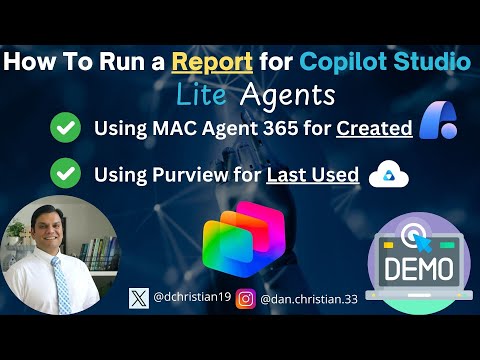
In a recent YouTube video, Daniel Christian [MVP] demonstrates how to run reports that show when a Copilot Studio Lite agent was created and when it was last used. The walkthrough focuses on keeping the application lifecycle management (ALM) for lite agents under control, which is crucial for administrators and makers alike. Importantly, the video highlights two practical tools for these tasks: Agent 365 to find creation dates and Microsoft Purview to locate last-used events. As a result, the presentation delivers a concise, step-by-step approach that viewers can follow in their own environments.
How the Video Guides Reporting Steps
First, Daniel outlines the sequence of actions and provides timestamps to help viewers skip to specific sections such as why reporting matters and how to run each report. Then, he walks through using Agent 365 to extract the created date for a given lite agent, showing the exact screens and filters to apply. Next, he switches to Purview for searching audit logs to determine when the agent last ran, including how to frame queries and narrow results. Consequently, the video serves both beginners and experienced admins by combining screenshots and live demonstrations.
Tools Demonstrated and Their Roles
The video emphasizes a small set of complementary tools: Agent 365, Purview, and platform-native analytics. For instance, Daniel points out that the Microsoft 365 Admin center and the new Viva Insights Copilot Studio agents report provide broader usage and ROI views, while the in-app Analytics tab gives agent-level metrics. Therefore, each tool targets a specific need: creation metadata, last-use auditing, and overall performance or value tracking. Together, they form a practical reporting stack for organizations using lite agents in production.
Comparing Capabilities and Limits
Although the tools complement each other, Daniel notes differences in coverage and granularity that matter in real-world deployments. For example, admin center reports track many organization-built agents but currently exclude some SharePoint-based agents, which can skew completeness. Meanwhile, Purview offers detailed audit logs but requires careful query construction and retention awareness to return meaningful last-used entries. Thus, teams must understand what each tool includes and where gaps or delays might appear.
Tradeoffs and Governance Challenges
Balancing visibility and agility emerges as a recurring theme in the video, and Daniel highlights several tradeoffs administrators face. On one hand, stricter governance and centralized reporting improve cost control and compliance, particularly now that consumption ties into Copilot Credits, but on the other hand, heavy restrictions can slow makers and reduce innovation. Additionally, logging and audit retention policies create tension because longer retention aids troubleshooting yet increases storage and management cost. Consequently, organizations must set policies that match their risk tolerance and operational goals.
Practical Challenges with Different Approaches
The video also explores specific operational challenges, such as inconsistent naming conventions that complicate filtering and cross-tool correlation. Moreover, Daniel demonstrates that data latency and permission boundaries can delay or block access to necessary events, which in turn affects how quickly teams can remove or update unused agents. He also points out that translating raw usage into business value requires assumptions about time or cost savings, so ROI numbers should be treated as directional rather than exact. Therefore, practical reporting requires coordination between makers, admins, and finance teams.
Recommendations for Admins and Makers
To address these issues, Daniel recommends a few simple practices that make reporting more reliable and actionable. First, adopt consistent naming and tagging standards for agents so filters in Viva Insights or admin center reports work predictably, and then automate periodic exports of created-date and last-used data for audits. Second, set clear retention and access rules in Purview so last-used searches remain available when needed without exposing unnecessary data. Finally, align ROI multipliers in the in-app Analytics tab with internal finance guidance to keep value calculations realistic.
Implementation Tips and ALM Practices
Daniel also suggests integrating reporting into the ALM cadence by scheduling regular reviews that combine created-date lists with last-used evidence to flag stale agents. In addition, he advises using the dedicated Copilot Studio environments for billing insights so teams can spot unexpected consumption spikes early. Regularly auditing who can publish or share agents reduces oversharing risk and keeps governance scalable. Altogether, these practices help organizations balance control and innovation.
Why This Matters Now
Finally, the timing of these capabilities matters because organizations increasingly deploy lite agents into productive workflows across Microsoft 365 apps. As adoption rises, so do questions about cost, compliance, and impact, which makes reliable reporting essential for decision-making. Daniel’s video provides a clear and practical starting point, especially for teams that need to quickly establish reporting practices without heavy engineering effort. Thus, administrators and makers can use the demonstrated approach to improve oversight while preserving development speed.
Conclusion
In conclusion, the YouTube walkthrough from Daniel Christian [MVP] offers a useful, actionable guide to running reports for Copilot Studio Lite agents, highlighting how to find created and last-used dates with tools like Agent 365 and Microsoft Purview. The video balances practical steps with broader governance advice, and it also explains the tradeoffs between tighter controls and maker productivity. Therefore, teams planning to scale lite agents should treat the video as a practical reference and adapt the shown patterns to their own policies and retention requirements.

Keywords
Copilot Studio Lite report, run report Copilot Studio Lite, Copilot Studio Lite agents reporting, generate report Copilot Studio Lite, Copilot Studio Lite report tutorial, schedule reports Copilot Studio Lite, Copilot Studio Lite analytics, troubleshoot Copilot Studio Lite reports