Power Apps Code Apps and Managed Apps explained
Lead Infrastructure Engineer / Vice President | Microsoft MCT & MVP | Speaker & Blogger
Power Apps Code Apps and Managed Apps serve different development and hosting models, helping makers and IT teams choose the right approach.
Key insights
- Code Apps use web technologies and run through the Power Apps host.
- Managed Apps run on the Copilot Managed Runtime, a separate hosting model.
- Managed Apps are intended to support Copilot-assisted and developer-led app creation.
- Microsoft documentation covers managing apps and applying content security policies.
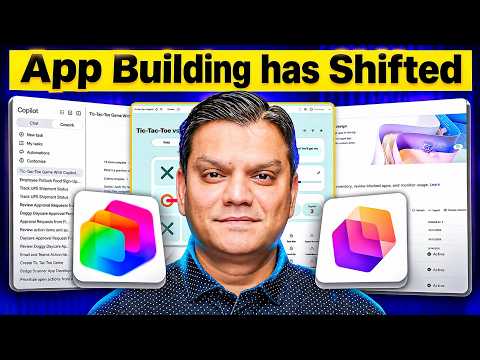
Power Apps Code Apps and Managed Apps address different ways to build and run business applications: Code Apps bring code-first web development to Power Apps, while Managed Apps use the Copilot Managed Runtime. The distinction matters to developers choosing a framework and to IT teams responsible for app governance. Daniel Christian [MVP] raises the comparison and the governance question in a blog post about these app models.
What it does
Code Apps let developers build applications with familiar web technologies, rather than relying only on a visual app-building experience. Microsoft’s Code Apps documentation describes a way to develop and deploy web applications through Power Apps, connecting code-first work with the Power Platform.
Managed Apps are a different application model, designed to accommodate Copilot-assisted app creation as well as developer workflows. Their hosting foundation is the Copilot Managed Runtime. In practical terms, the key distinction is not simply whether code is involved: it is which app model and hosting platform the application uses.
That difference affects where administrators look to manage the applications and which development approach fits the team. Code Apps run on the Power Apps host; Managed Apps run on the Copilot Managed Runtime host. They are related approaches to business-app development, but they are not interchangeable names for the same product.
Who it is for and what you need
Code Apps are a fit for professional developers and teams that want to use web development techniques while building within Power Apps. Developers can work with web frameworks and established code-oriented practices instead of treating visual authoring as the only route to an app.
Managed Apps are aimed at a broader app-building audience, including people using Copilot-based experiences and developers working with code or developer tools. The common runtime is intended to provide an operational foundation for apps created through different authoring experiences. This can matter to organizations that want app creation to involve business users without separating the resulting apps from administration and governance.
Both approaches should be evaluated against the application’s intended host and the organization’s management requirements. Microsoft provides documentation for Code Apps, app management and content security policies; those are useful starting points for developers and administrators assessing the two models.
How it works
Start by deciding whether the application is a Code App or a Managed App. That choice determines the hosting model: Power Apps for Code Apps, or Copilot Managed Runtime for Managed Apps. The development route can then be matched to the people building it, such as a developer using web technologies or a maker using a Copilot-assisted experience.
- Identify the application model and the people who will build and maintain the app.
- For a code-first app, review the Power Apps Code Apps overview and development documentation.
- For a Managed App, consider the Copilot Managed Runtime as its separate hosting foundation.
- Plan administration and security controls alongside development, using the relevant Power Platform app-management and content security policy documentation.
These steps are a planning framework, not a claim that every app follows the same build or deployment sequence. The available management controls depend on the chosen app model and its host, so teams should use the documentation for that model when setting up their operational process.
Limitations and alternatives
The main practical limitation is that the two app types do not share the same host. A team evaluating an existing Power Apps workflow should not assume that a Code App and a Managed App can be governed or deployed through identical steps. Confirm which model applies before choosing management procedures.
Traditional canvas and model-driven apps remain relevant options in Power Apps. They provide alternatives when a visual low-code or model-driven approach fits the application better than code-first development or the Managed Apps model. The choice should reflect how the app is built, where it runs and who will administer it.
Managed Apps also introduce a distinct runtime into the app-platform picture. For IT teams, that makes it useful to establish ownership and management expectations early, rather than treating a Copilot-created app as only a prototype or a conventional Power Apps app by default. Review the applicable administration and security documentation before adopting a model for organizational use.
Sources
- Microsoft Learn: Power Apps Code Apps overview
- Microsoft Learn: Develop Code Apps
- Microsoft Learn: Manage apps
- Microsoft Learn: Content security policy
- Microsoft: Build apps in Copilot Cowork and Copilot Studio
- Daniel Christian [MVP]: App Building has Shifted to Code Apps, Managed Apps and ?
Frequently asked questions
Are Power Apps Code Apps and Managed Apps the same?
No. Code Apps run on the Power Apps host, while Managed Apps run on the Copilot Managed Runtime.
What is the Copilot Managed Runtime?
It is the hosting foundation for Managed Apps, a separate model from the Power Apps host used by Code Apps.
Who are Power Apps Code Apps for?
They are intended for code-first development with web technologies, making them a fit for developers who want to build apps through Power Apps.
Where can administrators find Power Apps app management guidance?
Microsoft Learn provides guidance on managing apps and on content security policies in the Power Platform.