- All of Microsoft
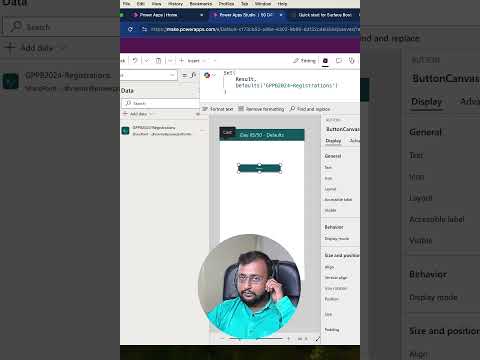
Day 5/50 PowerFx Challenge: Mastering Defaults in PowerApps
Microsoft MVP (Business Application & Data Platform) | Microsoft Certified Trainer (MCT) | Microsoft SharePoint & Power Platform Practice Lead | Power BI Specialist | Blogger | YouTuber | Trainer
Master PowerApps: Day 5 PowerFx Challenge - Learn Defaults Function Now! #PowerAppsBeginners #YouTubeShort
Key insights
- The video discusses the Defaults Function in PowerFx.
- This content is a part of the 50 Days PowerFx Challenge aimed at PowerApps Beginners.
- The format of this educational material is a You Tube Short Video.
- The series runs for a substantial duration, indicating a commitment to exploring various aspects of PowerFx.
- No specific user comments or reactions to the video content are mentioned within the provided text.
Exploring the Defaults Function in PowerFx
The Defaults Function in PowerFx plays a crucial role for developers, especially those just starting with Power Apps. This function helps in setting initial values for data operations, an essential step in app development. Understanding its use and application can significantly simplify data management tasks in Power Apps.
As part of the 50 Days PowerFx Challenge, this short video format is perfect for beginners. It provides quick and impactful lessons on various functions within PowerFx, enhancing learning efficiency. This challenge supports beginners by breaking down complex functions into manageable, daily lessons.
The use of YouTube Shorts for this educational series underscores the growing trend of micro-learning where learners get concise and valuable information in a minute or less. This approach is particularly appealing to the modern learner who might be short on time but desires quick educational bites.
As beginners progress through the 50-day challenge, they not only learn about different functions like the Defaults Function but also about their practical applications in real-world scenarios. This method of learning ensures that the foundational concepts of PowerApps are well understood, paving the way for more advanced topics and functionalities.
The challenge does not only educate but also builds a habit and a consistent learning pace, which is crucial in mastering any new technology or tool. By the end of the series, beginners are expected to transition to intermediate users, capable of implementing their learning in practical PowerApps projects.
Keywords
Defaults Function PowerFx, PowerFx Challenge, PowerApps Tutorial, Learn PowerApps, PowerApps Beginners, PowerFx Functions, PowerApps Development, 50 Days PowerFx Challenge