Power Apps: SharePoint Lists & Sections
Microsoft guide to migrating InfoPath to Power Apps and SharePoint with Lightning Tools for approvals and Planner tasks
Key insights
- InfoPath migration
Practical guidance on moving forms away from InfoPath to Power Apps or Lightning Forms, with real-world examples.
The session helps teams choose the best approach for their organisation and starts you with clear next steps. - SharePoint list relationship
A Lookup column links a parent list (for example Requests) to a child list (for example Request Lines) to create one-to-many relationships.
This keeps related records connected and consistent when items change or are deleted. - Repeating section
Power Apps presents multiple related rows on one screen using a Gallery plus a client-side collection for unsaved rows.
Users can add, edit, and remove lines in the app before saving them as separate records in SharePoint. - Normalized data model
Store repeated items (like products or expense lines) in a child list instead of creating many product columns in one list.
This reduces redundancy, improves reporting, and makes the data easier to maintain. - Save pattern
Create the parent record first to get its SharePoint ID, then loop through the collection (ForAll + Patch) to write each child row with the parent lookup set.
The collection acts as a temporary model so users can review entries before the app writes to SharePoint. - Form improvements & automation
Enhance layout, add conditional logic and validation, and replace older workflows with actions that trigger approvals, notifications, Planner tasks, bulk operations, and scheduled reminders.
These changes improve user experience and let you scale forms and automation across your organisation.
Introduction: a practical migration walkthrough
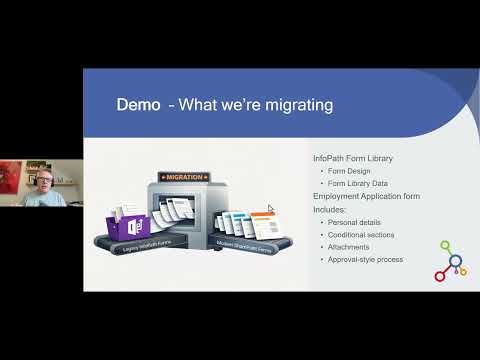
The recent YouTube video from Lightning Tools walks viewers through a real-world migration from InfoPath to modern form strategies, using an Employment Application as the example. The presenters show both a move to Power Apps and an alternative approach with Lightning Forms, and they highlight practical improvements along the way. Moreover, they frame the session as a no-nonsense guide for teams planning a move away from legacy forms.
Consequently, the video does more than show a conversion; it demonstrates how to improve layout, add conditional logic, and replace legacy workflows while keeping data structure clean. Additionally, the session outlines how to trigger approvals, notifications, and Planner tasks, and how to perform bulk actions and scheduled follow-ups. Therefore, the piece serves as a useful primer for organizations weighing different migration paths.
Core concepts: SharePoint relationships and repeating sections
The video emphasizes the value of normalized data models, where related information lives in separate lists rather than in one oversized table. For instance, a main request record can sit in a parent list while products, tasks, or approvals live in related child lists linked through a Lookup column. As a result, the application shows related records together while keeping data consistent across edits and deletions.
Furthermore, the presenters explain the pattern of a Repeating Section in Power Apps, which lets users enter multiple child items on a single screen without creating numerous fixed fields. Typically, a temporary client-side collection holds the unsaved rows, a gallery displays them for editing, and a single save action writes each row to the child list using the parent ID. Thus, the approach matches good database design with a user-friendly interface.
Implementation details and tradeoffs
In practical terms, the recommended flow creates the parent record first and then writes child rows that reference the parent's SharePoint ID. However, this requires careful handling of patch operations and attention to the exact lookup syntax for each SharePoint configuration. Moreover, developers must manage client-side collections so that input controls update the in-memory model correctly before submission.
On the other hand, flattened designs that add multiple product columns are simpler to build but become hard to maintain and scale. Conversely, normalized lists increase complexity in app logic and testing, and they may surface platform limits such as delegation boundaries and lookup thresholds. Therefore, teams must balance maintainability and performance against initial development effort.
User experience, automation, and governance
The video stresses improvements to layout, conditional rules, and validation to make forms less error-prone and easier to use. In addition, presenters demonstrate replacing SharePoint Designer workflows with Lightning Tools Actions to trigger approvals, email notifications, and task creation, which modernizes orchestration while reducing manual steps. Consequently, organizations can gain better traceability and automation without reverting to custom server code.
Nevertheless, automation introduces new governance needs: administrators should consider licensing, audit trails, and runtime reliability when choosing between built-in Power Platform features and third-party tools. Moreover, heavy automation can increase operational dependencies, so teams need a clear maintenance plan and monitoring strategy. Ultimately, the right balance depends on organizational priorities for control, cost, and speed of delivery.
Migration challenges and recommended strategy
Migrating from InfoPath presents several practical challenges, such as translating complex rules, cleaning up legacy data, and retraining users on a new interface. Therefore, the speakers recommend prototyping a small but representative form first, validating the architecture, and testing edge cases like concurrent edits and large lists. Additionally, teams should prepare for data normalization work that moves repeating fields into child lists.
At the same time, the choice between staying close to SharePoint, adopting Power Apps, or using a vendor solution such as Form Studio requires tradeoffs. For example, staying close to SharePoint keeps administration simple, while Power Apps offers richer client-side logic and mobile support; vendor tools may speed migration but add vendor dependence. Consequently, an incremental strategy that includes governance, prototypes, and training usually produces the best long-term outcome.
Conclusion: choose based on needs and scale
The Lightning Tools video offers a clear, practical roadmap for teams leaving InfoPath, and it pairs decent technical depth with real-world tips on UX and automation. Moreover, it frames important tradeoffs so decision makers can weigh immediate costs against future maintainability and scalability. Therefore, organizations should pilot the recommended patterns, monitor performance, and adapt governance to match their chosen approach.
In short, normalized list relationships and repeating sections in Power Apps give teams a scalable way to rebuild forms while improving user experience and automation. Meanwhile, the right solution depends on control, cost, and the need to scale; consequently, careful planning and incremental migration remain the safest path forward.

Keywords
SharePoint list relationships,Power Apps repeating sections,SharePoint lookup columns,relational data in Power Apps,nested forms Power Apps,cascading dropdowns SharePoint,SharePoint Power Apps integration,repeating section control Power Apps