Power Automate: Build Flows with Copilot
SharePoint & PowerApps MVP - SharePoint, O365, Flow, Power Apps consulting & Training
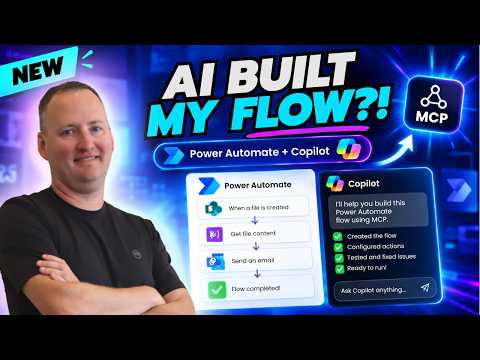
Microsoft expert: GitHub Copilot with MCP builds, edits and troubleshoots Power Automate flows on Power Platform
Key insights
- The video demonstrates how GitHub Copilot works with the Power Automate MCP plugin to build, edit, and troubleshoot cloud flows using live tools rather than only text suggestions.
- MCP (Model Context Protocol) gives AI agents structured, tool-based access to Power Automate so they can inspect environments, read and edit Workflow Definition Language JSON, deploy flows, and view run history.
- Setup is simple: install an MCP-compatible assistant, connect it to a FlowAgent MCP server or third-party server, then the agent uses tool calls to list flows, read runs, and modify definitions; authentication uses a delegated Microsoft identity or local Azure CLI.
- Key benefit: the assistant can act on live Power Automate resources, validate and patch failing runs, and operate inside a governed permission model for safer, more accurate automation.
- Third-party options like FlowStudio MCP add many agent tools for discovering connectors, resolving dynamic values, building valid flow definitions, and deploying or patching flows seamlessly.
- Demo highlights include installing the plugin, connecting Copilot, reviewing and editing flows, adding error handling and notifications, building a new flow from a prompt, and spotting areas where Copilot still needs improvement.
Shane Young [MVP] recently published a YouTube video that tests a new integration between GitHub Copilot and Power Automate using the MCP approach. In the video, he demonstrates how an AI agent can move beyond advice and actually inspect, edit, and run cloud flows. This report summarizes his demonstration and explains what the change means for makers, admins, and organizations that rely on automation. Overall, the piece offers a practical look at capabilities, tradeoffs, and the challenges that remain.
What the video shows
First, Shane walks viewers through installing a Power Automate plugin that exposes a local MCP server and then connecting GitHub Copilot to a Power Automate environment. Next, he reviews an existing flow and asks the agent to propose edits, add error handling, and create notifications, which it then implements using tool calls rather than text-only guidance. Finally, he asks the assistant to build a brand-new flow from a simple prompt and to test the results, highlighting both successes and errors. Together, these steps illustrate a distinct shift from coaching to doing.
Through live examples, Shane shows how the agent discovers connectors, reads run history, and modifies the underlying workflow JSON. At times the agent completes tasks quickly and accurately, while at other moments it misses edge cases or misinterprets dynamic values. He emphasizes that the agent benefits from operational context, which helps it create valid actions more often than a text-only approach. Still, the demonstrations make clear that human review remains essential.
How MCP changes AI interaction with flows
The core technical idea in the video is the Model Context Protocol, or MCP, which gives AI tools a standardized way to call operations on live resources. As Shane explains, this lets GitHub Copilot use a set of tools to list flows, resolve connector metadata, and read per-action inputs and outputs. Consequently, the agent can validate and deploy changes inside a governed permission model rather than suggesting code snippets that a person then translates. This shift both accelerates work and introduces new considerations for control and auditing.
Moreover, the video contrasts Microsoft's FlowAgent-based plugin with independent offerings like FlowStudio, which expose similar MCP capabilities to different clients. Shane highlights how these servers package tools that automate tasks such as debugging and resubmission of failed runs. As a result, teams can choose a vendor or approach that fits their governance and tooling preferences. At the same time, differences between servers create interoperability and support tradeoffs to consider.
Demonstration highlights and limitations
Shane systematically tests common scenarios: editing an existing flow, adding error handling, and building a new flow from a natural language prompt. In many cases the agent quickly constructs valid flow definitions and adds basic error handling, which shows clear time savings for routine work. However, he also points out situations where the assistant misconfigures dynamic options or overlooks edge-case logic, requiring manual fixes. Therefore, while the tool can speed up repetitive tasks, it does not eliminate the need for experienced oversight.
Testing also revealed practical limits such as authentication complexity, incomplete connector coverage, and imperfect translation from intent to workflow JSON. Shane notes that authentication depends on delegated identity or CLI sign-in, which can complicate setups in tightly controlled tenants. Likewise, the agent sometimes struggles with advanced expressions and conditional logic that experienced authors write by hand. These gaps suggest that the technology is most helpful as an assistant rather than a full replacement for human experts.
Tradeoffs, governance, and security concerns
On balance, the video makes clear that giving an AI agent tool access to live flows speeds development and troubleshooting, but it also raises governance questions. For instance, organizations must decide how to grant agent permissions, how to log and audit tool calls, and who approves automated changes. Furthermore, aggressive automation can reduce learning opportunities for new makers if humans stop reviewing the flow internals regularly. Thus, teams must weigh faster delivery against the need for transparency and compliance.
Security is another critical tradeoff that Shane highlights implicitly through his setup steps and demos. Because the agent acts with delegated identity, administrators should implement least privilege access and strict monitoring to reduce risk. Similarly, organizations should adopt approval gates and versioning so that changes made by an agent can be reviewed and reverted when necessary. Ultimately, careful governance and training are essential to realize benefits while limiting unintended consequences.
Practical implications and next steps
For Power Automate authors and administrators, Shane’s video suggests a pragmatic path: start with pilot projects and clear guardrails while you test MCP-driven assistants. Over time, teams can expand the agent’s scope for routine tasks such as patching connectors, adding simple error handling, and monitoring failed runs, while reserving complex or high-risk changes for humans. In this way, organizations can gain productivity without sacrificing control.
Looking ahead, the video indicates that the approach will mature as vendors refine MCP servers and as Microsoft formalizes tooling. Shane’s demonstration is an early snapshot that underscores both potential and remaining challenges, and it encourages thoughtful adoption. Consequently, readers should follow developments, plan governance, and experiment in controlled environments to assess real benefits for their automation needs.

Keywords
Power Automate Copilot, GitHub Copilot for Power Automate, Build Power Automate flows with AI, AI-assisted workflow automation, Power Automate AI tutorial, MCP Power Automate certification, GitHub Copilot automation tools, Power Automate Copilot demo