- All of Microsoft
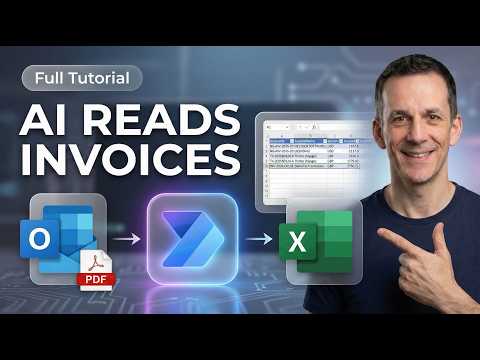
Power Automate: Invoices to Excel
Power Platform Cloud Solutions Architect @ Microsoft | Microsoft BizApps MVP 2023 | Power Platform | SharePoint | Teams
Microsoft expert guides Power Automate with AI Prompts and AI Builder to monitor inbox and save invoices to Excel Online
Key insights
- Power Automate + AI Prompts: The video shows how to build a flow that uses AI prompts to read invoices (PDFs or images) and send structured data to Excel.
It replaces brittle OCR templates with prompt-driven extraction for better real-world accuracy. - Run a Prompt: Use a "Run a Prompt" action or AI Builder to instruct the model to extract fields like vendor, invoice number, date, line items, and totals.
Design clear prompts so the AI returns consistent, labeled data you can map into Excel columns. - Excel table: Create a formatted table in OneDrive or SharePoint (named table, columns for each field) as the final destination.
The flow appends rows to that table so teams can report and filter invoice data in real time. - Split and loop: For multi-page or multi-invoice PDFs, split pages first and loop each page through the AI step.
That ensures every invoice becomes one structured row or a set of rows in Excel without manual copy‑paste. - Key benefits: Automating invoices saves time, reduces human errors, and scales for high volumes without developer work.
It works with mobile scanning, email triggers, and standard Microsoft 365 storage for easy adoption. - Test and error handling: Run sample invoices to validate outputs, add checks for missing fields, and send notifications on failures.
Simple validation rules and retry logic keep the Excel data clean and reliable.
Overview of the Video
The YouTube video, created by Damien Bird of the DamoBird365 channel, demonstrates how to move invoice data automatically into Excel using Power Automate and AI-driven prompts. Damien frames the approach as a low-code solution that replaces fragile OCR templates with a more flexible, prompt-based workflow, and he explains the ideas in clear, step-by-step segments. As he walks through the process, the video balances practical demos with guidance on setup, licensing, and testing, which makes the content useful for both small teams and IT professionals.
Moreover, the video includes chapter markers that guide viewers through the flow from mailbox monitoring to writing data into an Excel table, which helps learners follow along at their own pace. Damien emphasizes the real-world problems this method solves, such as changing vendor formats and manual copy-paste work, and he frames the solution as both efficient and more resilient. Consequently, the piece serves as both a tutorial and a primer on when to use AI prompts instead of classic OCR tools.
How the Flow Works
First, Damien shows the trigger: a new email or a file upload starts the flow inside Power Automate. He then applies a Run a Prompt action that uses instructions to extract structured fields—like invoice number, date, vendor name, and totals—directly from PDFs or images. After AI extraction, the flow appends the structured rows into a named table inside an Excel workbook stored on SharePoint or OneDrive, completing the automation pipeline.
Next, he outlines options for processing multi-page PDFs and batch files by splitting documents and looping through pages so each invoice becomes a separate record. Damien also explains the choice between prebuilt models and custom prompt-based extraction, showing how prompts can handle messy layouts that traditional OCR misses. Finally, he tests the flow with sample invoices and suggests adding simple notifications or approval steps once the data hits the Excel table.
Strengths and Benefits
The video highlights clear benefits: the approach saves time, reduces human error, and scales from one-off runs to bulk processing. Because prompts focus on the meaning and context of words rather than fixed coordinates, they often handle layout changes and unusual fonts better than rigid OCR templates. As a result, teams that face frequent vendor variation can expect fewer broken templates and less manual rework.
Furthermore, the low-code design means business users can implement and iterate on the automation without deep developer skills, which speeds adoption across departments. Damien also points out integration advantages inside the Microsoft ecosystem—such as storing outputs in SharePoint and sending notifications through Outlook—so organizations can reuse familiar tools and processes. Therefore, the workflow fits well into existing Microsoft 365 environments and supports real-time reporting in Excel.
Tradeoffs and Challenges
However, Damien also addresses tradeoffs that organizations must weigh before adopting the prompt-driven method. For example, prompt-based extraction can be more resilient, but it often requires AI Builder credits or specific licenses, which adds cost and requires governance, especially at scale. Moreover, while prompts tend to work well for diverse invoices, they can produce inconsistent outputs when documents are extremely noisy or when the prompt is not carefully written.
Security and compliance also complicate implementation: sending invoice images or PDFs through AI services raises data protection questions, so teams must balance automation benefits with privacy controls and retention policies. In addition, automation introduces operational overhead, such as monitoring failed extractions and creating human review steps; consequently, the gains in speed may come with added process design and oversight responsibilities.
Practical Advice and Next Steps
Damien ends with practical recommendations: prepare a clearly formatted Excel table, name the table for reliable mapping, and test the flow with a set of real invoices before going live. He also suggests starting small—automate a subset of vendors first—to refine prompts and error handling, and then scale up as confidence grows. This staged approach lowers risk and helps teams tune the AI prompts to their specific document types.
Finally, he recommends adding fallback steps like a human-in-the-loop review for ambiguous records and logging errors to a monitoring table so administrators can track extraction quality. By combining careful testing, proper licensing, and clear governance, organizations can gain the speed and accuracy benefits Damien demonstrates while managing the costs and compliance concerns that come with AI-driven automation. Overall, the video offers a practical roadmap for teams that want to move from manual invoice entry to a more modern, resilient process.

Keywords
invoices to excel power automate, power automate invoice extraction, automate invoices to excel, ocr invoices power automate, invoice data extraction excel, prompt engineering for invoice automation, power automate ai prompt invoices, extract invoices to excel automatically