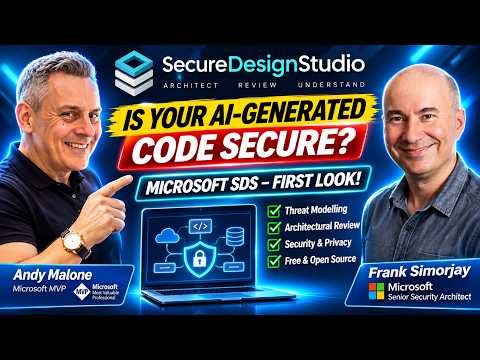
Secure Design Studio: model application security risks
Microsoft 365 Expert, Author, YouTuber, Speaker & Senior Technology Instructor (MCT)
Microsoft Secure Design Studio helps developers and security teams map application designs, review threats and track findings before implementation.
Key insights
- Secure Design Studio is a free, open-source Windows application for security and privacy design reviews.
- You can describe a scenario in a chat prompt and have AI create components, data flows and trust boundaries on a diagram.
- The Design Assistant analyzes a model for risks and provides findings with recommendations.
- Findings can be linked to the relevant component or flow, and selected issues can become Azure DevOps work items.
- The tool supports importing and exporting Microsoft Threat Modeling Tool files.
Microsoft Secure Design Studio helps teams model an application’s architecture and examine security and privacy risks before they build or deploy it. It is relevant to developers, IT professionals, engineers and security reviewers who need to understand components, data flows and trust boundaries, including when AI tools help generate an application. Andy Malone [MVP] demonstrates the tool with Microsoft security architect Frank Simorjay in a YouTube walkthrough.
What it does
Secure Design Studio brings diagrams, service context, analysis and review decisions together in a Windows application. A model can represent users, applications, storage, data, connections and trust boundaries, making it easier to see how a system is intended to work and where assumptions or missing details need review.
The tool can use an AI-assisted chat process to create or change a design from a plain-language description. In the demonstration, a prompt for a web server that securely hosts documents produces a diagram with a client, web application server, storage and related data and connection details. The generated output is a starting design, not proof that an implementation is secure.
Once a design is in place, the Design Assistant can analyze it and return findings such as tampering risks or missing authentication guidance for a flow. Findings include recommendations and can be selected to locate the associated part of the diagram. The tool also supports breach simulation, sequence diagrams and classification of modeled data, so reviewers can examine possible attack paths, interactions and privacy-relevant information.
Who it is for and what you need
The walkthrough positions Secure Design Studio for developers, IT professionals, engineers, service owners and security or privacy reviewers. It may be useful when teams are reviewing software created with AI coding tools, but the demonstration does not establish a required job role, license or subscription for using the application itself.
The transcript describes the software as free and open source and as a Windows application. It is set up by cloning the repository and following its instructions; it is not presented as a hosted web service or a ready-to-run executable. The provided project description says local modeling and analysis do not require an Azure account or AI service.
AI-assisted design is a separate consideration from local modeling. The demonstration shows an AI provider selection and discusses Azure OpenAI/Foundry, Claude and Codex, with provider command-line tools requiring setup. The precise provider prerequisites, subscription terms and supported configurations are not fully specified in the available material, so check the project’s setup instructions before planning an AI-enabled workflow.
How it works
A useful review begins with a concrete scenario: describe what the system does, who uses it, what information it handles and how components connect. You can create a design manually, start from a sample or use the AI prompt shown in the walkthrough. Existing Microsoft Threat Modeling Tool files can also provide a starting point.
- Create a scenario and add or import its architecture. For AI-assisted creation, enter a description in the design chat and ask it to build the design.
- Inspect the resulting components, data and connections. The walkthrough uses the Inspector to review details such as customer content and the connection from an authenticated user to a web application.
- Run Analyze this design in the Design Assistant. Review the reported risks and recommendations, and select a finding to see the relevant component or flow.
- Use the breach simulation or sequence view to explore modeled behavior, then decide which findings need follow-up.
- For teams using Azure DevOps, create a work item from a finding to route remediation into the engineering workflow.
These steps support a design review; they do not replace code review, testing or an organization’s own security approval. A model only reflects the details entered or imported, and reviewers still need to check whether those details match the application being built.
Limitations and open questions
The demo calls the tool Microsoft-centric and notes that other cloud providers’ nodes could be added by community contributors. That matters for teams whose architecture depends on non-Microsoft services: the walkthrough does not establish complete coverage for those environments. Import and export support for Microsoft Threat Modeling Tool files can ease migration, but it does not by itself confirm that every model element transfers without review.
The transcript does not verify licensing conditions beyond describing the tool as free, nor does it provide a full compatibility matrix, deployment guidance for organizations, or detailed provider setup requirements. It also mentions plans for Mac and Linux support, but those remarks were prospective in the demonstration; the material here does not confirm their current status. Treat AI-generated diagrams, findings and simulated attacks as review inputs, not as a security certification.
Sources
Frequently asked questions
Is Microsoft Secure Design Studio free?
The demonstration describes it as free and open source. The available material does not detail licensing terms, so review the project’s license before adopting or redistributing it.
Does Secure Design Studio need an Azure account?
The project description included in the demonstration says local modeling and analysis do not need an Azure account or AI service. AI-assisted design has separate provider and command-line setup requirements.
Can Secure Design Studio import Microsoft Threat Modeling Tool files?
Yes. The demonstrated tool supports importing and exporting Microsoft Threat Modeling Tool files. The material does not confirm whether every model element transfers without review.
Can Secure Design Studio create Azure DevOps work items?
The demonstration shows a finding being turned into an Azure DevOps work item. It does not provide detailed connection or permission requirements.