- All of Microsoft
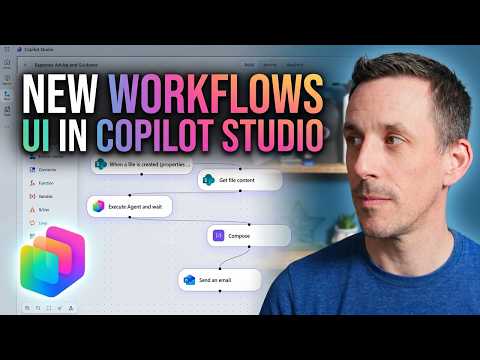
Copilot Studio: New Workflows Interface
Power Platform Cloud Solutions Architect @ Microsoft | Microsoft BizApps MVP 2023 | Power Platform | SharePoint | Teams
Expert: Copilot Studio Workflows unifies Agents and Prompts with SharePoint and PowerPlatform for agentic automation
Key insights
- Copilot Studio Workflows unifies Prompts, Agents, and Microsoft 365 Copilot in one interface to build agent-led automations.
It makes it easier to design, run, and debug flows that mix scripted steps and AI reasoning. - Agent nodes let workflows call agents at decision points and then return control to the flow.
This enables dynamic tasks (like vendor evaluation) while keeping predictable steps (routing, approvals) deterministic. - AI Workflow Designer supports natural-language creation and a visual drag-and-drop designer.
Use text prompts to generate flows, then edit triggers, AI extraction nodes, conditions, and actions in the canvas. - Practical demo: an Expenses Agent called from a workflow that starts on a SharePoint trigger.
The flow extracts expense details, summarizes them, and routes for approval with minimal manual steps. - Benefits include stronger agentic automation paired with reliable deterministic workflows, multi-agent orchestration, and easier cross-app automation via the Workflows Agent.
This reduces repetitive work and speeds complex decisions. - Best practices: enable JSON extraction for structured data, include human-in-the-loop steps for approvals, and use built-in monitoring to test and tune agents.
Secure integrations with Office 365, SharePoint, ERP, or analytics platforms before broad deployment.
Introduction: A first look from Damien Bird
In a recent YouTube video, Damien Bird offers a first look at the new Copilot Studio Workflows interface and demonstrates an early practical use. He highlights how Agents and Workflows are being combined into a single visual designer to support more agent-led automation. This report summarizes his demonstration, explains the technology, and explores tradeoffs and challenges for organizations considering adoption.
Touring the integrated interface
Damien walks viewers through the redesigned Flows panel where prompts, agents, and workflow components appear together on a single canvas. He shows how the new visual designer exposes triggers, AI extraction nodes, and human-in-the-loop steps alongside an option to insert Agent nodes that call specialized agents mid-flow. Consequently, the interface aims to make it easier for both developers and business users to see where deterministic steps end and agent reasoning begins.
For example, Damien demos an Expenses Agent that is invoked when a document upload in SharePoint triggers the workflow. He then walks through the live sample that extracts expense details, summarizes them, and returns control to the workflow for approvals and logging. Thus, viewers can quickly grasp how the designer supports end-to-end automation across data extraction and decision-making stages.
How the system works in practice
At its core, the approach combines a low-code visual designer with prompt-driven agent behavior and structured outputs such as JSON. Damien explains how the AI Workflow Designer can convert natural-language descriptions into a working flow, which users can refine using drag-and-drop actions and conditionals. Meanwhile, the immersive Prompt Builder enables in-place editing of agent instructions and model selection during testing.
Moreover, agents can either be called from workflows or have workflows registered as tools so agents can orchestrate deterministic steps. This dual model increases flexibility because workflows handle predictable routing and storage while agents tackle ambiguous or unstructured tasks. Therefore, teams can balance reliability with adaptive reasoning depending on their business needs.
Benefits and tradeoffs to consider
The main advantage Damien highlights is the fusion of reasoning and execution: agents bring contextual judgment and natural language understanding, while workflows deliver repeatable, auditable operations. Consequently, organizations can automate complex scenarios such as procurement vendor selection or expense summarization with fewer manual handoffs. At the same time, this hybrid model introduces tradeoffs between flexibility and control because agent behavior can be less deterministic than traditional workflow steps.
As a result, teams must weigh gains in adaptability against potential issues in reproducibility, cost, and monitoring. For instance, invoking more agent reasoning may increase compute usage and require tighter governance to prevent data leakage. Thus, the best approach often involves grounding agents with structured prompts and returning outputs in predictable formats to preserve workflow reliability.
Challenges and operational considerations
Damien also addresses practical challenges such as debugging agent-driven logic, testing multi-agent sequences, and observing runtime decisions. Because agents may produce variable responses, tracing the cause of an unexpected outcome requires richer logging and model version control. Therefore, organizations need stronger observability, clear audit trails, and test cases that validate both structured outputs and natural-language decisions.
Security and compliance present additional considerations, especially when agents access enterprise data across apps like Microsoft 365. Administrators must configure permissions, data residency safeguards, and review policies for prompt content to mitigate risks. Consequently, a phased rollout combined with governance guardrails typically provides the safest path to adopt these capabilities.
What this means for adopters
In his video, Damien recommends starting with small, high-value scenarios where grounding is straightforward, such as expense extraction from a known document type. This lets teams validate both the agent’s reasoning and the workflow’s handoffs before scaling to multi-agent orchestration. Additionally, he suggests tuning prompts and enforcing JSON schemas to reduce ambiguity and improve reliability across runs.
Looking ahead, the new interface represents a meaningful step toward agentic automation, but it will require organizations to rethink testing, monitoring, and governance. By contrast, the payoff can be significant: faster automation design, more natural creation paths via prompts, and the potential to surface smarter decisions inside everyday apps. Ultimately, Damien’s demonstration shows the promise and the practical work required to make agent-enabled workflows production-ready.

Keywords
Copilot Studio workflows, Copilot Studio interface, Microsoft Copilot workflows, Copilot Studio first look, new Copilot Studio features, Copilot workflows tutorial, Copilot Studio walkthrough, Copilot Studio update