- All of Microsoft
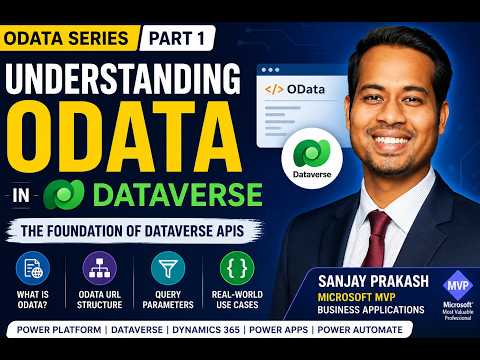
Dataverse OData Demystified
Learn how to take advantage of your business data with Microsoft Dynamics 365 & Power Platform & Cross Technologies. My name is Sanjaya Prakash Pradhan and I am a Microsoft Certified Trainer (MCT) and
Microsoft guide to OData in Dataverse for Power Platform: Power Apps & Power Automate, Dynamics CE, APIs and querying
Key insights
- OData (Open Data Protocol)
OData is a standard REST protocol used to read and manipulate data. Dataverse implements OData v4.0 so clients can query Dataverse with REST-style requests. - Dataverse tables
Dataverse stores data in tables made of rows and columns (formerly called entities, fields, attributes). This unified model supports Power Apps, Power Automate, and Dynamics 365. - Dataverse Web API
The Web API is the supported OData entry point to Dataverse for apps, flows, and integrations. Use it instead of older SDK patterns to access data via HTTP calls. - Key OData query options
Use $select to choose columns, $filter to limit rows, $orderby to sort, $expand for related data, $apply for aggregation, and $top to limit results. Note: Dataverse does not support some OData options such as $skip, $search, or $format, and it follows OData 4.0 behavior. - When to use OData in Dataverse
Use OData queries for integrations, custom apps, reporting, and automation when you need precise, efficient data retrieval. Query only the fields you need to improve performance and reduce payloads. - Practical tips
Rely on Dataverse security and the documented OData behavior for predictable access. Start with basic queries, learn $filter and $expand, then move to advanced techniques for complex scenarios.
Video summary and context
The YouTube video by Softchief Learn titled "Understanding OData in Dataverse | OData Series Part 1 | Power Platform & Dynamics 365" introduces the fundamentals of the OData protocol and explains how Microsoft’s Dataverse exposes data through a RESTful surface. The author, Sanjay Prakash, frames the material as the first entry in a multi-part series aimed at makers and developers working with Power Platform and Dynamics 365. Consequently, the presentation targets both newcomers and practitioners who need a clear, practical entry point to query patterns and API basics. Overall, the session promises a concise foundation that prepares viewers for deeper topics in later parts of the series.
Core concepts explained
Early in the video, the presenter defines OData and links it directly to the Dataverse Web API, noting that Dataverse implements OData v4.0. He walks through the often-used query options — such as $select, $filter, $orderby, $expand, $apply, and $top — and shows how those parameters shape which rows and columns are returned. As a result, viewers gain a clear mental model of how the URL structure controls data selection and how standard OData semantics simplify integration across clients. Furthermore, the video clarifies that Dataverse does not support certain OData features like $skip and $search, which is important for realistic expectations.
Who benefits and real-world use cases
The presenter highlights the practical audience: Power Apps makers, Power Automate and Dynamics 365 developers, Dataverse administrators, and students preparing for interviews. For example, developers building integrations or reporting tools can reduce payload and improve performance by combining $select and $filter to return only the necessary fields and records. Consequently, teams can avoid heavy data transfer and reduce latency in automation flows and app screens. The video also notes that consistent use of the Dataverse data model supports alignment across Power Platform, Dynamics apps, and BI tools.
Tradeoffs when using OData in Dataverse
While OData provides a standardized query language, the video responsibly points out tradeoffs between simplicity and capability. On one hand, using OData query strings is straightforward and works well for many scenarios, but on the other hand, complex filtering or aggregation may require careful construction or server-side processing to avoid performance problems. Therefore, developers must balance readability and maintainability of queries against the need for efficiency, and sometimes opt for server-side actions or batch requests when OData alone becomes unwieldy. Moreover, the lack of support for features such as $skip and $search can force teams to design workarounds that add development overhead.
Challenges and practical advice
The video addresses common challenges, including handling large datasets, optimizing query cost, and understanding entity (table) relationships for $expand operations. As an example, expanding related records can be convenient, but it may return far more data than intended unless combined with $select to limit columns; therefore, thoughtful projection and pagination strategies are essential. Additionally, the presenter recommends testing queries in real-world conditions because sandbox or small datasets can hide performance bottlenecks that appear in production. Finally, the video encourages learning the Dataverse query limitations early so architects can choose the right pattern before implementation.
Practical takeaway and next steps
In summary, the Softchief Learn video offers a clear introduction to using OData with Dataverse, outlining practical query options and realistic limitations while preparing viewers for advanced topics covered later in the series. Viewers should follow up by experimenting with simple Dataverse Web API queries, combining projection and filtering, and then progressing to the subsequent parts that cover filters, expands, and advanced querying techniques. By doing so, developers and administrators can better balance performance, maintainability, and feature needs when building Power Platform and Dynamics 365 solutions. Ultimately, this primer provides a useful baseline for teams aiming to integrate Dataverse data reliably and efficiently.

Keywords
OData Dataverse tutorial, Dataverse OData v4 guide, OData Power Platform examples, Dynamics 365 OData integration, Dataverse REST API OData, OData query filtering Dataverse, OData expand and select Dataverse, OData pagination Dataverse