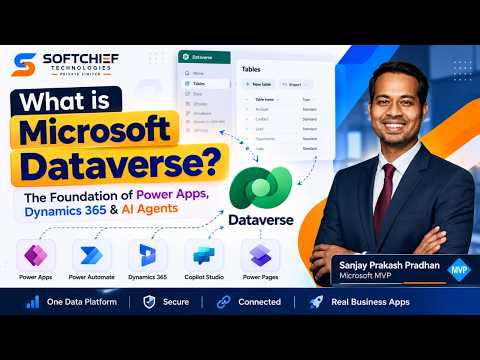
Microsoft Dataverse: data, security and business logic
Learn how to take advantage of your business data with Microsoft Dynamics 365 & Power Platform & Cross Technologies. My name is Sanjaya Prakash Pradhan and I am a Microsoft Certified Trainer (MCT) and
Microsoft Dataverse combines business data tables with relationships, security controls and tools for business logic.
Key insights
- Dataverse organizes business information into tables, rows and columns.
- Tables can be connected through one-to-many, many-to-one and many-to-many relationships.
- The transcript describes configurable roles, permissions and access controls for business data.
- Business rules, Power Fx formulas and workflows can add logic and automate tasks.
Microsoft Dataverse combines structured business data with table relationships, security controls and business logic for business applications. It is relevant to makers and developers building solutions that need more than a place to store records. Softchief Learn demonstrates and explains these core Dataverse concepts in a short YouTube video.
What it does
Dataverse is a cloud data platform for storing and managing business data. Its basic structure uses tables made up of rows and columns, with column types that describe the information each field can hold. That structure gives applications a consistent way to work with business records.
The platform also supports relationships between tables. The demonstration describes one-to-many, many-to-one and many-to-many relationships, and gives the example of connecting a customer table to contacts, orders and cases. Those links let a solution represent connected business information rather than treating every table as an isolated set of records.
Dataverse also brings security and business logic into the same platform. The transcript identifies roles, permissions and access controls, as well as business rules, Power Fx formulas and workflows. In practical terms, the described scope goes beyond storing records: it includes controls over access and mechanisms for applying rules or automating manual tasks.
The description says Dataverse connects with Power Apps, Power Automate, Dynamics 365 and Copilot Studio. That makes the data platform relevant to people building business applications and automations across those products. The material does not detail how those connections are configured or what licensing each one requires.
Who it is for and what you need
Dataverse is presented here for people working with Microsoft business applications, including makers and developers who need to model business data and apply security or logic. The video describes it as a central repository for a project’s data, but does not provide implementation guidance for choosing it over another data platform. The best fit therefore depends on requirements the source does not assess, such as workload, scale or integration needs.
The transcript does not state required licenses, plans, roles, environment settings, prerequisites or regional availability. It also does not establish a rollout stage or preview status. Readers should not treat the demonstration as confirmation that a particular capability is included in a specific license or enabled in every tenant.
If you are evaluating the platform, the points the material supports are its table-based data model, relationships, security controls and business logic options. For product-specific licensing and availability, this source alone is not enough to make a decision. No official Microsoft documentation was provided in the research source list for this article.
How it works
The video is an overview rather than a setup tutorial, so it does not provide a menu path or a sequence of configuration steps. Its explanation suggests a conceptual order: define the data in tables, connect related information, control access, then apply logic or workflows where the business process calls for them. These are the capabilities described, not verified click-by-click instructions.
- Model information in tables, using rows for records and columns for the fields in those records.
- Define relationships between tables where records need to connect, such as customers and their contacts or orders.
- Configure access controls using the roles, permissions and access settings mentioned in the transcript.
- Apply business rules, Power Fx formulas or workflows to express logic or automate manual tasks.
For example, a customer table linked to contacts, orders and cases can represent connected data in one model. The video says that data can be reused by Power Apps and Power Automate, but does not show the process of creating the tables, setting permissions or building an app or flow. Those implementation details need further documentation or hands-on validation.
To explore more coverage of the product, see Microsoft Dataverse topics on HubSite 365. The video itself focuses on definitions and capabilities, not a walkthrough of the maker experience.
Limitations and open questions
This short overview helps distinguish Dataverse from a basic record store, but it leaves out important details for implementation. It does not show where to create tables or relationships, how to set a security role, or how to configure a business rule, formula or workflow. It also does not compare Dataverse with other database options.
The transcript mentions built-in security and describes role-based and row-based access, but does not explain the permission model or its configuration. Likewise, it names Power Fx and workflows without demonstrating specific expressions, triggers or limits. Treat these as capabilities the publisher describes, not as a complete technical specification.
No alternative or previous method is named, and no official Microsoft source is available in the supplied source list to independently verify licensing, availability or detailed product behavior. The useful takeaway is the platform’s combined data model, security and logic; questions about costs, quotas, deployment and administration remain unanswered by this material.
Sources
Frequently asked questions
What is Microsoft Dataverse used for?
The material describes Dataverse as a cloud platform for storing and managing business data, with tables, relationships, security controls and business logic.
Can Dataverse tables be related to each other?
Yes. The transcript names one-to-many, many-to-one and many-to-many relationships, and describes connecting customer information to contacts, orders and cases.
What licenses do I need for Dataverse?
The supplied material does not state licensing requirements. Check current Microsoft licensing information before planning a deployment.
How do I configure Dataverse security or workflows?
The video names roles, permissions, access controls and workflows, but does not give configuration steps or menu paths.