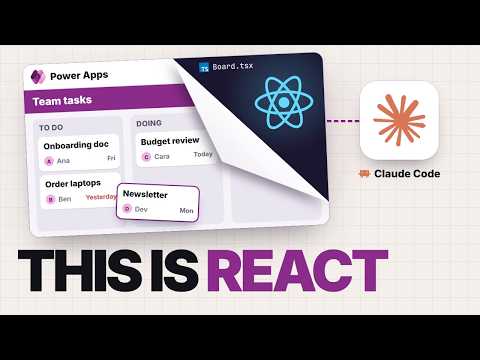
Power Apps Code Apps: Build React apps with Claude Code
Welcome to the channel dedicated to #PowerBIDesign and #DAX tutorials! Join us as we explore the world of data visualization, guiding you through the process of creating stunning dashboards
Power Apps Code Apps let developers build React or Vue apps with Claude Code and use Power Platform connections, sign-in, and governance.
Key insights
- Code Apps support React, Vue, and other frameworks in a Power Apps environment.
- The demonstrated setup uses Node.js, a code editor, Claude Code, and Microsoft’s code-apps plugin.
- Generated TypeScript services connect app code to Power Platform data connections.
- The example app stores task data in a SharePoint list and updates it when cards move.
- The demonstration describes desktop-browser use and says Code Apps cannot be embedded in canvas apps.
Power Apps Code Apps let developers build React or Vue applications and run them in Power Apps, using Power Platform connections, sign-in, and governance. They are aimed at developers and makers who want more control over the interface than a canvas app provides. Power BI Professionals demonstrates a Code App workflow using Claude Code to create a team task board, connect it to SharePoint, and publish it.
What it does
A Code App is a web application built with a framework such as React or Vue and run as an app in Power Apps. The key difference from building a standalone web app is that the Power Platform supplies connections and platform-level management for the app. Microsoft describes Code Apps as Power Platform assets governed in their environment.
This approach can suit interfaces that are awkward to build with canvas controls, such as a drag-and-drop board or an experience based on an organization’s web component library. It does not remove the need to understand and review code. Instead, a coding agent can help write and revise the app while the maker or developer remains responsible for checking the result.
In the example, the task board has To do, Doing, and Done columns, with cards that include an owner and due date. Claude Code builds the React interface, and the task data comes from a SharePoint list. That example illustrates the workflow; it does not establish that every design or data source is suitable for Code Apps.
Who it is for and what you need
Code Apps are for people who want a code-first web development workflow inside Power Apps. The demonstration contrasts them with canvas apps: if you are comfortable with Power Fx and canvas app design, a canvas app may be the better fit. Code Apps may be more relevant when a custom interface or framework-based project is the priority.
The demonstrated setup includes Node.js, a code editor, Claude Code, an environment with Code Apps enabled, and Microsoft’s Power Platform skills marketplace plugin. The transcript says an administrator must enable Code Apps in an environment that does not support them. It does not provide an exact menu path for that environment setting.
The transcript cites community guidance for a Power Apps Premium license for users, but explicitly advises checking licensing with the organization’s licensing owner. The official documentation cited here does not establish licensing terms in the material provided, so confirm the requirements before deployment. The transcript describes desktop-browser use and says mobile support is not available; check current Microsoft documentation for changes.
How it works
Claude Code is the coding assistant in this workflow, not the Power Apps runtime or the source of the platform’s governance. Before building, the creator installs Microsoft’s plugin so the agent can follow Code Apps-specific instructions. The plugin repository and architecture documentation are listed in Sources.
- Prepare a Power Apps environment with Code Apps enabled, then set up Node.js, a code editor, and Claude Code.
- In Claude Code, add and install Microsoft’s Power Platform skills marketplace plugin: /plugin marketplace add microsoft/power-platform-skills and /plugin install code-apps@power-platform-skills.
- Describe the app and its requirements. In the example, Claude creates a React project and a task board that can be tried locally before connecting it to Power Apps.
- Create a data connection and add it to the app. The Code Apps library generates TypeScript models and services for the connection, which the React code can call.
- Connect the interface to the generated service. In the example, moving a task card updates the corresponding SharePoint list data.
- Build and publish the app to the Power Platform environment, then share it with users as a Power Apps app.
The project includes a power.config.json file containing connection and publishing details, according to the architecture documentation cited in the transcript. The transcript also cautions that publishing commands vary across versions: it identifies pac code push as an earlier command and says newer guidance uses an npm-based command. Consult the current documentation for the command that applies to your setup rather than copying an unverified command.
For related coverage of the wider product, see our Power Apps resources.
Limitations and open questions
The demonstrated approach still requires a working development environment and familiarity with ordinary web project issues. The transcript mentions build errors, package versions, command-line tool versions, and environment configuration as potential hurdles. Claude may help interpret errors, but the workflow does not make those issues disappear.
The video says Code Apps run in desktop browsers, are not supported in the Power Apps mobile app, and cannot be embedded inside a canvas app as a component. These constraints matter if users need mobile access or if the desired design is a Code App embedded in an existing canvas experience. The app is presented as its own Power Apps app instead.
Security and review remain the team's responsibility. The demonstration advises keeping passwords and API keys out of React source code and using platform connections for data access. It also recommends that someone on the team be able to read the code, even when Claude writes much of it.
Licensing details, mobile support, and the exact publishing command should be verified against current Microsoft guidance; the transcript's licensing and mobile statements rely on community sources. The material also does not specify regional availability or a complete set of supported frameworks and connectors. The official sources below cover the feature update, architecture, code-app repository, and plugin repository.
Sources
- Power Platform: February 2026 feature update
- Microsoft Learn: Code Apps architecture
- Microsoft Power Apps Code Apps repository
- Microsoft Power Platform skills repository
- Power BI Professionals’ Code Apps demonstration
Frequently asked questions
What do I need to build a Power Apps Code App with Claude Code?
The demonstrated setup uses a Code Apps-enabled environment, Node.js, a code editor, Claude Code, and Microsoft’s Power Platform skills plugin. The transcript also says users may need Power Apps Premium; confirm licensing with your organization.
Can Power Apps Code Apps run on mobile?
The demonstration describes Code Apps as desktop-browser apps and says mobile support is not available. The material does not confirm whether that limitation has changed, so check current Microsoft documentation.
Can I embed a Code App inside a canvas app?
The demonstration says a Code App cannot be dropped into a canvas app as a component. It is published as its own app.
Which command publishes a Power Apps Code App?
The transcript says an earlier workflow used pac code push and that newer guidance uses an npm-based command. It notes that commands vary by version, so check the current documentation for your setup.