Copilot Studio: build and edit agents with GitHub Copilot
SharePoint & PowerApps MVP - SharePoint, O365, Flow, Power Apps consulting & Training
Use the Copilot Studio plugin with a coding assistant to create agents from prompts, connect knowledge and tools, and revise existing instructions.
Key insights
- The demonstrated workflow uses a Copilot Studio plugin with GitHub Copilot and the new harness.
- A prompt can specify an agent’s name, instructions, knowledge source, and actions.
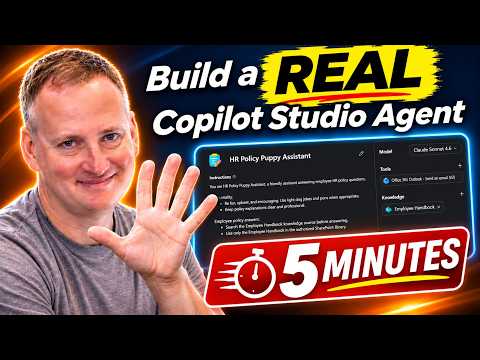
- The example agent used an Employee Handbook file and an Outlook email action.
- The maker tested the agent in Preview and corrected a connector issue before using it.
- The plugin can also revise instructions for an existing agent, not just create one.
Copilot Studio’s new harness can be used with a coding assistant and plugin to create agents from natural-language prompts, then test and revise them. This approach may interest Copilot Studio makers who want help setting up an agent’s instructions, knowledge, and actions, or maintaining one they already built. Shane Young [MVP] demonstrates the workflow using GitHub Copilot in a YouTube video.
What it does
The demonstrated Copilot Studio plugin connects a coding assistant to agent-building tasks through what the transcript calls the new harness. Instead of configuring every part by hand, a maker can describe the intended agent and ask the assistant to create it. The example prompt specified the agent’s name, its purpose and behavior, a knowledge file, and an HR escalation action.
The example was an HR policy assistant. Its instructions included answering questions using an Employee Handbook, having a lighthearted personality, avoiding discussion of layoffs, and referring those questions to HR. For escalation, the prompt asked the agent to send an email through Outlook with information supplied by the user. These are details of the demonstration, not required settings for every agent.
The workflow is not limited to initial creation. The assistant can also be asked to improve an existing agent’s instructions. In the second example, it reviewed an existing agent and expanded broad instructions by identifying Dataverse tables and schema names that the agent should use.
Who it is for and what you need
This workflow is relevant to makers and developers who build or maintain agents in Copilot Studio and use a coding assistant. The demonstration uses the GitHub Copilot app, but Young says the plugin workflow can also be used with Codex, Claude Code, or another coding assistant. The video does not specify required Copilot Studio or GitHub Copilot licenses, tenant requirements, or regional availability.
You need access to the Copilot Studio plugin and an environment where the agent can be created. In the example, the assistant asks which environment to use, and Young selects his Shane Young environment. The prompt also refers to an Employee Handbook file in a document library. The video does not establish what access or configuration is needed for other knowledge sources or environments.
The transcript describes the plugin as available from a Microsoft repository, but does not provide a precise installation path or confirm product rollout status. Before installing a plugin, Young recommends considering its source and whether you trust it. The demonstration does not state that the workflow or harness is available to every tenant or license.
How it works
The maker installs the plugin and then gives the coding assistant a request. The assistant reads the plugin documentation during the installation process in the demonstration. Young checks that it is working by asking it to list agents. The transcript does not give a formal prerequisite checklist or exact plugin command.
- Install the Copilot Studio plugin in the coding assistant. Review its source and documentation before allowing it to make changes.
- Ask the assistant to create an agent using the harness. Include the desired name, environment, instructions, knowledge source, and tools or actions.
- Review the generated agent in Copilot Studio under Agents. In the example, the maker checks its instructions, the Employee Handbook connection, and the HR email action.
- Open Preview and test the agent with representative questions. The example checks an office pet-policy question and an HR escalation request.
- Correct problems before publishing. The demonstrated email action initially appeared to use an unexpected connector. The maker asked the assistant to fix it and also noted that deleting the incorrect tool and adding the desired Outlook Send Email v2 connector manually was an option.
- When ready, use Publish, choose Add Channel, select a channel such as Teams or Microsoft 365, and publish. Young does not publish the demonstration agent.
In the example, the Outlook action asks for confirmation before sending. Young says the standard Outlook 365 tool uses the end user’s connection: an email sent by another user of the agent would come from that user’s account. He also says access to knowledge is evaluated using the user’s permissions rather than his own.
Limitations and open questions
Generated work still needs review. The demonstration includes an incorrect or confusing connector selection that required troubleshooting. A maker can ask the assistant to correct the tool, or make a straightforward change directly in Copilot Studio. The example shows why Preview testing matters before publishing.
The video does not establish how the plugin handles every kind of agent, knowledge source, or action. It does not provide licensing details, a rollout or preview designation, or instructions for installing the plugin step by step. It also does not verify publishing to a live channel; the maker stops before publishing.
Use the assistant as a way to create or update an agent, not as a reason to skip checking its configuration. Confirm that its instructions reflect the intended behavior, that its tools are the ones you want, and that knowledge and actions behave as expected for the users who will run it. The video illustrates one workflow and does not establish that every generated agent will work without manual changes.
Sources
Frequently asked questions
Can GitHub Copilot help create a Copilot Studio agent?
The demonstration uses the Copilot Studio plugin with GitHub Copilot and the new harness to create an agent from a prompt. The transcript also says other coding assistants can be used, but does not provide setup details for them.
Can the Copilot Studio plugin edit an existing agent?
Yes. The demonstrated workflow asks the assistant to improve an existing agent’s instructions by identifying relevant Dataverse tables and schema names.
How do I test an agent created with the plugin?
Review the agent under Agents in Copilot Studio, then use Preview to test representative questions and actions. The demonstration found a connector issue during this process.
What license do I need for the Copilot Studio plugin?
The demonstration does not specify required Copilot Studio or GitHub Copilot licenses.