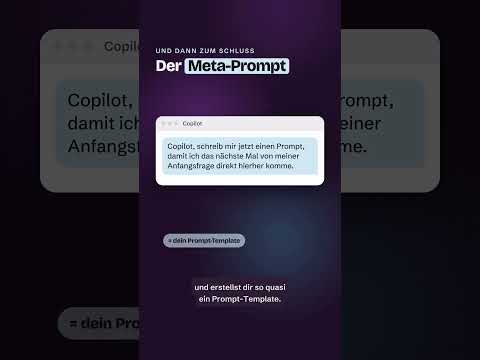
Copilot Studio: create a prompt template from a description
Describe a task in natural language to generate a prompt draft, then review and test it before using it in a workflow or agent.
Key insights
- The Prompt Builder turns a plain-language description of a task into a prompt draft.
- Review and edit the draft, then test it with example values before using it.
- The research notes list Copilot Studio, Power Apps and Power Automate as places to use the assistant.
- The assistant creates new drafts; the notes say it cannot automatically improve an existing prompt.
Copilot Studio's Prompt Builder can turn a plain-language task description into a structured prompt draft for review and testing. It is useful for makers building reusable prompts for agents and business processes, as well as people starting from a blank prompt. Daniel Rohregger (365 Checkpoint) is the source of the demonstration, although no transcript or demonstration details were provided in the supplied material.
What's new
The Prompt Builder is intended to help users get from an idea to a first draft without composing every instruction from scratch. A user describes the intended task in natural language, and the assistant proposes a prompt that can then be edited. The draft is a starting point, not a guarantee that the eventual response will be accurate or suitable.
The research notes describe prompt structure in terms of a goal, context, sources and expected output. For a reusable template, inputs can be represented as variables, so the same instructions can process different content. The notes also describe using prompts in apps, flows and agents.
Who it is for and what you need
This approach is aimed at makers and business users creating repeatable AI tasks. The research notes say the Prompt Builder is available in Copilot Studio, Power Apps and Power Automate, but do not specify required licenses, plans, regions or rollout status. Those details should be checked for the particular environment before planning a deployment.
Before using a prompt with organizational information, confirm that its sources and permissions are appropriate. The supplied material does not establish which data sources are connected in a particular setup or what access a user has.
How it works
Daniel Rohregger's Short has no transcript in the supplied material, so the steps below come from the research notes rather than a verified walkthrough. The notes give two possible entry paths, which may vary by application.
- Open the prompt creation experience. The notes list Tools > New tool > Prompt or AI hub > Prompts > Create your own prompt.
- Describe the task and the result you want in ordinary language.
- Review the generated draft, then adjust the instructions, inputs, sources and output format.
- Test the prompt with example values, revise it if needed, and use it in an app, flow or agent.
For repeated processing, a template can include a variable for changing content, such as a customer comment. Each run can then supply a different value while keeping the core instructions consistent.
Limitations and open questions
The notes state that the assistant generates new drafts but does not automatically improve an existing prompt. They also do not specify licensing, availability, or the exact interface for each product. No official Microsoft source was included in the supplied source list, so those product and rollout details are not independently verified here.
Generated instructions still need human review and testing with realistic examples. The supplied material does not verify the Short's specific steps or show what the feature looks like in a current tenant.
Sources
Frequently asked questions
Can Copilot create a prompt template from a description?
The research notes describe a Prompt Builder that turns a natural-language task description into a prompt draft. The draft should be reviewed and tested before use.
Can the Prompt Builder improve an existing prompt?
The supplied research notes say it creates new drafts but cannot automatically improve an existing prompt.
Where can I find the prompt creation tool?
The notes list Tools > New tool > Prompt and AI hub > Prompts > Create your own prompt. The exact path may depend on the application.
What license do I need for Prompt Builder?
The supplied material does not state licensing requirements, plans, regions or rollout status. Check the requirements for your specific environment.