- All of Microsoft
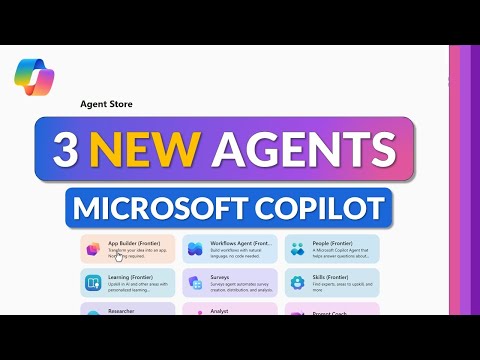
Copilot: App Builder Workflows & Surveys
Principal Group Product Manager - Microsoft Education
Microsoft expert guide to Copilot Agents: App Builder, Workflows and Surveys for Microsoft three sixty five Copilot
Key insights
-
Copilot agents expand Microsoft 365 with AI that builds apps, runs workflows, and runs surveys inside Office apps.
They move beyond chat to automate tasks and connect tools across Word, Excel, PowerPoint, and Teams. -
Use the App Builder agent to create custom apps without coding by describing the process in natural language.
The agent guides you to set triggers, actions, and conditions, then deploy the app inside Copilot for immediate use. -
Workflow Agents automate repetitive processes like approvals, data entry, and report generation.
Configure a pre-built or custom workflow, set integrations for Office apps, then monitor and refine automation performance. -
The Surveys Agent helps design, distribute, and analyze surveys quickly using AI-generated questions and summaries.
Customize distribution options, collect responses, and use built-in analysis that you can export to Excel or PowerPoint. -
Note availability and access: these features require an M365 Copilot subscription and some tools are in early release (Frontier) as of late 2025.
Expect staged rollouts and admin controls for tenant-level enablement. -
Practical benefits include strong time savings, fewer manual errors, and easier process standardization.
Apply pre-built HR and IT agents where appropriate, monitor results, and enforce governance and security as you monitor and optimize workflows.
Mike Tholfsen’s recent YouTube tutorial walks viewers through the newest capabilities in Microsoft 365 Copilot, focusing on the trio of agents now available: App Builder, Workflows, and Surveys. The video offers a practical, step-by-step demonstration and highlights that both App Builder and Workflows are currently in the early release channel labeled “Frontier” as of December 2025. Importantly, all three agents require an active M365 Copilot subscription, so organizations must factor licensing into any deployment plan. As a tutorial, the presentation balances live demos with real-world examples to show how teams can save time and reduce manual work.
Overview of the New Agents
The new agents extend Copilot beyond conversational help into practical automation that sits inside Microsoft 365. For instance, the App Builder allows people who are not professional developers to assemble apps and automation flows using plain language prompts. Likewise, Workflows automate repetitive tasks across apps such as Word, Excel, and Teams, while Surveys streamlines creation and analysis of feedback. Together, these agents aim to make AI-powered automation more accessible across departments.
Using the App Builder
Tholfsen demonstrates that the App Builder starts by asking users to describe the process they want to automate, for example approving expense reports. Then the agent proposes triggers, actions, and conditional steps which users can tweak, making it possible to create a working app in minutes rather than days. This lowers the barrier for digital process creation, especially for small teams that lack developer resources.
However, there are tradeoffs to consider when relying on a low-code builder. While speed and ease are strengths, customization depth can be limited compared to traditional development, and complex integrations may still require IT support. Therefore, teams should weigh quick wins against long-term maintainability and plan for versioning and change control. In particular, administrators must consider governance and permissions to avoid accidental data exposure.
Workflows: Automating Routine Tasks
The Workflows agent automates recurring tasks like approvals, data entry, and report generation by connecting steps across Microsoft 365 apps. Tholfsen shows how to choose pre-built workflow templates or create custom workflows using the App Builder, and he highlights how triggers and notifications keep stakeholders informed. Consequently, organizations can reduce delays and errors, freeing staff to focus on higher-value work.
On the other hand, automation introduces operational risks when it lacks proper oversight. For example, automated approvals can accelerate processes but they can also propagate mistakes quickly if they run unchecked. Accordingly, it is important to build monitoring and rollback steps into workflows and to use Copilot’s analytics to track performance and exceptions. As a result, IT teams should treat workflows like production systems that require logging and audits.
Designing Surveys with AI
The Surveys agent simplifies question creation, distribution, and analysis by using AI to suggest clear questions and to summarize results. Tholfsen demonstrates how to create a survey with natural language prompts, distribute it through Teams or email, and then use Copilot to translate responses into insights. This approach speeds up feedback cycles and helps non-experts generate meaningful analysis quickly.
Nevertheless, survey automation raises challenges such as response bias, privacy, and data handling. For instance, AI-generated question phrasing might unintentionally lead responses, while aggregated insights could reveal sensitive patterns if not handled carefully. Therefore, teams must design surveys with ethical principles in mind, and maintain clear rules around data retention and access. In turn, this ensures that insights remain trustworthy and compliant with company policies.
Integration, Examples, and Best Practices
Throughout the video, Tholfsen offers concrete examples like expense approvals, meeting follow-ups, and pulse surveys to show how the agents work together. He emphasizes integrating workflows with familiar apps such as Teams, Excel, and SharePoint to maximize adoption and reduce training needs. Moreover, he suggests starting with small, high-impact automation projects to prove value before scaling enterprise-wide.
Finally, successful adoption requires balancing agility with control: enable end users to build useful automations, but pair that freedom with governance, monitoring, and clear labels for early-release features. Organizations should also plan for training, change management, and periodic reviews to refine automations over time. By doing so, they can realize efficiency gains while managing the tradeoffs between speed, security, and long-term support.

Keywords
Microsoft Copilot agents, Copilot app builder, Copilot workflows tutorial, Copilot surveys guide, create agents in Copilot, Copilot automation tools, Copilot app builder tutorial, Copilot workflows best practices