- All of Microsoft
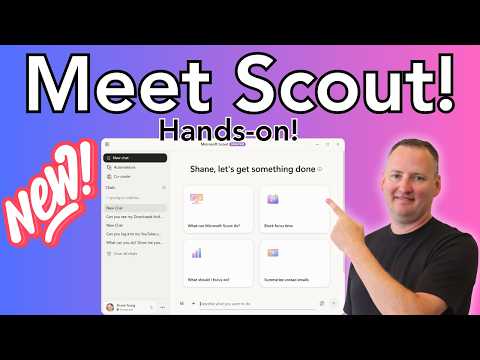
Microsoft Scout: Hands-On from Build
SharePoint & PowerApps MVP - SharePoint, O365, Flow, Power Apps consulting & Training
Hands-on Microsoft Scout AI agent accessing local files and automations, integrating with GitHub Copilot and Intune
Key insights
- Microsoft Scout is an always-on personal work agent introduced at Build 2026 that stays connected to your work context and acts like a persistent digital coworker.
It works across Microsoft 365, the desktop, and the web rather than waiting for one-off prompts. - Scout’s Autopilot design lets it take proactive actions: it can monitor priorities, coordinate tasks across apps, and surface risks earlier.
This makes its behavior different from traditional chat-based copilots like Copilot or Copilot Cowork. - Key capabilities include access to local files, running shell commands (PowerShell, git, curl), controlling the browser, and executing code or Automations and Skills on your machine.
It can also stream rich formatted responses for real-time feedback. - Deployment requires enterprise setup: Frontier preview enrollment, Intune configuration, an opt-in attestation, and a GitHub Copilot license for installation and use.
Setup is not trivial and is currently limited to private preview customers. - Microsoft positions Scout for enterprise use with enterprise-grade security and strict governance boundaries so it operates inside organizational controls.
That design aims to let Scout act broadly while keeping data and access managed by IT. - Practical takeaways: Scout can install tools, write and run Python and PowerShell, and edit files directly, offering real task execution beyond chat.
Expect an experimental release with setup challenges, limited availability, and ongoing refinement during the Frontier preview.
Overview: Hands-on look at Microsoft Scout
In a detailed YouTube demonstration, Shane Young [MVP] walked viewers through his first hands-on experience with Microsoft Scout, the new persistent work agent introduced at Microsoft Build 2026. He showed how Scout behaves differently from earlier copilots by performing tasks on the desktop, running code, and interacting with files, rather than just responding to one-off prompts. Consequently, his video serves as a practical preview that helps IT teams and power users understand Scout’s capabilities beyond the marketing descriptions.
Core capabilities shown in the video
Shane demonstrated that Microsoft Scout can access local files, execute shell commands like PowerShell, and even install tools and run Python scripts, which underscores how this agent reaches beyond browser-based assistants. Furthermore, Scout can interact with web pages, navigate the browser, and work with content in Microsoft apps such as Teams, Outlook, OneDrive, and SharePoint, so it coordinates across cloud and desktop contexts. The video also highlighted features like streamed, richly formatted responses and the ability to run Automations and Skills, which let Scout act on behalf of a user to complete multi-step tasks.
Setup, licensing and enterprise prerequisites
However, Shane made clear that Scout is not a plug-and-play tool; it currently sits in a Frontier private preview and requires multiple enterprise pieces to be in place before testing can begin. You need an appropriate Microsoft 365 tenant, a GitHub Copilot Business or Enterprise license, and Intune policies plus an opt-in attestation for endpoint configuration, so administrators must prepare and approve the environment. Therefore, organizations should expect an onboarding project rather than a quick deployment, with tradeoffs between early access to powerful features and the administrative burden required to secure and govern the agent.
How Scout differs from other Copilot experiences
Compared with conventional assistants like Copilot Chat or Copilot Cowork, Scout acts as an Autopilot style agent that remains connected to your work context and can take proactive actions without repeated prompts. This always-on model enables it to coordinate tasks, surface risks early, and keep processes moving, but it also raises new questions about privacy, control, and continuous data access. As a result, organizations that prefer tight manual control will need to balance the productivity gains against the potential surface for unintended actions and greater administrative oversight.
Practical challenges and troubleshooting in the demo
Shane encountered setup friction and configuration hurdles during his session, which illustrates real-world challenges administrators will face when enabling Scout at scale, including managing MCP servers, registering Skills, and tuning Automations and Heartbeats for reliability. Moreover, the ability to run code and shell commands on endpoints creates a dual challenge of ensuring secure privileges while enabling useful automation, so teams must design strict permission policies and audit trails. Consequently, initial deployments will likely require close collaboration between security, endpoint management, and application owners to reduce risk while proving value.
What organizations should consider next
Looking ahead, Scout points toward a new class of workplace agents that blend context awareness, desktop control, and continuous operation, and organizations should plan pilot projects that weigh operational benefit against governance needs. In particular, IT leaders should evaluate which tasks genuinely benefit from a persistent agent, how to limit scope with Skills and Automations, and how to balance productivity gains with cost, licensing, and security controls such as Intune policy enforcement. Ultimately, Shane Young’s hands-on video provides a useful starting point: it shows what is possible today while making clear that the path to safe, productive adoption requires careful planning and tradeoffs between convenience and control.

Keywords
Microsoft Scout hands-on, Microsoft Scout demo, Microsoft Scout tutorial, Microsoft Scout features, Microsoft Build Scout announcement, Microsoft Scout AI assistant, How to use Microsoft Scout, Microsoft developer tools Scout