- All of Microsoft
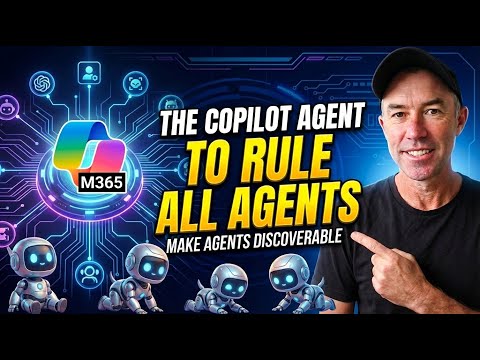
Copilot: How Agent Registry Boosted Use
A Microsoft MVP 𝗁𝖾𝗅𝗉𝗂𝗇𝗀 develop careers, scale and 𝗀𝗋𝗈𝗐 businesses 𝖻𝗒 𝖾𝗆𝗉𝗈𝗐𝖾𝗋𝗂𝗇𝗀 everyone 𝗍𝗈 𝖺𝖼𝗁𝗂𝖾𝗏𝖾 𝗆𝗈𝗋𝖾 𝗐𝗂𝗍𝗁 𝖬𝗂𝖼𝗋𝗈𝗌𝗈𝖿𝗍 𝟥𝟨𝟧
Make Microsoft Copilot agents discoverable with a SharePoint Agent of Agents registry for governance and faster adoption
Key insights
- Discoverability Problem
Many Copilot agents (HR assistants, contract reviewers, FAQ bots) go unused because staff don’t find them.
Traditional SharePoint pages or Excel lists assume people will search, but employees usually don’t. - Agent of Agents
Build a single master agent that knows every Copilot agent in your organization and answers questions like “Which agent handles procurement?” or “What agents do we have?”
The master agent groups results by function and returns direct access links. - SharePoint Agent Registry
Use a SharePoint document library as the registry, with one document per agent following a standard template (name, use cases, data sources, owner, status, access links).
This makes agent metadata searchable and easy for the master agent to ground on. - Copilot Studio Light
Build the master "Agent of Agents" in Copilot Studio Light and ground its instructions in the SharePoint registry so it can parse documents and match user queries to the right agent.
Low-code tools let IT admins and citizen developers implement this without heavy development work. - Instruction Optimization
Keep agent instruction sets concise to fit Copilot Studio’s 8,000-character limit; use tools like Claude to compress and refine prompts.
Include example prompts and test cases so the master agent reliably routes requests. - Benefits and Deployment
The pattern boosts adoption, centralizes governance, and scales a multi-agent ecosystem while enforcing access controls and auditability.
Deploy organization-wide, test results, and iterate to maintain accuracy and visibility.
Daniel Anderson [MVP] published a practical YouTube walkthrough that addresses a common challenge in enterprise AI: making bespoke Copilot agents discoverable across an organization. In the video, he builds a central "agent of agents" that is grounded in a SharePoint document library so users can simply ask which agent helps with a task and get a clear recommendation. This article summarizes the approach, explains the tradeoffs, and highlights practical steps IT teams can take to adopt the pattern. Overall, the piece aims to help leaders weigh the benefits of improved discoverability against the governance and upkeep it requires.
What the video demonstrates
Anderson begins by framing the problem: many teams build helpful Copilot agents, yet months later most employees still do not know they exist. Then he outlines a solution that uses a single searchable hub — an Agent of Agents — that queries a structured SharePoint registry and returns the right agent based on user intent. He walks viewers through documenting each agent with a consistent template, building the registry agent in Copilot Studio Light, and testing the end-to-end experience so links and access work immediately. The demo also shows how to compress and optimize long agent instructions using an external model to stay within platform limits while keeping behavior reliable.
How the Agent Registry works
At its core, the pattern uses a SharePoint document library as an index. Each agent gets a standardized document that records its name, primary use cases, data sources, owner, and operational status, which lets the registry agent map user queries to the most appropriate assistant. Because the registry is grounded in real documents, the agent can provide a direct link and usage guidance instead of asking people to search old pages or spreadsheets. This practical grounding reduces friction and makes it easier for employees to find the right tool for their task.
Moreover, the registry agent performs its matching based on simple metadata and short, focused instructions. Anderson emphasizes keeping the documentation concise so the matching logic can run quickly and give predictable results. He also demonstrates grouping agents by function so users can explore related tools, which supports discovery beyond single-query answers. Finally, the video highlights how to test common user prompts to improve matches and reduce false positives before a wide rollout.
Benefits and tradeoffs
Adopting this pattern brings clear benefits: it dramatically improves discoverability, increases adoption, and centralizes governance. When agents no longer hide in silos, teams reuse work more often and administrators gain a single inventory to audit permissions and ownership. This centralized approach also supports scaling a multi-agent ecosystem, allowing small governance teams to manage many specialized assistants without losing sight of who owns what.
However, tradeoffs exist and deserve attention. For example, keeping the registry accurate requires ongoing effort from agent owners and support teams, which adds operational overhead. There is also a balance between openness and security: making agents discoverable must not expose sensitive functionality or data to unauthorized users, so careful access control and auditing are essential. Finally, the instruction limit in some platforms forces teams to compress context, which can reduce agent nuance unless teams invest in concise documentation and frequent testing.
Implementation challenges and practical tips
The video offers hands-on tips to address these challenges. Anderson recommends a firm template for each agent entry and assigning clear ownership so updates happen as agents evolve. Additionally, he shows how to use a model to shorten long instructions and stay within an 8,000-character limit while preserving key behavior, which helps when building the registry agent in lightweight low-code tools. Testing with real user queries and iterating on metadata improves match quality and reduces user frustration after launch.
Operationally, teams should also plan for permission and compliance controls, integrating directory permissions and auditing tools to prevent accidental exposure. While the demo uses SharePoint for grounding, organizations can adapt the pattern to other catalog systems or an emerging control plane if they already use a governance platform. In short, success requires both technical setup and a modest governance process to keep the registry accurate and secure.
Takeaways for IT leaders
For IT leaders and program owners, the key takeaway is that discoverability is as important as functionality. Building useful agents is only half the job; making them visible and easy to access for the right users completes the value chain. Consequently, piloting an Agent Registry Pattern with a handful of high-value agents, assigning clear owners, and measuring discovery and usage will quickly show whether the pattern improves productivity. Finally, while the pattern reduces friction, it also requires disciplined governance to balance openness, cost, and security as the agent fleet grows.

Keywords
agent registry pattern, copilot adoption strategy, ai agent governance, enterprise copilot deployment, agent orchestration patterns, copilot integration best practices, developer adoption copilot, scalable agent management