- All of Microsoft
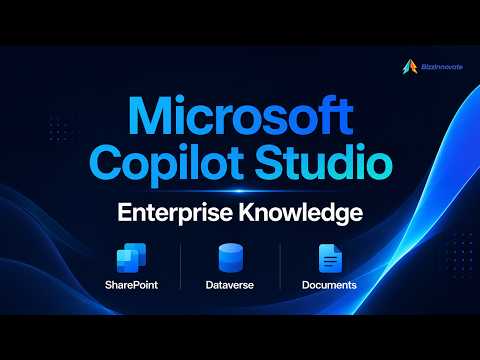
Copilot Studio: Knowledge Sources Guide
Microsoft Copilot Studio grounds agents with SharePoint and Dataverse data, enabling actions with Power Platform
Key insights
- Summary of videos: The YouTube clips explain how Microsoft Copilot Studio links enterprise content to AI agents so answers come from your data, not just the model.
They show new connectors, retrieval changes, and maker controls in action. - What are knowledge sources: Knowledge sources are data connections (for example SharePoint, OneDrive, Dataverse) that ground agent responses in company content.
Makers add and manage these sources so agents use organization-specific information. - New features: Microsoft added third-party connectors (Salesforce, ServiceNow, Zendesk preview), improved SharePoint retrieval, and a file grouping option for named sets and group-specific instructions.
These updates aim to boost relevance and control without moving all data. - How it works: Copilot Studio uses retrieval-augmented generation (RAG) and semantic indexing to fetch relevant content and build answers from your sources.
This reduces churn and helps keep responses aligned with current enterprise data. - Limits and controls: Citations from knowledge sources can’t be passed into other tools, and many connectors need specific authentication and limits.
There is no single “all knowledge” switch; you control access by adding specific sources. - Practical guidance for makers: Use the Build tab to configure sources, test retrieval quality, and organize files into groups for targeted behavior.
Also check connector permissions and try Dataverse unstructured reasoning on long text and files to improve answers.
Quick summary of the video
The YouTube video by BizzInnovate walks viewers through how Copilot Studio uses knowledge sources to ground AI agents in enterprise content. The presenter highlights supported connectors, new retrieval improvements, and the practical steps for makers to link documents and systems. In addition, the video points to recent previews and feature changes that affect how organizations bring business data into agent responses.
Overall, the video frames these updates as a step toward more accurate and context-aware agents, while also noting limits and configuration choices. Therefore, readers can expect guidance on both capabilities and operational tradeoffs. As a result, teams can better decide whether to adopt these features now or wait for full general availability.
What’s new in Copilot Studio knowledge sources
First, the video emphasizes broader third-party support, including preview connectors for Salesforce, ServiceNow, and Zendesk, which allow agents to query live business systems without moving data. Additionally, Microsoft expanded the catalog to include more source types such as Azure AI Search, Dataverse, and structured sources like Azure SQL. These additions mean more enterprise signals can inform answers, and therefore agents can better reflect current business context.
Second, the presenter calls out improvements in retrieval quality, especially for SharePoint, where tenant graph grounding and semantic search boost relevance. Also, file grouping and group-specific instructions let makers influence how document sets are retrieved and prioritized. Consequently, organizations gain finer control over context, but feature previews and authentication requirements still shape how quickly teams can adopt them.
How the technology works
The video explains that Copilot Studio relies on retrieval-augmented generation, abbreviated as RAG, so agents fetch relevant content from connected sources and then synthesize answers. In many cases, content is semantically indexed rather than copied, which helps keep responses up to date and reduces unnecessary data movement. Moreover, the platform distinguishes between general knowledge sources and Microsoft 365 grounding options such as Microsoft IQ and Work IQ, which cover email, calendar, and Teams artifacts.
However, the presenter also notes important operational constraints. For example, citations pulled from knowledge sources typically cannot be fed into other tools or automated actions, which limits some advanced workflows. In addition, source-specific limits, authentication hurdles, and the absence of a global knowledge toggle in the new experience mean makers must plan configurations deliberately. Thus, technical design must balance retrieval quality, latency, and security requirements.
Benefits and tradeoffs for enterprises
On the one hand, grounding agents in enterprise content improves answer relevance and reduces hallucinations by giving models factual context, especially for internal processes and customer records. For instance, combining Dataverse records with document content can yield more precise operational responses. Consequently, teams can automate a wider set of tasks with greater confidence.
On the other hand, the video stresses tradeoffs. Increasing the number of connected sources can introduce complexity in access control and governance, and semantic indexing may require extra configuration and compute. Furthermore, preview connectors and evolving semantics mean organizations must accept some instability or feature changes while benefits grow. Therefore, leaders should weigh the value of better context against the cost of integration and ongoing management.
Challenges and implementation guidance
The presenter outlines several practical challenges, including authentication, rate limits, and the need for clear citation and compliance policies when agents access sensitive data. In response, makers should prioritize sources that deliver the highest business value and then iterate outward, rather than attempting to connect every system at once. Meanwhile, file grouping and group-level instructions can help teams scope retrieval behavior and reduce noisy results.
Finally, the video recommends testing in controlled environments and documenting access patterns before broad deployment. By contrast, rushing into wide-scale production without governance increases risk and increases operational overhead. Consequently, organizations that adopt a staged approach will likely balance innovation with responsible use more effectively.
Conclusion
In sum, BizzInnovate presents Copilot Studio knowledge sources as a maturing capability that expands the reach of AI agents into enterprise content. The video makes a clear case for the benefits of semantic retrieval and wider connector support while also highlighting practical constraints such as preview status, authentication, and citation limits. Therefore, teams should plan carefully and pilot strategically to capture value while managing risk.
As organizations evaluate these features, they should remember that improved search and grounding bring both opportunities and responsibilities. Moreover, by balancing technical choices with governance, companies can use these advances to deliver more accurate, useful, and compliant AI-driven experiences.

Keywords
copilot studio knowledge sources, copilot studio connectors, copilot studio data sources, microsoft copilot studio tutorials, copilot knowledge base integration, copilot studio best practices, copilot studio semantic kernel, copilot studio content ingestion