Citizen Developer
- All of Microsoft
Timespan
explore our new search
Microsoft Copilot Studio
Oct 7, 2025 11:11 PM
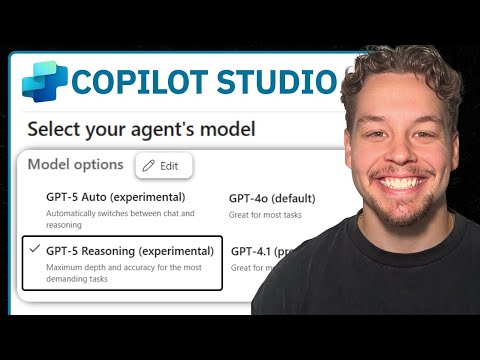
Copilot Studio: Change Agent Model Fast
by HubSite 365 about Griffin Lickfeldt (Citizen Developer)
Certified Power Apps Consultant & Host of CitizenDeveloper365
Microsoft Copilot Studio tutorial: change a Copilot agents model, customize AI behavior in a short video
Key insights
- Copilot Studio overview: The video shows how to change a Copilot agent's model inside Copilot Studio.
It walks through the interface and highlights the key steps to switch models safely. - Agent settings: Open your agent and go to the Agent settings or configuration tab to find model options.
Settings control which model and version the agent uses for responses. - Model selection and model version: Use the model dropdown to pick a different model or model version.
Choose a version that matches your needs for accuracy, speed, and cost. - Test pane and validation: After you switch models, run sample prompts in the Test pane to validate behavior and latency.
Confirm expected outputs before deploying to users. - Save and deploy: Save your changes and publish or redeploy the agent to apply the new model.
Deployment makes the update live for all users assigned to the agent. - Versioning, monitoring and permissions: Track model changes with versioning, monitor usage and cost, and ensure proper permissions for edits.
Keep a rollback plan if the new model causes issues.
Keywords
change Copilot agent model, Microsoft Copilot Studio change model, switch Copilot model, set Copilot agent model Microsoft, change AI model in Copilot Studio, Copilot Studio model settings guide, update Copilot agent model step-by-step, customize Copilot agent model