- All of Microsoft
Finance Tracker: Free 2026 Template
Excel finance tracker: automatic bank import, smart spending categories, savings goal updates, dashboard with Power Query
Key insights
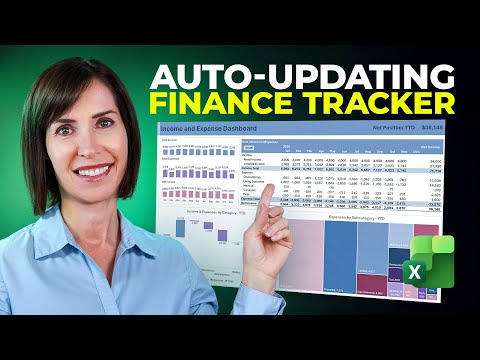
- Excel finance tracker: This YouTube video demonstrates a free, 2026-ready Excel template that imports bank transactions, auto-categorizes spending, updates savings goals, and refreshes a dashboard.
It aims to replace multiple apps by keeping budgeting, debt tracking, and net worth monitoring in one file. - Transaction Tracker: Enter income, expenses, savings, and debts once on the central transaction sheet.
Built-in formulas like SUMIF automatically sort entries into monthly budgets and reports. - zero-based budgeting: Some templates follow a zero-based approach so every dollar is assigned to a category.
This helps users plan for irregular expenses, prioritize debt payments, and meet savings targets. - Automation: You can import CSV files from banks or use connectors to pull transactions into the workbook.
Conditional formatting and formulas update balances and flag overspending without manual copying. - visual insights: Dashboards include charts, category breakdowns, progress bars, and net worth trends for quick decision-making.
These visuals highlight patterns and show where to cut costs or accelerate savings. - privacy and customization: Keep your data locally or in your Microsoft account and edit categories, tabs, and goals to fit your life.
You can also extend reporting with shared workbooks or Power BI if you need team or advanced views.
Video overview
In a recent YouTube video, Mynda Treacy (MyOnlineTrainingHub) [MVP] demonstrates a comprehensive personal finance system built in Microsoft Excel and offers a free downloadable Template intended for use in 2026. The video presents a step-by-step walk-through of how the tracker imports transactions, automatically categorizes spending, and refreshes a visual Dashboard. Furthermore, Treacy highlights practical setups for savings goals, debt tracking, and net worth calculations so users can monitor progress over time. Consequently, viewers can see both the mechanics and the behavioral benefits of a spreadsheet-centered approach to personal finance.
Journalists reviewing the video will note that Treacy frames the tool as a flexible alternative to dedicated apps, and she emphasizes customization and transparency in data handling. She stresses that users can import CSV files from banks or paste transactions manually into a central Transaction Tracker, which in turn populates monthly sheets and summary views. In addition, the tutorial explains conditional formatting and progress bars that give immediate visual feedback on budgets and financial goals. Therefore, the video aims to make the tracker accessible to both beginners and more advanced Excel users.
How the tracker works
The system is organized around a single master table where every income and expense line is recorded, and then formulas distribute values to category totals and monthly tabs. For example, SUMIF and related functions are used to categorize transactions automatically, so once categories are defined the workbook updates without repetitive manual entry. Moreover, Treacy shows how to set up irregular payments, link savings targets, and calculate rolling net worth by entering month-end balances. As a result, the workbook functions like a consolidated financial control center that refreshes reports as data changes.
Importantly, the video explains practical steps for customization, such as renaming categories, adjusting charts, and adding new budget lines to reflect changing priorities. Users are also shown how to use conditional coloring to signal overspending or under-saving, which helps make the workbook actionable at a glance. Treacy demonstrates how to maintain the workbook month to month, including how to reconcile imported transactions with bank statements. Thus, the approach balances automation with user oversight to keep records accurate and relevant.
Advantages and tradeoffs
The primary advantage of the Excel-based approach is flexibility: users control structure, privacy, and presentation, and they avoid subscription fees that come with many personal finance apps. At the same time, there are tradeoffs: spreadsheets demand more initial setup and ongoing maintenance than most turnkey apps, and they require familiarity with formulas and table management for best results. Furthermore, while automation through imports speeds data entry, it can introduce mismatches that need manual review, particularly when banks change CSV formats or category labels. Consequently, the method suits users who value customization and control over out-of-the-box convenience.
Another important tradeoff involves privacy versus convenience. Keeping the workbook local or within a trusted cloud gives users direct control over their financial data, yet automatic bank syncing services can offer greater convenience at the cost of sharing credentials with a third party. Treacy notes ways to limit exposure, such as importing files manually rather than granting continuous access, and she outlines simpler setups for those who prefer minimal risk. Therefore, readers must weigh the benefits of automation against their comfort with data sharing and the time they can commit to upkeep.
Challenges and practical tips
Maintaining accurate categories is one of the most common challenges, because misclassified transactions can distort budgets and dashboards over time. Treacy recommends standardizing category names and using a small set of broad categories to reduce complexity, while also allowing a few granular lines for meaningful tracking. In addition, reconciling the tracker with bank statements monthly prevents drift between actual balances and the workbook's reported net worth, and this reconciliation step is emphasized in the video as routine housekeeping. Thus, disciplined monthly checks keep insights reliable and actionable.
Technical challenges include dealing with varied import formats, handling duplicate entries, and ensuring formulas adapt when the workbook grows. The video offers practical solutions such as importing into a staging sheet, using built-in Excel tables to preserve formula ranges, and employing data validation to reduce entry errors. Treacy also advises backing up the workbook regularly and documenting custom changes so users can recover or replicate setups later. Ultimately, these tips help users manage the complexity that comes with a powerful, customizable system.
Who benefits and next steps
The tracker is well-suited to users who want more control than app-based tools typically allow, including freelancers, households with irregular income, and people pursuing aggressive savings or debt-repayment plans. Moreover, those willing to invest time in setup will gain a tailored tool that adapts to life changes and provides clear visual motivation toward financial goals. Treacy’s video encourages users to start with the supplied Template, then iteratively simplify or expand the workbook to match individual needs, ensuring practicality from day one. Consequently, the path forward involves small, consistent improvements rather than a single perfect setup.
For editorial teams assessing the video for publication, the piece offers a usable combination of instruction, caution about tradeoffs, and pragmatic tips that readers can immediately apply. In particular, the balance between automation and manual oversight, along with the privacy decisions outlined, provides a nuanced view that readers need to weigh. Therefore, this tutorial stands as a valuable resource for anyone who prefers an adaptable, transparent approach to personal finance in 2026. Finally, the newsroom recommends highlighting the free Template and the clear, stepwise guidance Treacy provides for practical adoption.

Keywords
free finance tracker 2026, finance tracker template 2026, budget planner 2026 free, personal finance spreadsheet 2026, expense tracker template free, Google Sheets finance tracker 2026, Excel budget template 2026 free, monthly budget tracker 2026 free