- All of Microsoft
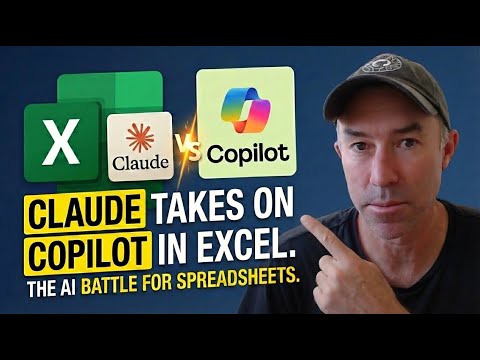
Claude Fixes Excel Errors in Real Time
A Microsoft MVP 𝗁𝖾𝗅𝗉𝗂𝗇𝗀 develop careers, scale and 𝗀𝗋𝗈𝗐 businesses 𝖻𝗒 𝖾𝗆𝗉𝗈𝗐𝖾𝗋𝗂𝗇𝗀 everyone 𝗍𝗈 𝖺𝖼𝗁𝗂𝖾𝗏𝖾 𝗆𝗈𝗋𝖾 𝗐𝗂𝗍𝗁 𝖬𝗂𝖼𝗋𝗈𝗌𝗈𝖿𝗍 𝟥𝟨𝟧
Agentic AI in Excel builds dashboards, auto fixes errors and pits Claude against Copilot for SharePoint workflows
Key insights
- Claude in Excel: Anthropic’s add-in embeds the Opus 4.5 model into an Excel sidebar so you can ask natural-language questions and get workbook edits or analyses directly in the file.
Easy to use for multi-sheet workbooks and aimed at financial and reporting tasks. - Data chunking and layout creation: the demo shows the model breaking large datasets into chunks, building KPI cards, tables and charts, and linking results back to specific cells.
This speeds dashboard construction for large (15,000+ row) sales sets. - Agentic AI behavior: the model detected an error during the run and fixed it automatically without user intervention.
That self-correcting action moves it beyond simple assistance to autonomous workflow handling. - Cell-level citations: the tool adds clickable links between chat responses and the exact workbook cells used, improving traceability and explainability.
It preserves formulas and avoids overwriting linked calculations when making updates. - Productivity gains: common tasks—data cleaning, PDF table extraction, pivot tables, forecasts and visual dashboards—complete far faster by using plain-language prompts.
That can cut hours of manual work into minutes in demos. - Marketplace add-in and limits: install from the Office add-in store; current limits include no macro/VBA or Power Query support, no model switching, and no retained chat history between sessions.
Users may want to compare results with Microsoft 365 Copilot Agent Mode for broader enterprise integration and web-grounded lookups.
Introduction
In a recent YouTube video by Daniel Anderson [MVP], the presenter demonstrates a new Excel add-in that places Claude in Excel directly into the spreadsheet workspace, using Anthropic’s Claude 4.5 Opus model to analyze and modify workbooks. The video centers on a single test: feed a 15,000-row sales dataset to the tool and ask it to “build me an executive dashboard,” and then watch how the system responds. As a result, viewers observe not only rapid dashboard construction but also an unexpected capability: the model detects and corrects its own error mid-task. Consequently, the clip raises questions for analysts and IT teams about adoption, governance, and practical value in real workflows.
What the Demo Shows
First, Anderson walks through installation from the marketplace and then sets context like a senior BI analyst, which frames how the add-in interprets the workbook and the request. Next, the video records the model chunking the large dataset, extracting key metrics, building KPI cards, assembling charts, and creating clickable citations that link chat responses to specific cells. Then, mid-process, the tool encounters an error but identifies and fixes the issue autonomously, demonstrating a kind of self-monitoring that the author labels as agentic behavior rather than mere assistance. Finally, Anderson asks the model for executive insights and deeper trend analysis, showing how the system can move from mechanics to interpretation.
Key Features and How It Works
The add-in operates through a sidebar chat interface that reads multi-sheet workbooks, preserves formulas, and makes direct, safe edits while providing cell-level citation for transparency. In addition, the tool supports drag-and-drop of Excel files and PDFs, extracts tables into editable formats, and applies cleaning steps such as date standardization and duplicate removal, all while avoiding overwriting dependent formulas. Moreover, the model’s ability to auto-compact session content helps maintain performance during lengthy interactions, though sessions currently do not retain chat history between uses. However, the integration has limits: it does not support macros, VBA, Power Query, Power Pivot, or direct connections to external databases, and it uses a single locked model without user-side switching.
Tradeoffs and Practical Challenges
On the one hand, the demonstrated automation promises large productivity gains by turning multi-hour tasks into minute-long processes, which can free analysts to focus on interpretation rather than rote work. On the other hand, such automation introduces tradeoffs, because faster changes can obscure decision trails unless organizations enforce clear audit and governance practices, particularly given current gaps in enterprise-level logging and session persistence. Moreover, balancing model-driven edits with human oversight becomes challenging when the model autonomously corrects errors, since teams must decide whether to trust those fixes or require manual review for critical financial outputs. Finally, performance and cost considerations arise for very large datasets, where chunking strategies and rate limits may affect responsiveness and accuracy.
Comparisons and Enterprise Considerations
While Microsoft’s Copilot and Excel Agent Mode also deliver multi-step automation, web integration, and dynamic formula generation, Anderson’s demo highlights differences in model provenance and certain feature sets such as Claude in Excel providing cell-level citations and autonomous debug behavior. Meanwhile, Copilot emphasizes integration with Microsoft 365 controls and web-grounded results, which can be preferable for organizations needing tight enterprise governance and search-backed answers. Therefore, adopting either tool requires considering the tradeoffs between model behavior, auditability, supported Excel features, and vendor alignment, especially when IT teams must maintain compliance, access control, and reproducibility of results.
Implications for Spreadsheet Users
For heavy spreadsheet users, the demo suggests a new workflow where the AI handles repetitive construction and initial analysis, while humans validate strategy, nuance, and assumptions before broadcasting results to stakeholders. Consequently, teams should pilot the add-in on non-critical workbooks to evaluate how it handles their typical formulas, connected data, and reporting cadence, and to establish change review protocols that preserve trust and auditability. In addition, IT and data governance groups need to assess privacy, model access tiers, and whether current controls meet organizational requirements before rolling the tool into production. Ultimately, this approach can speed analysis but requires disciplined procedures to manage risk and ensure clarity of responsibility.
Conclusion
Daniel Anderson’s YouTube demonstration offers a clear, practical view of Claude in Excel performing large-scale spreadsheet work, building dashboards, and even correcting its own mistakes without human intervention. While the capability is impressive and points to real productivity benefits, organizations must weigh the gains against governance, reproducibility, and integration constraints that currently limit some enterprise scenarios. As a next step, spreadsheet teams should evaluate the tool in controlled pilots, document review rules, and compare outcomes with alternatives like Microsoft’s Copilot to choose the right balance of automation and oversight. In this way, the video serves as both a technical showcase and a prompt for careful adoption planning.

Keywords
Claude AI Excel feature, Claude AI error correction, Excel auto-fix AI, live AI debugging Excel, Claude spreadsheet assistant, AI detects Excel mistakes, real-time Excel correction, Claude live demo Excel